 By
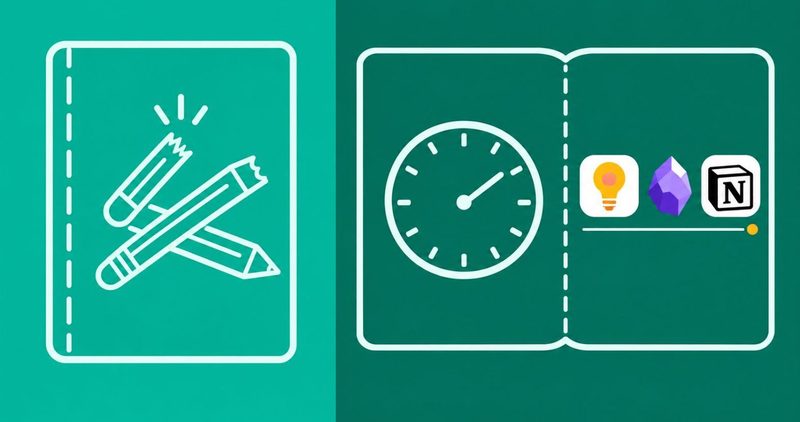
My cousin in the hostel writes today's tasks in a book he never opens again. I know, because page 40 of that book is still blank. He has one bar of Wi-Fi, half a bundle two weeks into the month, and a phone full of screenshots he kept meaning to remember.
I carry the same kind of phone. A Tecno Spark 40, HiOS skin and all. So when I say a note app has to open offline and sync without eating your bundle, I mean it in naira, not in theory.
Two criteria decide every row below: whether the app syncs free or cheap, and whether your notes open when the network dies. Features sell the download. Those two decide whether you still use it in March.
No link on this page is an affiliate link, and no vendor paid for a place. The affiliate disclosure is one tap away.
Which note app is right for you? The quick summary
- Capture fast: Google Keep. Free, instant, syncs on your Google account.
- Write long: Obsidian. Plain Markdown files on your phone, free. Sync Standard is $4 a month billed annually.
- Shared boards and databases: Notion. Free for one person; Plus is $10 per member a month.
- The Notion catch: offline pages open, but a database gives you 50 rows of its first view.
- Skip: Evernote's free tier. It prints 50 notes, 1 notebook, 1 device today.
- Every price here was read off the vendor page on 14 November 2026.
Sync and offline: the two criteria
Every pick below was graded on the same two failures first. Does it die when the network dies? Does it drink your bundle staying fresh? Whichever fails first, you never see again.
Free-first rule. Keep, Obsidian and Simplenote all sync for zero naira. Pay only when the free route stops fitting your work, and know in advance which wall it hits.
| App | Sync cost | Offline depth |
|---|---|---|
| Google Keep | Free, Google account | Full; notes live on your phone |
| Obsidian | Free via Drive or git; Sync $4/$5/$8/$10 | Full; your vault is a folder of files |
| Notion | Free; Plus $10 per member a month | Partial; marked pages only, 50 rows per view |
| Simplenote | Free | Full |
| Joplin | Free via Dropbox or WebDAV | Full |
| Evernote | Free on 1 device; Starter $8.25, Advanced $20.83 billed annually | Downloads for offline; free stops at 50 notes |
Quick capture: the 3-second note
The best thought you will ever have arrives at a terrible time. Mid-lecture, mid-queue, once during a traffic hold-up at Ojuelegba. A capture app has to open before the thought finishes fading.
Google Keep, the capture pick
Who it is for: you, if your task list lives in a dogeared book and cannot be found when needed.
What it does: voice memos, checklists, photos, and a home-screen widget that takes the note before the phone unlocks twice. It syncs to your Google account for free and sits in the Gmail sidebar. Play prints 1B+ downloads.
Where it leaks: no folders, no links between notes, and labels stop helping after a few dozen notes. Android Police's June 2026 switch story called it a clutter pile the moment a life outgrew sticky notes.
What it costs: nothing. Keep has no paid tier, which is its whole personality.
The duo: Keep in front, a real home behind it
xda ran the workflow test in July 2025. Notion loads too slowly for a thought mid-flight, so Keep grabs the note now and Notion files it later. Android Police's June 2026 switch landed the same ending, with Keep staying on as the inbox.
The system is boring, which is the compliment. Capture in Keep all day. Once a week, on Wi-Fi, move the keepers into your home. Notion if your life is databases and shared boards. Obsidian if it is long writing.
One honest gap. Neither app forgives a cursive hand. If you write with a stylus, OneNote or Samsung Notes carries handwriting better, and Android Police's device-by-device roundup gave OneNote that crown.
Long-form writing: files against databases
Obsidian stores plain Markdown files in a folder you own. Notion stores structured blocks behind a cloud. Android Police's month-long duel in June 2025 settled on databases for Notion, files for Obsidian, and both readings still hold.
Obsidian, the long-writing pick
Who it is for: you, if the final-year project keeps growing new headings and your laptop is a saga of its own.
What it does: a local folder of Markdown files, a graph view, community plugins and no account required. The folder opens on any computer, forever, even if the app vanishes. The Play listing shows 5M+ downloads, updated 11 November 2026.
What it costs: the app is free for personal use. Obsidian Sync Standard is $4 a month billed annually, or $5 month to month. Standard gives 1 vault, 1GB storage, 5MB files and a month of history.
Sync Plus lifts that to 10 vaults and 10GB for $8 billed annually, or $10 month to month. The file cap moves to 200MB, and history runs a year.
Obsidian's own pricing page takes 40% off Sync for students and nonprofit staff. The free route is syncing the folder with Google Drive, Syncthing or git from a PC, and skipping Sync entirely.
Where it loses: no shared boards, no task dependencies, no coursemate commenting inside your file. Obsidian is yours alone.
Notion, the teams pick
Who it is for: you, if the group project runs three Telegram groups and still needs a single source of truth.
What it does: databases, kanban, calendar, linked pages and comments, all in one workspace. Its store listing claims over 100M users, and it shows 10M+ downloads.
What it costs: free forever for a solo workspace with unlimited pages. Plus is $10 per member a month. Students and educators get Plus free with a school email.
Where it loses: offline is a mode, not a way of life. That is the next section.
The Notion catch, printed plainly
Notion announced offline mode in August 2025. Its offline help page, read today, prints the limits without confetti. Every plan can mark pages offline on the desktop and mobile apps; the browser cannot. On the free plan you mark pages one by one, and subpages never come along.
Paid plans auto-download recently visited and favorited pages instead. Two limits sting regardless of plan. A database downloads only the first 50 rows of its first view, and embeds, AI blocks, forms and buttons stay dead until you reconnect. Sharing and permission changes wait for the network too.
That is the plain truth: Notion is a cloud app with an offline mode, not an offline app wearing a cloud costume. Pre-mark your pages on Wi-Fi before a dead zone, or live in Obsidian instead.
The Evernote exit
Evernote used to be the default answer for this exact search. In April 2026 its help center retired the two plans everyone quotes. Personal and Professional are gone, replaced by Starter and Advanced. The older plans cannot come back.
Today's plans page prints free at 50 notes, 1 notebook, 1 device and 1GB of monthly uploads. Starter is $8.25 a month, billed annually as $99 a year, with 1,000 notes, 20 notebooks and 3 devices. Advanced is $20.83 a month, billed annually as $249.99 a year, with unlimited notes and devices. Eligible college students get 40% off one Advanced year.
Any roundup still printing $10.83 a month for Personal is quoting a corpse from December 2024. I read both Evernote pages today. Export your archive before the renewal email stops being a warning and becomes a charge.
The open-source lane
xda's June 2026 test of every open-source notes app on mobile kept two. Simplenote reached the home screen. Joplin tied close behind. Logseq is not on Play, and AFFiNE's sync server rides a separate license, so its open-source badge carries a footnote.
Simplenote, the easy daily one
Who it is for: you, if Keep feels too colorful and Obsidian feels like a project with its own project.
What it does: a flat list of notes, instant search, markdown preview and free sync straight to the Automattic servers. Tags replace folders. xda called it the easiest and fastest of the four, and Play shows 1M+ downloads.
Where it loses: the server is not open source, and the app has been quiet since 2024. Treat it as dependable, not as the future.
Joplin, the structured one
Who it is for: you, if you want markdown notebooks and encryption without trusting any company with the keys.
What it does: notebooks, tags, markdown and end-to-end encryption. Sync runs free through Dropbox or WebDAV, with Joplin Cloud as the paid route. The export is yours.
Where it loses: your notes live in one big database, not in plain files on disk. xda loved everything except that, and neither could I.
Nigeria: the naira math
Every figure below uses XE's mid-market rate of $1 ≈ ₦1,342.20, read on 14 November 2026. The naira does what it wants; re-check before you pay.
| Plan | USD | Naira today |
|---|---|---|
| Keep, Obsidian, Simplenote, Joplin | $0 | ₦0 |
| Obsidian Sync Standard, billed annually | $4 a month | ≈ ₦5,369 |
| Obsidian Sync Standard, month to month | $5 a month | ≈ ₦6,711 |
| Obsidian Sync Plus, billed annually | $8 a month | ≈ ₦10,738 |
| Obsidian Sync Plus, month to month | $10 a month | ≈ ₦13,422 |
| Notion Plus | $10 a month | ≈ ₦13,422 |
| Evernote Starter, billed annually | $8.25 a month | ≈ ₦11,073 |
| Evernote Advanced, billed annually | $20.83 a month | ≈ ₦27,958 |
absvendor's student page last June got the order right: count the data cost before you admire the features. Notion is the thirstiest sync lane here, so a hostel router and a bundle two weeks into the month are not its natural habitat.
Hostel Wi-Fi comes in two speeds: slow, and after midnight. Keep sips. Obsidian does not notice the network at all once the files are on the phone. Download on campus Wi-Fi, then let everything reconcile whenever the bar wakes up.
One boundary for the JAMB grind below. Practice questions are not notes. The Myschool CBT app ships 60,000+ past questions and 1M+ downloads, and it drills recall offline. Your chemistry mistakes belong in Keep or Obsidian, not in a testing app.
Which one is yours
- First phone, tight bundle: Keep only. ₦0, done.
- Final-year project: Obsidian, files on the phone, Sync only if the folder already hurts.
- Group project with shared boards: Notion, free plan first, Plus only if boards multiply.
- JAMB grind: Keep for notes, the CBT app for past questions, never the same app for both.
- Evernote refugee: export this week, rebuild in Obsidian, grieve the $10.83 ghost on your own time.
Questions readers ask
Keep or Notion or Obsidian, which am I?
Keep if you capture and forget. Obsidian if you write long. Notion if your whole team shares boards. Most of us turn out to be Keep-plus-one, and that is a perfectly good build.
Does Keep work without data?
Yes. Notes sit on the phone and sync when you reconnect. Nobody loses a checklist to a dead network; the app never needed the network to open.
What exactly breaks in Notion offline?
You see only pages you marked, plus subpages you marked separately. Databases give you the first 50 rows of the first view. Embeds, AI blocks, forms and buttons stay dead. Sharing waits for Wi-Fi.
Is Evernote free worth keeping in 2026?
50 notes, 1 notebook, 1 device. Fine for a shopping list. For anything you intend to find again, you have outgrown it before your second month.
Is Obsidian Sync worth $4?
If the vault opens daily and your second device lives outside your pocket, yes. If a PC plus Drive can carry the folder for free, month one should cost nothing.
Is the JAMB CBT app a notes app?
No. It drills past questions and WAEC theory offline. Your notes on what you keep getting wrong belong in Keep or Obsidian, revisited after every mock.
What to do first
Install Keep today and drop one page of today's tasks into it. Open it again in a week. If the habit holds, add Obsidian for the long writing or Notion for the shared boards. Skip Evernote's free tier entirely.
My Android problems hub collects the fixes, read the same way, on the same phone.
Comments
New posts held for reviewCouldn't load comments - the thread service didn't answer. Nothing is being hidden: no approved comments are saved with this page.
No approved comments yet - the first one is yours. New posts are held for review before they appear.