 By
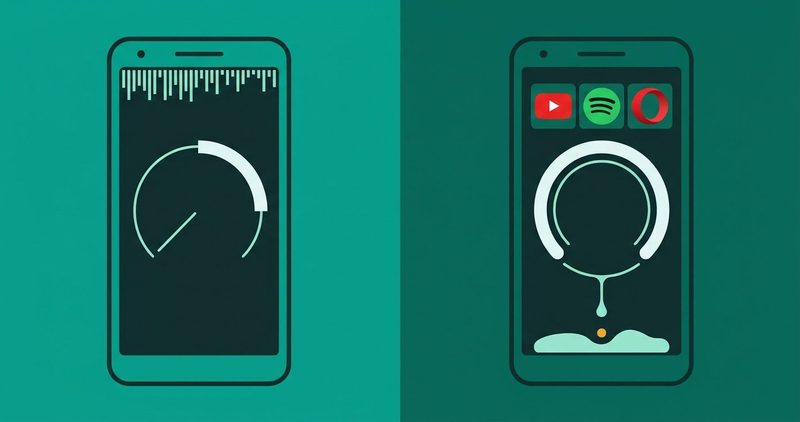
Which apps use less data? The quick summary
- Video: YouTube with Data saver for mobile networks. Free, nothing to install.
- Music: Spotify with Data Saver on and Low quality selected. Spotify prints 24 kbit/s for Low, which is about 11 MB an hour by my arithmetic.
- Reading: Opera Mini still stands behind a data-saving story. Its "up to 90%" is Opera's claim, not a measurement.
- The ghosts: YouTube Go, Messenger Lite, Twitter Lite, Datally. All withdrawn. Delete that 2019 blog post from your group chat.
- Plan math: the Nigeria section prices Glo's plans per hour; your carrier prints its own numbers.
- Everything here was read on the live pages on 14 November 2026.
Week three of the month, and the plan finished somewhere on the bus home. I know the exact moment it went: I was watching one more football highlight on YouTube, and my phone chose violence.
The lite apps everyone recommended back then are gone. YouTube Go is dead, Datally is dead, and what replaced them lives inside the apps you already have, plus one switch buried in Android itself.
I checked what survives on the Play Store today, on my phone, and priced the result. Megabytes are the money now.
The short version first. Turn on Android's Data Saver, set YouTube to Data saver on mobile networks, switch Spotify to Low quality. All three cost nothing, and nobody can uninstall a setting by accident.
Why this is not a lite-apps list
Yahoo Tech ran the lite-era obituary, syndicated from Android Police, making the same argument in passing. The headline said the lite era is over, killed by unlimited data, more powerful chips and PWAs.
Fine for a reader on unmetered data. Not your plan. Your bundle dies on the bus, and no PWA sermon fixes that.
So this page keeps the reader and drops the list. Five named ghosts below, then the replacement system, then one labelled Nigeria table. No mirrors, no dead downloads, no "save up to 90%" waving at you.
No link on this page pays me. The affiliate disclosure is one tap away.
The ghosts: who is still on Play
I checked every name on Play and the vendor pages today. Nothing that could not survive the check appears as a pick.
| App | Status today | What to use instead |
|---|---|---|
| YouTube Go | Shut down in August 2022, confirmed by Google's own notice | YouTube with Data saver on, see Layer 1 |
| Messenger Lite | Withdrawn on 18 September 2023 | Messenger with Android Data Saver on |
| Twitter Lite | No Play listing today; the surviving pages are mirrors | The X app with Data Saver, or the browser |
| Datally | Removed 2019 to 2020; support.google.com/datally still answers | Android Data Saver, Google's own answer |
| Google Go | Listing live, copy is the full Google app with AI Search | The label outlived the lite product; skip |
| Facebook Lite | Live on Play today | Works for many. Search Play on your own phone first |
| Instagram Lite | Live on Play today, 1B+ downloads, updated 10 November 2026 | Exists on Play; roughly the main app with a smaller appetite |
A 2026-titled page still recommends YouTube Go first. The listing is gone. Search Play; if it is not there, the page is wrong.
The catch I see most in Nigeria is worse than a stale blog. Nairaland's "Free Best Android Apps That Can Help Reduce Data Usage" thread still opens with Datally, a Google app removed years ago.
Somewhere out there, that 2019 screenshot is still teaching your cousin to install a corpse. Send them this page instead.
Why nobody's numbers agree
Every page that prints "an hour of YouTube costs X MB" is selling you a bundle to watch it on. They compute, they do not measure, and the results embarrass each other.
Reading the pages today: Nomad eSIM puts 480p at about 360 MB an hour and 1080p at 1.5 GB. Breeze eSIM, published June 2026, puts 480p at about 480 MB an hour and 4K near 5 GB.
They agree on exactly one row, 1080p at 1.5 GB an hour. Both are stores, not labs. Both stand to gain when you think data is scarce.
Spotify's own audio quality page prints Low at 24 kbit/s, Normal at 96, High at 160 and Very high at 320 (Premium only).
My arithmetic on those: 24 kbit/s is about 10.8 MB an hour, 96 is about 43, 160 is about 72 and 320 is about 144. Podcasts sit near 96, with the web player at 128; a Premium listener's web player runs AAC 256.
Opera Mini prints "up to 90%" on opera.com right now, and printed the same in its 2016 blog against Chrome. That is a vendor claim. It is not my measurement, and it does not appear here as one.
The one number I trust is the one on your own phone. Open Settings, tap Network & internet, tap Internet, tap your SIM, then App data usage. Reset the counter on Monday, watch your habits for a week. I did not clock an hour on my phone today, so I will not print you a fake rate.
Then divide by the hours you watched. That is the only figure on this page worth framing.
Layer 1: the apps you already have, switched over
Start here. These three need no new app, no APK and no tip from anyone.
YouTube, the part that eats your bundle
Who it is for: you, if video is where the bundle goes to die every month.
What to do: open YouTube, tap your profile picture, tap Settings, tap Video quality preferences, then set On mobile networks to Data saver.
Google's help page prints the trade plainly: "Lower picture quality, but videos may start faster." A per-video switch sits in the quality menu too.
What it costs: nothing. The listing shows 10B+ downloads and an update on 13 November 2026. The trade is SD-ish picture, and that is honest money.
Spotify, Low quality is the bundle's friend
Who it is for: you, if the commute runs on podcasts and Afrobeats.
What to do: profile picture, Settings and privacy, Media quality, then pick Low for streaming. While there, open Data-saving and offline and switch Data saver on.
Spotify's data usage page: it "reduces the app's data usage by showing fewer images and reducing audio quality." Real, built in, free.
What it costs: nothing. Free accounts cap at High (about 72 MB an hour). Very high is Premium. The listing shows 1B+ downloads, updated 9 November 2026.
Opera Mini, the last lite app standing
Who it is for: you, if your day is articles, results pages and football scores, not video.
What it does: it routes pages through Opera's servers, compresses them, and serves them small. Opera prints "up to 90%" savings on its site today.
That 90% is the vendor's headline, printed today, not my result. Treat it the way you treat a shopkeeper shouting "last price". It is an opening offer, not a fact of physics.
What it costs: nothing. It ships with ads and MiniPay prompts, which are part of the deal. The free-data offer is only for select markets; check inside the app.
Two of the three are switches inside apps you open every day.
Layer 2: Android's own switch
Open Settings, tap Network & internet, tap Data Saver, and flip it on. On HiOS the path may read Network & internet, then Internet, then your SIM. Same idea, different signboard.
Google's Pixel help page: it "lets most apps and services get background data only via Wi-Fi." The word most is doing real work there.
The app in your hand can still stream. What gets caged is everything humming quietly behind the scenes, the sync jobs and the refresh ticks and the "check for updates" nibbles.
android.com adds the honest caveat today: Data Saver "does not completely stop data transmission." It trims background noise; it is not a firewall.
Something real will stall: bank refreshes, photos crawling to the cloud. Fix those one tap at a time.
Open Network & internet, Data Saver, Unrestricted data, and mark the few apps you trust. Android names Spotify, YouTube and Photos as the usual suspects.
Then set a tripwire. Network & internet, Internet, your SIM, Data warning & limit. Pick a number, say 5GB, and the phone taps you on the shoulder before the bundle dies.
The per-app background controls live in our data saving apps guide. This page owns the switches inside the apps. That one owns the settings between them.
The stickiness test nobody puts on the shelf
Here is the uncomfortable question nobody asks: what stops your saver from being uninstalled? For a setting, the answer is nothing, because there is no app to remove.
For an app, the answer is written in two corners of Settings. Look at Security, then Device admin apps. Look at Accessibility. If your saver holds either key, removing it is a project.
NetGuard, the no-root firewall netguard.me still stands today, is the strongest knife in this drawer. It is a different post, not this one.
The practical rule: anything that needed a prompt beyond "Install" to set up will need the same door to leave. If you did not set it up, ask whoever did.
That matters when you lend the phone to a cousin who "knows tech". Check those two screens before the phone leaves the house.
Nigeria: the same five actions, priced in naira
Glo's revised bundles page prints the honest table today. I will not quote MTN or 9mobile rows I cannot open on this phone.
| Bundle | Price | Data |
|---|---|---|
| Daily | ₦100 | 125 MB total |
| Weekly | ₦2,000 | 9 GB |
| Monthly | ₦1,500 | 5.2 GB |
| Monthly | ₦3,000 | 10.5 GB |
| Monthly | ₦10,000 | 42 GB |
| YouTube Special, 1 day | ₦250 | 5 hours of YouTube (Max 1 GB) |
| YouTube Special, 2 days | ₦600 | 14 hours of YouTube (Max 3 GB) |
The ₦3,000 monthly works out to about ₦286 per GB. The ₦10,000 plan works out to about ₦238. Big bundles win on unit price; small bundles win on survival.
At Spotify Low's roughly 10.8 MB an hour, the ₦3,000 bundle is about 970 hours of music. Your bundle will not outlive the sun, but the arithmetic is friendly.
For video, Nomad's 360 MB an hour gives about 29 hours of 480p viewing on 10.5 GB. Breeze's 480 MB gives about 22. Both are estimates, not measurements.
Glo's own posts print the YouTube Special as ₦250 for 5 hours and ₦600 for 14 hours, read today. Glo's FAQ prints Max 1 GB on the ₦250 plan (5 hours, 1 day). It prints Max 3 GB on the ₦600 plan (14 hours, 2 days), read today. At roughly 360 to 480 MB an hour, the cap binds inside two to eight hours.
vibeNaija.com.ng is the one Nigerian page in this lane that teaches the settings honestly and names no apps. Everyone else resells bundles. You already know who you are.
Which one is yours
- First phone, tightest plan: Android Data Saver plus YouTube Data saver. Free, done.
- Commute listener: Spotify Low with Data Saver. Twenty-four kbit/s audio is where your plan stops dying.
- In Nigeria, video weekend: Glo's YouTube Special on top of Data saver. Know the hours before you settle in.
- Article reader: Opera Mini. Smile at the 90% claim, then check your own App data usage.
- Lending your phone: settings only, nothing installed, nothing for your cousin to uninstall.
Questions readers ask
Are lite apps still a thing?
Not officially. YouTube Go went in 2022, Messenger Lite in 2023, Twitter Lite never made Play. What survives is settings inside the full apps, plus Facebook Lite and Instagram Lite hanging on.
What replaced YouTube Go?
The regular YouTube app with Data saver on for mobile networks. Profile, Settings, Video quality preferences, Data saver. Glo even sells YouTube-only bundles for the same itch.
Does Data Saver break anything?
Mostly it delays. Notifications may lag, and bank apps may sync late. Google prints "most apps", not all. Whitelist what matters under Unrestricted data.
How much data does an hour of YouTube really cost?
No honest page can print you one number today. Nomad prints about 360 MB at 480p; Breeze prints about 480. Measure your own: App data usage, before and after.
Can someone uninstall my data saver?
If it is a setting, there is no app to uninstall. If it is a blocker app, check Device admin apps and Accessibility first. That is where removals get fought.
Data Saver or a firewall app?
Data Saver first. It is free, built in and enough for most bundles. A firewall like NetGuard, no root required, is for when settings are not enough.
What to do first
Open Settings. Tap Network & internet, tap Data Saver, switch it on. Then YouTube, profile, Settings, Video quality preferences, Data saver on mobile networks.
Then Spotify, Settings and privacy, Media quality, Low. Three minutes of your life, zero money, and the plan stops dying before the month does.
If it still finishes by Thursday, the plan is too small, not the phone. My Android problems hub collects the fixes, read the same plain way.
And when the 2019 Datally thread lands in the group chat again, send this page back. Data is expensive enough without bad advice riding along.
Comments
New posts held for reviewCouldn't load comments - the thread service didn't answer. Nothing is being hidden: no approved comments are saved with this page.
No approved comments yet - the first one is yours. New posts are held for review before they appear.