 By
By 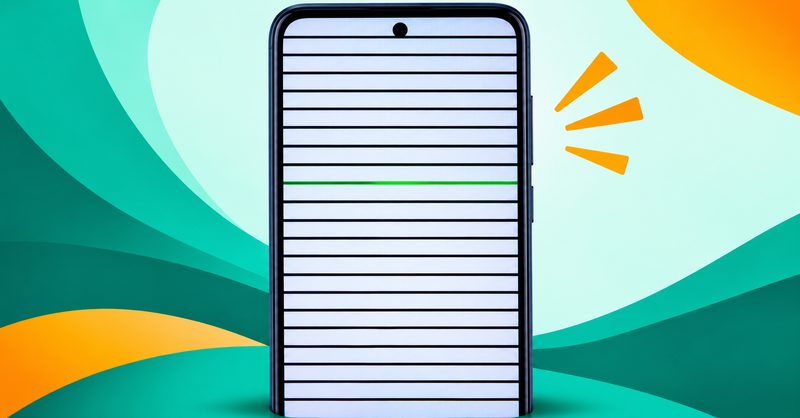
Take a screenshot and open the picture on a different screen. If the horizontal lines are in the picture, the phone is drawing them, and the fault is software. If the picture is clean but the glass shows the lines, the panel or connector is broken.
That ten-second test decides the whole case. Most readers go straight to a repair shop and pay for the wrong half.
The rule comes from iFixit's Pixel repair guide, last updated 25 May 2025. I read this page on 21 October 2026. iFixit says: "If the lines appear on the screenshot as well, the problem is likely a software issue."
I read Google's pages on 21 October 2026. Other sources carry their own dates.
Nothing here needs installing. For the wider Android fix order, see Android Problems Fix.
A screenshot decides software from hardware in ten seconds
- Lines in the screenshot mean the phone is drawing them. Section 3 is next.
- A clean screenshot with lines on the glass means the panel or its connector is broken.
- A green or purple line is a dead column. A line that moves when you tilt is the connector.
- A back that no longer sits flat means a swollen battery. Power it down and take it in today.
1. The four causes
The repair guides name four causes. A weak battery and burn-in sit outside that list.
| Cause | What it is |
|---|---|
| Software glitch | The phone's software draws the line |
| Panel fault | A stuck row or a failed column driver |
| Digitizer damage | The touch layer broke |
| Flex cable | The board to panel ribbon is loose |
A green or purple line is a dead column, not software and not burn-in. iFixit says green pixels in these OLED panels line up in vertical columns, and damage breaks specific lines.
2. Find your row before you try a fix
Read your symptom and go where it points. Section 3 gives the test for each fault.
| What you see | Fault class | Go to |
|---|---|---|
| Lines show up in a screenshot on another phone | Software glitch | Section 3 |
| Clean screenshot, glass still shows the lines | Panel fault | Section 6 |
| Lines on the boot logo, before any app | Panel or connector fault | Section 6 |
| Lines move or vanish when you tilt | Flex cable or connector | Section 6 |
| Lines worsen as the battery drains | Battery voltage | Section 3 |
| Lines plus dead touch, ghost taps or a crack | Digitizer and panel damage | Section 6, and the touch guide |
| A line still there with the screen off | Protector debris or a surface mark | Section 3 |
3. Nine free tests, in the order that costs the least
- The screenshot test. Press Power and Volume down together on the screen with the lines. If that does nothing, hold Power and tap Screenshot. Google documents both routes. Open the picture in Photos, under Screenshots, on a different screen.
- The screen off check. iFixit opens with it: "Verify that the lines disappear if your screen is off." Look at the panel in a lit room. A line that is gone means the live display is at fault. A line still there means debris under the protector or a mark on the glass. Peel the protector off. Google puts the crack check first.
- The boot logo check. Power the phone off, then on, and watch the boot logo. An app can draw a line, but no app can draw on the boot logo. Lines there mean the display path is at fault.
- The touch check. Open Quick Settings fully expanded, hold a toggle icon, and drag it slowly corner to corner, then down each edge. Watch where it drops, and repeat twice. The same drop spot twice is a dead zone. The touch guide has it.
- The hardware test menu. Some Samsung phones open a test menu on the code *#0*#, with colour screens for dead pixels and a touch test. The secret codes guide lists every button in it.
- The battery safety check. A back that no longer sits flat, or a screen that is lifting, means a swollen battery. Do not press it flat, do not charge it, take it in the same day. The overheating guide has it.
- The charge test. Charge the phone to full and watch the screen. A weakening battery can feed the display unstable voltage, and the lines fade at full charge. The repair guide behind this puts it after the screenshot test.
- Safe Mode. On a Tecno Spark 40, hold Power until the menu appears, then long press the HiOS logo where Power off sits, then tap OK. Carlcare publishes that route for TECNO and Infinix. On other phones, hold Power, tap and hold Power off, then tap Reboot to Safe Mode. Google's safe mode page warns that some home screen widgets go.
- The update check. Open Settings, then System, then System update, and install what is offered. Google puts this check first for lines and a repair last. If the lines started the day an update landed, the slow after update guide has it.
Do not factory reset from this section. A reset rules software out, and it costs your data.
4. What no setting on the phone can fix
If the screenshot is clean and the lines are on the glass, no software fix exists. The panel, its driver or its connector is damaged, and the phone will not heal. Your options are a repair, a new phone, or living with it.
- No restart, update, cache clear, Safe Mode or factory reset repairs a broken panel. Carlcare, dated 23 August 2020, says that if the lines are still visible, the issue is most likely hardware failure. I read Carlcare on 21 October 2026. Android Authority, dated 6 March 2025, agrees. I read Android Authority on 21 October 2026.
- Do not press, massage or heat the panel to make the line go away. Pressing a panel can turn one line into many.
- One line is not the same fault as a dead digitizer. iFixit lists display cable damage and a damaged screen as separate causes, and separate bills. It names the motherboard as the last assumption, so a repair is no guarantee.
The frame pressure test is worth running before you pay anyone. Press gently around the outer frame, not the glass. If the line flickers, shifts or fades, the display cable has probably loosened. screendotfix.com's repair guide, dated 22 June 2026, says a loose cable is much cheaper to repair than a new screen. I read screendotfix.com on 21 October 2026. This is a test, not a repair.
Water that reached the phone before the lines started is water damage, not a display fault. The water damage guide has the steps that limit it. Do not charge a wet phone.
Ask the maker whether a free or discounted display programme covers your model. iFixit says a Pixel 8 may qualify for a free repair under an extended repair programme. Samsung's community moderator, dated 29 July 2023, walks a user through Samsung Members, then Support, then Error reports. I read this moderator thread on 21 October 2026.
5. What a repair costs in Nigeria, with the dates attached
Every figure below carries its publisher and its date, because a price without both cannot be checked. Prices move, so read them on the day you shop.
Carlcare's live parts endpoint served 17000 for the Spark 40 screen part and 2600 for labour on 21 October 2026. The total is 19600. It names no currency, so this post does not print it as naira. It is a parts list, not a shop's bill, so a shop may quote more or less.
A Lagos repair guide dated 29 May 2026 I read this Lagos repair guide on 21 October 2026. It puts budget Android screens at ₦8,000 to ₦25,000, and mid-range screens at ₦30,000 to ₦80,000. Carlcare's own Nigerian price page, dated 9 August 2022. I read Carlcare's Nigerian price page on 21 October 2026. It says its prices are for reference only. The Spark 40 is not on it.
Get two written quotes before the phone is opened. Ask whether the quote covers a screen assembly or only the display connector. The connector is the smaller job. Back up first.
6. What each verdict costs
One Play app ranks in this field, and it is worth naming so you can skip it. Display Tester sells a repair burn in feature in its own listing. It draws test patterns and cannot repair a line.
| Fault class | What it costs | What to do next |
|---|---|---|
| Software glitch | Nothing. A restart, an update, or removing one app | Work down Section 3 until the lines go |
| Panel fault | A screen assembly. Carlcare's endpoint served 19600, 21 October 2026, no currency | Back up, get two quotes, ask for the connector price too |
| Digitizer damage | A screen assembly, and the touch layer comes with it | Back up, repair, and read the touch guide |
| Flex cable or connector | Less than a new screen. A cable reseat is far cheaper | Ask for the connector price, not only the screen price |
| Battery voltage | A battery, not a screen, and usually cheaper | Watch the screen at full charge. A lifting screen is a swollen battery, so power down and take it in today |
| Board fault | The most expensive line here. Carlcare's endpoint priced a mainboard at 55900 to 168300, 21 October 2026 | Back up first, ask for a written diagnosis, get a second opinion |
| Protector debris | A new protector | Peel it off, clean the glass, retest |
| Burn-in | Not fixable by a shop. A panel swap is the only cure | Do not pay apps that claim to fix it |
7. Questions readers ask
Will a factory reset fix lines on my screen?
Only a software fault. iFixit says a reset is unlikely to resolve the issue, but it will rule software out. A panel fault survives a reset. Take the screenshot first.
Can an app fix a line on the screen?
No. An app can draw test patterns so you can see the fault. It cannot regrow a broken column or reconnect a loose cable. The tests in Section 3 do the same job.
The lines only show on the boot screen. Is that software?
No. An app cannot draw on the boot logo, so lines there mean the panel or its connector is at fault. Section 6 carries the verdict.
8. What is still unknown
Three things this post cannot settle, and none is a guess.
- The Safe Mode wording moves between builds. The exact label on your phone may differ.
- No Google documentation presents a command line test for this fault. The screenshot test captures the same picture, so it needs no computer and no data.
- No dated first-party Nigerian price exists for a Spark 40 screen. Carlcare's endpoint names no currency, and Carlcare's dated table stops at older models.
A screenshot decides the case in ten seconds, and the answer is either free or a receipt. Nobody should pay a repair bill before taking that screenshot. For the wider fix order, see Android Problems Fix.
Comments
New posts held for reviewCouldn't load comments - the thread service didn't answer. Nothing is being hidden: no approved comments are saved with this page.
No approved comments yet - the first one is yours. New posts are held for review before they appear.