 By
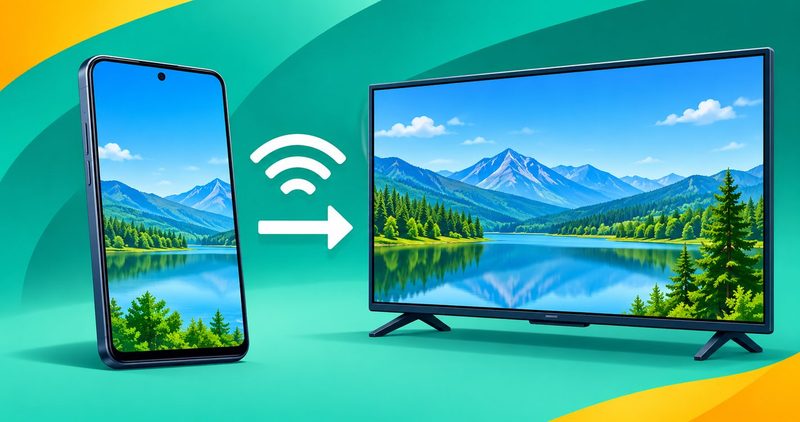
Your TV does not see your phone, or it sees it and shows nothing. Both faults look the same from the sofa, and the fix is different each time. Start on the network, then the tile, then the app that blocks the picture.
I test on a Tecno Spark 40 running HiOS on Android 15, so the phone side is checked against that build. The pairing steps and the on-screen TV prompts come from Google and Samsung, because no television was on my bench when I wrote this. No link on this site pays us today, and every link here is a plain link.
Android screen mirroring: the quick summary
- Same WiFi on both devices first. Guest mode stops the phone and the television talking, and that fix sits in your router, not your phone.
- Cast from Quick Settings for Google TV and Chromecast. The tile can also sit under Settings, in Connected devices.
- Smart View on Samsung phones and TVs. The television asks for permission, and you tap Allow on the television itself.
- Miracast on TVs with no cast tile. Samsung says it is built into most newer Samsung smart TVs, but not every TV has it.
- Some apps refuse to be mirrored. Netflix no longer supports screen mirroring, and no phone setting changes that.
What to check before you cast
Both devices must sit on the same WiFi network.
Google's guide to Chromecast WiFi problems says the streaming device works best within 20 feet of the router. Walls and large appliances weaken the signal too. Turn off access point isolation in the router settings. Google also calls that setting client isolation or guest mode. It stops the phone and the television talking to each other. A guest, hotel or public network with that isolation switched on blocks the connection too. I read that page on 2 November 2026.
Then check the television's own switch. Open the television's settings, find the casting switch, and switch it on.
Cast the whole screen from Quick Settings
Android's own guide to screen mirroring tells you to swipe down for Quick Settings and look for the Screen Mirroring icon. It names three possible labels: Screen Mirror, Screen Cast, or Smart View. If the tile is missing, it says to look in Settings under Connected devices or Display. I read that page on 2 November 2026.
Google's own screen cast help is shorter. Swipe down twice, tap Cast, then choose the device. On stock Android the setting sits under Connected devices, Connection preferences, Google Cast, and you pick one app or your whole screen. I read that page on 2 November 2026.
Casting and mirroring are not the same thing. On Samsung's screen mirroring page, casting shows only the video on the television and turns your phone into a remote. Mirroring shows everything you tap next. The same page calls Smart View the Samsung name for screen mirroring. I read that page on 2 November 2026.
Smart View on Samsung phones and TVs
The path is short. Swipe down from the top right, tap Smart View, choose your television from Available devices, then tap Start now. If the TV asks, enter the PIN or tap Allow on the television itself.
Samsung's own troubleshooting page adds the rest. It says Miracast is built into most newer Samsung smart TVs, and that restarting usually solves a failed session. I read that page on 2 November 2026.
Samsung's screen mirroring page covers the settings. The page says devices must share the TV's WiFi network, and that Smart View is not available on every device. Compatibility with non-Samsung televisions may vary. If the picture looks small, tap Smart View, then More options, the three vertical dots, then Settings, then Phone aspect ratio. Samsung says most TVs look best at 16:9. If you use a VPN and a VPN setting error appears, disconnect it before you try again. I read that page on 2 November 2026.
Miracast on TVs with no cast tile
Older televisions often carry no cast tile at all. They take a Miracast receiver instead. Check that your phone and the receiver both support the Miracast standard, because a mismatch leaves the television off the list.
Switch on the receiver first. Turn on screen mirroring, or the Miracast input, on the television, then pick the television from the phone's list. If the phone never lists it, the phone or the television may not support Miracast at all.
On the phone, the mirroring option usually sits under Connected devices in Settings. The name varies by phone maker. On my Spark 40 the Settings search box finds Connected devices faster than scrolling for it.
When no built-in path works
Some apps will never mirror. Netflix says screen mirroring and AirPlay are no longer supported. It adds that apps mirroring an Android screen to a television might not be supported either. I read that page on 2 November 2026.
DRM is the reason. That stands for digital rights management, the copy protection on paid films and shows, and it blocks capture by design. Samsung's troubleshooting page says DRM-protected contents cannot be mirrored. No phone setting lifts it. I read that page on 2 November 2026.
When the built-in paths are dead, one app fills the gap. AirDroid Cast TV says it adapts to nearly all major smart TVs and streaming devices. Its Play listing shows 1M+ downloads, and it names Google Cast, DLNA devices, Samsung TVs and LG TVs among the receivers it handles. I read that listing on 2 November 2026.
Two honest warnings about that app. The listing says its free use is time limited and local network only, so a paid plan sits behind it. And a reviewer on that listing, read on 2 November 2026, calls it "only a Money Grab". The same reviewer says the store holds alternatives that do not require a subscription.
Do not sideload an APK to fix a mirroring fault. The fault is nearly always the network, the television, or an app that blocks the picture. If you do install anything, install it from the store listing above and nowhere else.
The fix sequence in one table
| The step | What you see | Do this | Install needed |
|---|---|---|---|
| The Cast tile | The television is missing from the list | Put both devices on one WiFi, then turn off guest mode | None |
| The Cast tile | The television shows but the picture stays black | The app blocks casting. Use that app on the television instead | None |
| The Cast tile | The picture drops every few seconds | Move the television closer to the router, or change WiFi band | None |
| Smart View | The television asks for a code | Enter the PIN, or tap Allow on the television | None |
| Smart View | The television never appears | Restart the phone and the television | None |
| Smart View | The picture looks small on the screen | Open the Smart View menu, then set the aspect ratio | None |
| Miracast | The phone lists nothing at all | The television may not have Miracast. Check its manual | None |
| Nothing above works | The phone has no mirroring option | Try AirDroid Cast TV from its own store listing | AirDroid Cast TV |
What I checked on a Tecno Spark 40, and what I could not reproduce
The phone side is what I can check. On my Tecno Spark 40 running HiOS on Android 15, Quick Settings opens on a two-swipe pull down. The Settings search box finds Connected devices on that build. Both are confirmed on the phone.
What I could not reproduce: a live pairing handshake, a picture landing on a television, and the DRM black screen. No television, Chromecast, or Miracast receiver was on my bench, so every step past the phone comes from the maker's own page. How we test has the full method.
Questions readers ask
Why can my television not see my phone at all?
Different networks, or guest mode. Both devices must sit on the same WiFi network. Guest mode on the router also stops them talking to each other. Turn guest mode off, then restart both devices.
Does screen mirroring work over mobile data?
No. The phone looks for the television on the local network, so both need WiFi on that same network.
Can I mirror my phone onto another phone?
The built-in paths target a television, a Chromecast, or a Miracast receiver. A second phone needs an app, and that is the weakest case for installing anything. Try a chat app's screen share first.
Why does Netflix show a black screen when I cast?
Netflix no longer supports screen mirroring, and apps that mirror an Android screen to a television might not be supported either. Open the Netflix app on the television instead and sign in there.
Is a third-party mirroring app safe to install?
Install it from the store listing and nowhere else. A store install passes a review layer first, and a sideloaded file does not. Check what the listing says about what the app collects before you agree.
What to do next
Start with the network. Both devices on one WiFi, guest mode off, and the television's casting switch enabled. Then use the tile your phone already has. That is Cast for Google TV and Chromecast, Smart View for Samsung, or the Miracast option for older televisions.
Expect some apps to refuse, because copy protection blocks them on purpose. If your WiFi keeps dropping, work my guide to Android WiFi that keeps disconnecting first. A weak link stops the phone finding the television.
If apps keep crashing while you try to cast, work my guide to Android apps crashing. The rest of the Android faults sit in my Android problems hub.
Comments
New posts held for reviewCouldn't load comments - the thread service didn't answer. Nothing is being hidden: no approved comments are saved with this page.
No approved comments yet - the first one is yours. New posts are held for review before they appear.