 By
Which Android accessories are actually worth buying: the quick summary
- Eight picks named, none tested: prices read off maker US pages on 18 November 2026. Check the listing before you order.
- Read the maker's page, not the roundup: one marketplace buying guide says the reference phone charges at 18W and cites Tecno against Tecno's own 45W.
- Buy current, not marketing: 45W at 9 volts is 5 amps, and a 3A cable silently caps your phone.
- Skip what your phone already has: a headphone jack, an IR blaster, a microSD slot, a bundled charger.
- First move: Settings, then About phone, then Battery. Read what is printed there before you trust any list, including this one.
1. The phone decides, not the accessory
One example on this page, the mis-page example, is carried as fetched on 1 October 2026 and never re-checked. Treat it as a lead, not a fact. Every figure on this page is tied to the page it came from. This pillar names eight picks below, ranks nothing, tests none of them, and no link here pays this site.
What it gives you is the rule the buying guides use.
Every accessory guide in the genre is organized by the accessory, and none of them ask what your phone already has. Your phone is not a generic Android phone. It is one specific spec sheet: a ceiling, a jack, a slot, a list of things it lacks. Read that first. Buy second.
Somewhere between you and the checkout, a marketplace buying guide quotes your phone's charge rate. It prints 18W and cites a spec sheet in the same breath, with a battery report number and the words verified capacity. It looks checked. It is the exact shape of a page that exists to sell you a brick. Tecno's own product page says 45W, and GSMArena's spec row says the same. Both were re-read on 15 November 2026.
A shop that prints only 3 left is running the same play with a different instrument. Scarcity is a clock pointed at your wallet, and it always reads almost empty. A spec page has no clock. It waits for no one, and it is usually boring in the exact way that saves money.
That is the whole problem with accessory guides in one example. The wrong number sits between two confident references. The reader who trusts it buys an 18W brick for a 45W phone, at under half the rated speed, every single night. Slow charging is not the worst of it. The phone sits on the cable longer, pinned at the top of the charge curve. That is the habit the charging mistakes guide names as the real battery wear.
The fix is thirty seconds. The wattage lives in three places, in descending order of authority: the charger's own label, your phone maker's product page, then GSMArena. It is never in the article that wants to sell you the charger. A Galaxy prints its own numbers. A Pixel prints its own. Yours does too, whatever brand is on the back.
Tecno's page for the Spark 40 Pro prints 5200mAh and 45W Super Charging. It prints 55 minutes to 100%, 10W wired reverse charging, and a feature called Bypass Charge. It also claims the battery endures over 2,000 charge cycles, with more than 80% capacity left after five years. That is a manufacturer claim, not a lab result, and this page treats it as one. It is still the most useful sentence on the page for the question everyone asks in the shop.
One number rewrites the cable aisle. 45W at 9 volts is 5 amps. The USB-C standard requires an E-marker chip in any cable beyond the basic case. That basic case is USB 2.0 at 3A or less, and the USB-C standard prints the rule in plain text. So the question is never whether a cable says 100W on the sleeve. The question is whether it carries 5 amps. A 100W cable on a 45W phone is an ordinary cable. A 240W cable is the USB-C version of wearing two watches.
Overspending beats underspending everywhere else in this genre. An 18W brick for a 45W phone costs you twice, once at the register and once every night it charges. A 100W cable for the same phone costs you once and buys you headroom you cannot use. Both are the same mistake. One of them is louder about it.
The worked example is a 45W-class phone because that is where this site's test hardware lives. If your phone prints 25W, every number above holds with smaller numbers. If it prints 65W or 100W, the method holds and the ceiling moves. The principle is fixed. Your spec page is the only place it is written down, and a marketplace page is the one place it is most often wrong.
2. Four screens that answer most of it
Open four screens in your Settings app. Every question an accessory guide asks you resolves into one of them. You do not need to trust this page. You need to read your own phone.
About phone, sometimes labelled About device. This screen prints your model, chipset, RAM and storage. The reference phone for this site runs a Helio G100 with microSDXC expansion on the spec sheet. If this screen is blank on the chipset, your maker is hiding the answer, and the box it came in knows the truth.
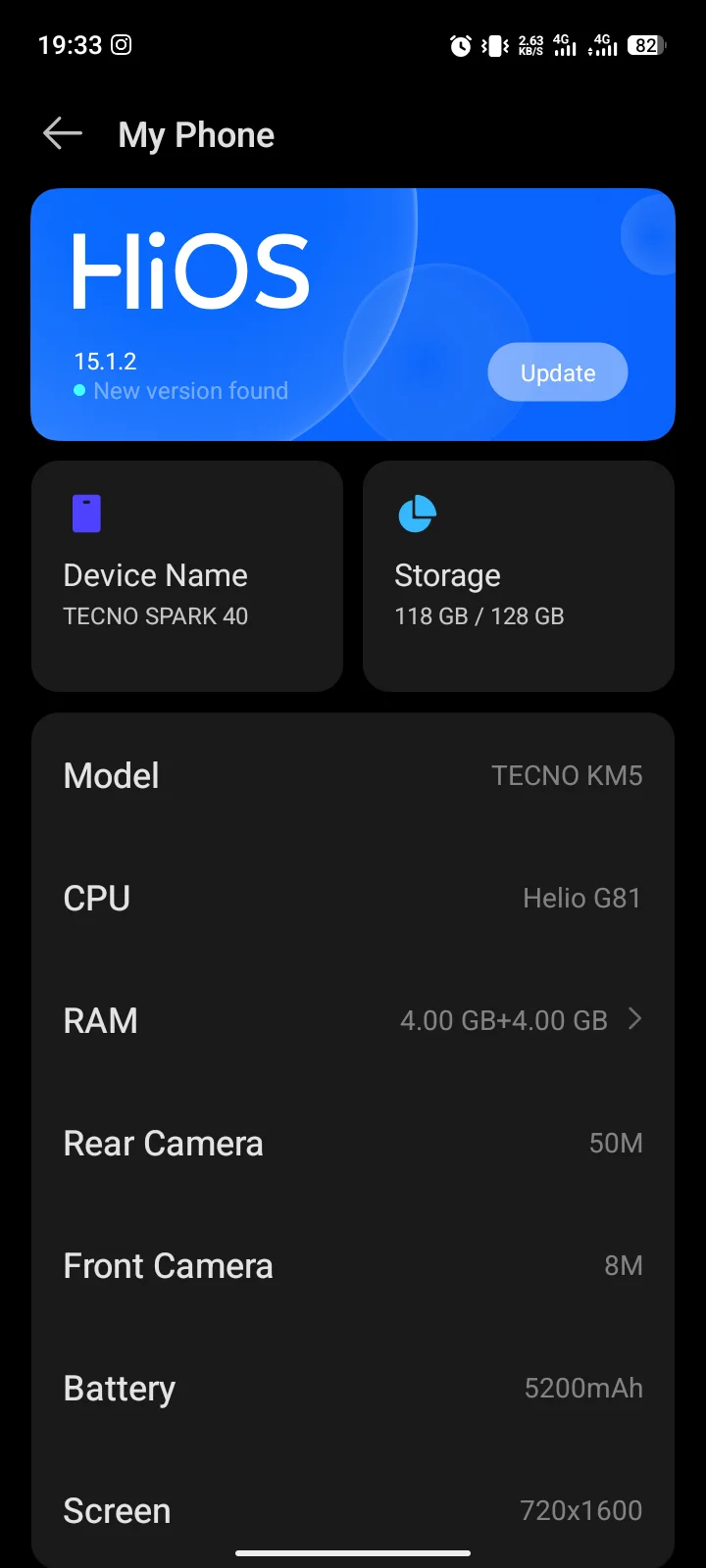
Battery. Look for two things. First, whether your phone prints a manufacturer ceiling; most do not print it. Second, the care screens: bypass charging, the 80% long-term charge cap, and any health readout. The site's charging mistakes guide reports a live screen read of 96% max capacity with an 80% cap for long-term charging on the test phone. That is a screen read on one unit, not a promise for your device.
Tecno's own page claims more than 80% capacity left after five years. One test phone reads 96% at its own age. The two agree. Agreement is not proof. It is still more than the genre usually offers you.
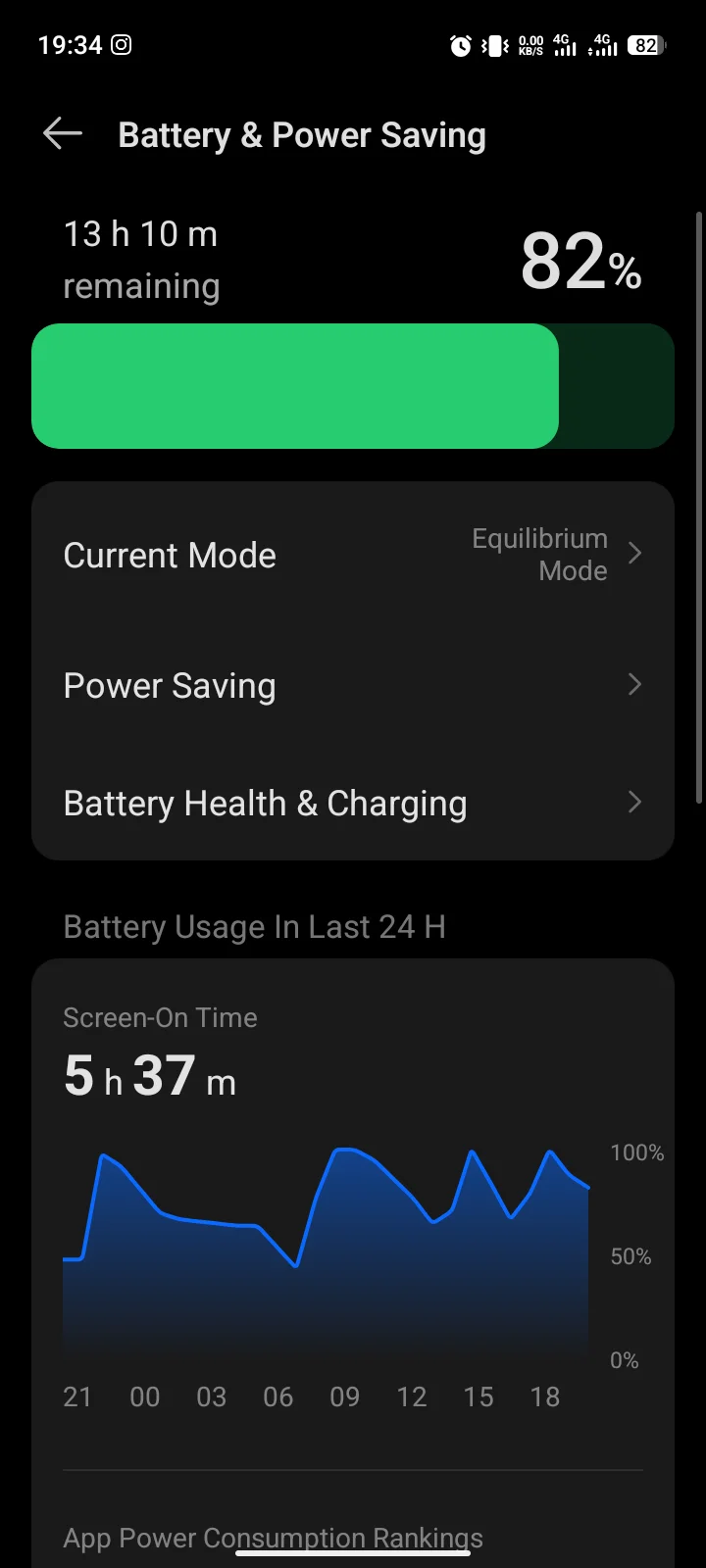
Sound & vibration. This is where your phone prints its Bluetooth codec list, if it prints one at all. The reference unit's Bluetooth row reads 5.3, A2DP, LE, on a page that also prints the words Hi-Res Wireless audio, with no codec list anywhere. That is not proof of LDAC and it is not proof against it. It is proof that nobody should write an earbuds verdict before this screen is read on a real unit.
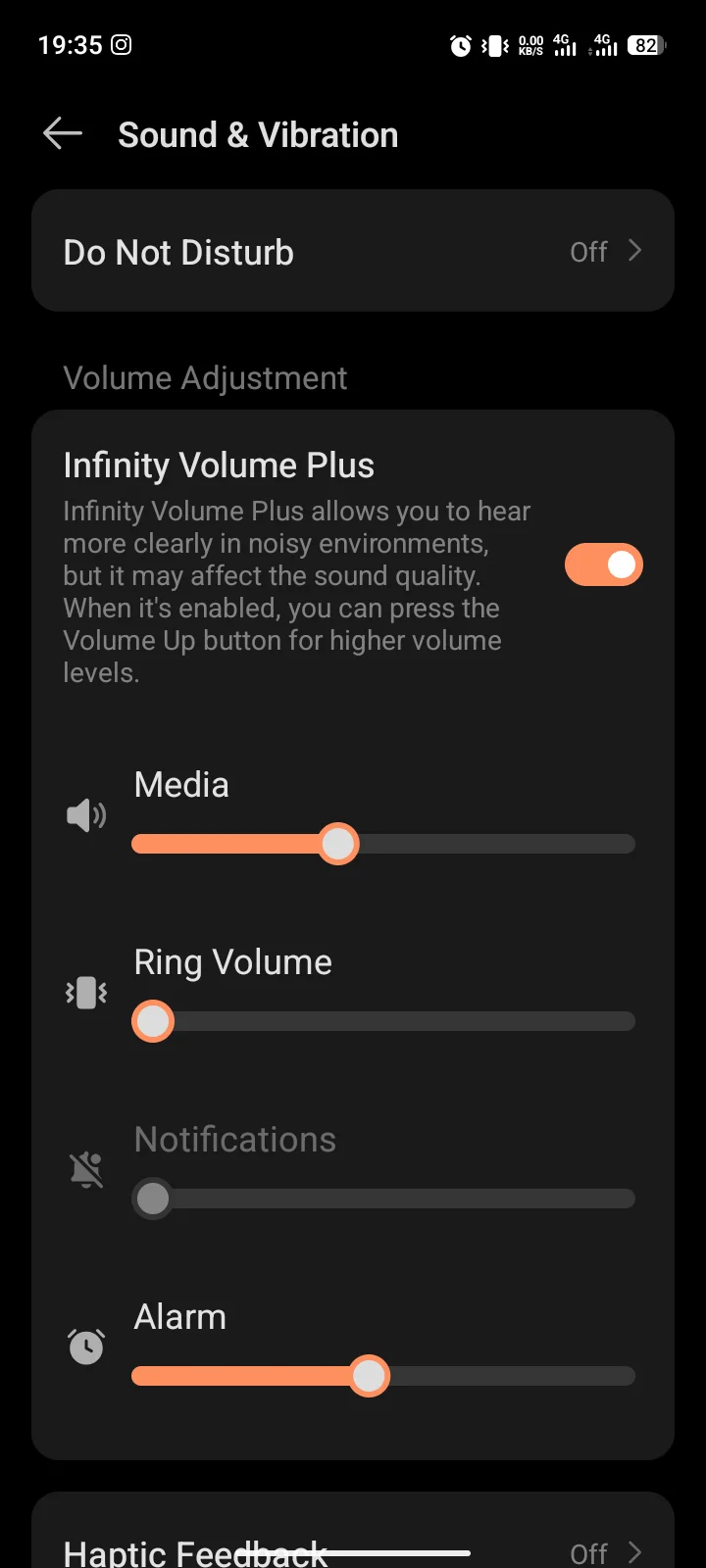
When a screen prints nothing at all, that is also an answer. A blank codec list means the maker does not publish one. A missing wireless-charging row means do not shop for a pad. Blank is a spec line, not a gap in your knowledge, and you can buy against it.
Connections, sometimes network and internet. NFC, Wi-Fi bands, the USB mode, wireless charging if your phone has a coil. The reference phone prints NFC as market or region dependent, dual-band Wi-Fi, and USB Type-C 2.0. USB 2.0 deletes the whole class of fast-data cable claims for this phone. It leaves charging speed alone. It is one spec line doing quiet demolition work.
Two items you may already own, printed right there. The reference phone has a 3.5mm headphone jack, stereo speakers, an infrared blaster and an FM radio. So two stock recommendations are wrong for that phone. Earbuds sold because your jack is missing. An IR dongle sold because your phone has no emitter. Many US flagships print neither, and those buyers really do need the purchases. Check the box in your pocket, not the genre's assumption.
| Two phones, one family name | Wired | Wireless | Reverse wired | Reverse wireless |
|---|---|---|---|---|
| Spark 40 Pro | 45W, 55 min to 100% | none listed | 10W | none listed |
| Spark 40 Pro+ | 45W, 55 min to 100% | 30W | 10W | 5W |
Same 45W wired spec, same minutes, opposite answers for one wireless pad. GSMArena carries the full spec sheet for the Spark 40 Pro. Its Pro+ page, now a measured spec and review, agrees on 45W and adds 30W wireless, 5W reverse wireless and bypass charging. A pad bought for the wrong sibling charges nothing. A case over a 30W coil can starve it. Same family, same wired spec, different feature list, and the genre never mentions it. On the Pro+ specifically, the case decision is the wireless-charging decision too. Thickness is the variable that decides whether the pad works through it.
The site also keeps a second test phone on Android 10. It is the harder case for every charging claim in this genre, because it predates several features this page assumes. It is not a named example anywhere on this page, because the screenshots this post waits on are taken on the current reference unit.
3. The seven checks
Seven questions, in order. An accessory that cannot answer the first six does not earn the seventh.
- Will it arrive? Does the seller deliver to your address, in your currency, and can you return it locally? Thirty seconds on the cart page decides the purchase before any review does. A returned parcel that has to cross an ocean is not a return policy.
- Is it the right number, from the maker? What does your phone take, and did you read it on the maker's page or in an article? The 18W case above is the standing warning. The number exists on Tecno's page; one mis-page cited Tecno against it.
- Does it match the phone's ceiling, not exceed it? A 65W charger on a 45W phone is a 45W charger. A 100W cable is an ordinary cable. Current, not wattage, decides the cable. Buy the ceiling, not past it.
- Does it do something the phone does not already do? Check the box before you check the review. Jack, IR blaster, FM radio, storage slot, bundled charger, case in the box. The reference phone makes two stock accessory recommendations wrong for itself.
- Is it the right form for the phone's hardware? Coil for coil, slot for slot. The Pro has no wireless coil; its Pro+ sibling has 30W of it. Your Galaxy or Pixel prints its own line on its own spec page.
- Does it check out on your own screen before you buy? Every check above resolves to a number or a name on your About, Battery, Sound or Connections screens. If you cannot put your finger on the screen that says so, you do not know it yet.
- Is it sold by someone who says who pays them? At the first commercial link in every buying guide on this site, the programme is named at the link. That is the rule for the guides beneath this page, written once, here.
Run this checklist in a shop the way you would check a used car. Start with the cart page. Then the maker's page, the ceiling, the box, your spec line, your screen, and the disclosure at the first link. Seven stops, thirty seconds, and you will know more about this purchase than any "best of" list on your screen.
Notice the shape. These are questions, not products, and none of them ask you to trust a star rating. Every one of them asks you to trust a screen you can open yourself. A list of products cannot be right for every phone, because it is a list of products for a phone the writer owns. A list of questions is right for the phone in your pocket, which is the only phone you are buying for.
The discipline behind the checks is public. The how we test page states the site's five checks, including the two-week rule. The start here page prints it plainly. Thirty buying guides are live across Best Apps and Comparisons. None of them is a lab verdict. Every pick is written from public pages, and the children that need a test say so on the page.
4. Five categories, and what each one turns on
The brief names charging, audio, protection, gaming and productivity. Each turns on a different spec line. In three of the five, the honest answer for the reference class of phone is to buy less.
| Category | The line that decides it | On a 45W-class budget phone |
|---|---|---|
| Charging | Charging wattage, USB version, bypass charging | 45W ceiling, USB 2.0, bypass supported, no coil on the Pro |
| Audio | 3.5mm jack and the codec list | Jack present; codec list not published |
| Protection | IP rating, drop rating, body materials | IP64, 1.5m drop, plastic body, glass front |
| Gaming | Chip and thermals | Helio G100; no thermal data on this site yet |
| Productivity | microSD slot, NFC, mount needs | microSDXC present; NFC market or region dependent |
Charging. The ceiling is 45 watts. A bigger brick is a slower no-op wearing a bigger badge, and a 5A E-marked cable is the correct cable, not a 100W monster. USB 2.0 on the reference Pro makes fast-data cables pointless there. If the bypass screen shows the feature, playing while charging on the cable beats any bank. It runs the phone off the cable instead of through the battery. The battery drain guide covers the phone-side half of that.
Audio. The jack is present on the reference phone. The Sound and vibration screen prints Hi-Res Wireless audio with no codec list anywhere, and Bluetooth 5.3 with A2DP and LE. That is not proof of LDAC and it is not proof against it. It is proof that nobody should write an earbuds verdict before this screen is read on a real unit. If your screen prints LDAC, the earbuds you consider should print it too. If your screen prints nothing, choose on comfort and mic quality, which no spec sheet settles.
Protection. An IP64 rating and a 1.5m drop rating on a plastic body with a glass front changes the case math. The screen, not the shell, is the failure point. A thin film and attention to the display buys more than a brick-shaped rugged shell bought for a phone that survives 1.5m drops by default. If your phone charges wirelessly under a case, the case decision is the wireless-charging decision too. Thickness is the variable that decides whether a pad works through it.
Gaming. This is the one category where this site has no first-party data at all. Tecno's PUBG 60FPS line and its TDV five-year fluency certification are manufacturer claims, not temperatures. Cooling fans for a phone with no thermal data yet is confidence in search of a thermometer. Controllers have the same gap: the latency and codec questions need measurement this site has not taken. Treat anything recommended in this category as unmeasured until the child posts ship.
Productivity. The microSDXC slot is present on the reference models. Storage is a real purchase with a boring answer. Buy the class your phone negotiates, format it, done. The mount or stand question is a question about your car and your desk, not the phone. NFC is market or region dependent, so contactless payment accessories are a maybe until your Connections screen says otherwise. The car mount choice is magnetic versus clamp, and the clamp wins where the vent survives it.
5. The picks we name, one screen at a time
Eight picks, one per accessory covered across charging, audio, protection and productivity. Every name and price below comes off the maker's own US page, read on 18 November 2026. None is tested, none is the only right answer, and the listing can move before you reach the cart. Plain links. No programme sits behind any of them.
1. Charger: Anker Nano Charger (45W)
If your phone prints 45W, this is the brick for it. Anker's page prints 45.0W total output with PPS bands up to 5 amps, and a phone that stops at 45W draws no more. $25.99 on Anker's US page. Not tested.
2. Cable: Baseus USB-C to USB-C 100W, 3.3ft
The cable is where a 45W phone loses speed without saying anything. Baseus prints a certified E-marker chip and a 100W rating. A basic 3A cable silently caps a 45W phone that wants 5 amps. $9.99 on Baseus's US page. Not tested.
3. Case: Spigen Rugged Armor
For the plastic-body, glass-front mid-ranger. Spigen prints Air Cushion Technology and wireless-charging compatibility, so the case also works on a phone with a coil. $17.99 on the product page today; the collection page prints $14.99 for the same family, and the sale price moves by variant. Not tested.
4. Screen protector: Spigen GLAS.tR EZ Fit Pro
For Galaxy A-class phones and the reader who has peeled one badly guessed film too many. The box carries two 9H tempered-glass films, an alignment tray and a cleaning kit, and the tray takes the guesswork out. $20.99 on Spigen's US page. Not tested.
5. Wireless charger: Samsung 15W Wireless Charger Duo Cable (EP-P5400CWEGUS)
For a reader with a coil: this class, like the reference Pro, ships without one. The page prints two prices: a $69.99 buy box and a $49.00 offer block, valid to 2026-11-19. Its review reads 2.8 stars, 37% recommended, with repeated complaints about watch-charger alignment and a missing power adapter. No coil? Keep the $25.99 charger instead. Not tested.
6. Power bank: Anker Nano Power Bank 10K 45W
For the reader whose phone draws 45W away from the wall. Older pocket banks top out far below that, and this one matches the ceiling. The page prints 45W max over USB-C and a built-in retractable cable, so nothing else needs to come along. $59.99 on Anker's US page. Not tested.
7. Mount: Belkin BoostCharge Magnetic Wireless Charging Car Vent Mount
Baseus's PrimeTrip C03s lists at $26.99; US storefronts mark it sold out. Belkin's page marks the in-stock alternate: the magnetic Qi2 vent mount, $47.99, 15W fast wireless charging. It needs a magnetic Qi2 or MagSafe case, and this class of phone does not come with one. Budget for the case, or skip the mount. Not tested.
8. Audio: Belkin SoundForm Wired Earbuds (USB-C)
For the reader with no 3.5mm jack and no appetite for a charging ritual. USB-C in, sound out, microphone live for calls, and nothing to pair. The page prints 10mm drivers and IPX5 sweat resistance. $19.99 on Belkin's US page. Not tested.
6. What we have not measured
Plainly, so nothing later reads as a promise. No pick here is tested; the two-week rule has not run on any of them. No accessory has been bought for this page. Nothing on it is a verdict on a product, and nothing on it should be read as one.
What this site has measured lives in two places. The charging mistakes guide reports a live battery-health screen read of 96% max capacity on one unit. The battery drain guide reports two test phones side by side for two weeks, one on Android 10. Everything else in this pillar is read from vendor pages, not from hardware. That is not a confession; it is the boundary this page keeps.
Gaming thermals are unmeasured. The Sound and vibration screen is now captured; the codec list it prints is the one the body reports. Wireless charging is untestable on the Pro, because the coil is absent. The 30W claim on the Pro+ is GSMArena's, not Tecno's first-party page; that path redirects to the homepage.
The power bank and fast charger guides are live now. Read them newest first: the power bank guide and the fast charger guide. Each re-reads its sources before it changes a pick, and says so on the page. The rest of the shelf, cases, earbuds, cooling fans, microSD cards, wireless chargers, mounts and controllers, arrives as it publishes.
If this is your first stop on AndroidScroll, the troubleshooting hub carries the software fixes first. The overheating guide owns the phone-side heat story; the hardware cooling fixes are a child post, not this page. Phone problems unrelated to buying live there, not here.
Two minutes before your next listicle: open Settings. Note the wattage your phone prints, the codec list if it prints one, the jack that is already in your pocket. Then read the buying guides, and watch who gets paid at the link. No link on this page pays this site, and the disclosure page is one tap away.
Comments
New posts held for reviewCouldn't load comments - the thread service didn't answer. Nothing is being hidden: no approved comments are saved with this page.
No approved comments yet - the first one is yours. New posts are held for review before they appear.