 By
Which open source Android apps are worth installing? The quick summary
- F-Droid first: the one Android store that rebuilds each app from source and checks the binary matches. Install it before any other pick.
- Signal, Bitwarden and Aegis live on Play. NewPipe and Neo Store are F-Droid only. Termux, Briar and Conversations ship in both stores.
- Open source is a licence, not a safety rating. F-Droid itself flags Tracking and Known Vulnerability on fully open apps.
- Signal is the famous exception: the most recommended open-source messenger is not on F-Droid, for two reasons both about trust.
- Four checks, fifteen seconds: is it on F-Droid, does it show a Reproducibility Status, which Anti-Features are attached, and when was it last built.
- Not ranked, not scored. This page ranks nothing. It teaches the check the lists skip.
Every app on this page is free. None of them is ranked. What you get is the one skill the lists skip: telling whether the binary on your phone was built from the source it publishes. Open source answers who may read the code. It does not answer whether your build came from it.
That gap is the whole page. The picks are below, each with its catch. The checks work on any app, including the ones you already have.
Open source is a licence, not a safety rating
Signal is on every open-source list. It is GPLv3, run by a non-profit, and its protocol shipped a post-quantum ratchet in October 2025. Signal is also not installable from F-Droid, the one store that verifies builds against source. F-Droid's package page for Signal still answers page not found as of 15 November 2026.
The reason is in a forum thread from 2018, and it holds today. Signal only wants official builds on Signal servers. F-Droid only includes apps it can build from source. It refuses apps their creators do not want shipped. And Signal's client links proprietary libraries, which F-Droid does not ship.
Moxie Marlinspike answered the same question in 2017. "I have no plans to distribute this through f-droid, and don't see what the advantage of doing so would be."
Both projects are on their own terms right. Signal trusts its own build pipeline. F-Droid trusts you being able to rebuild the app yourself. Neither cause is a safety verdict on Signal.
The checks below are yours to run on any app, including Signal.
What F-Droid actually checks
F-Droid's Inclusion Policy is a written rule, not a vibe. All apps in the repository must be Free, Libre and Open Source Software. It verifies that "both by visual inspection of the source and by building the application from the published source."
Google Play Services, Firebase, Crashlytics and proprietary ad SDKs are "strictly forbidden in all applications", its own words. That clause keeps Signal out by rule, not by opinion. The policy also admits "sometimes prebuilt FLOSS binaries are the only feasible approach". It names the permitted prebuilts, including the Android SDK, Flutter and Hermes until Debian packages them, plus PyPI, Rust, Go and Node.
The Reproducible Builds document is the load-bearing one for you. The goal, in its words: software a stranger can run repeatedly to "reproduce the exact same APK as the original release."
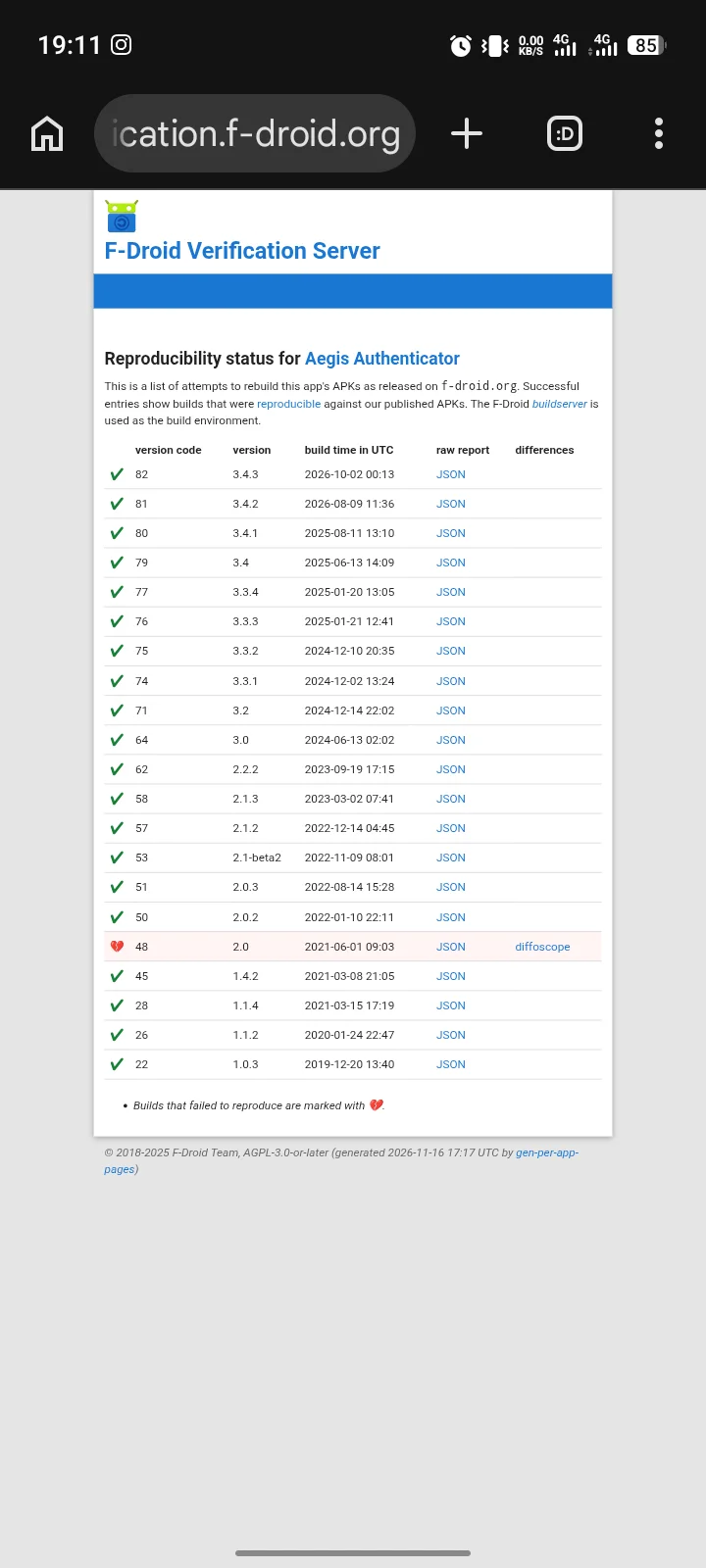
Every package page carries a Reproducibility Status field. F-Droid verifies builds by copying the upstream signature onto its own rebuild, then checking it against the upstream build.
The stronger standard is Diverse Double-Compiling, two separate toolchains producing the same bytes. F-Droid calls it "a difficult standard to achieve". Apps aiming at it carry a "Binaries:" field in their build metadata.
Then there is the ten disclosures F-Droid attaches to apps it will still list. That list is F-Droid's own answer to "open source therefore safe". Ten items, applied from the user's point of view first. An app can be fully open source, reproducibly built, and flagged for Tracking, Non-Free Network Services or Known Vulnerability at the same time. Tracking means "tracks and/or reports your activity to somewhere, even when it can be turned off".
And F-Droid publishes its own inspection report. The second full security audit, by Radically Open Security, was paid for by the Open Tech Fund and posted on 4 September 2018. It confirmed the core security model is solid, published numbered findings, fixed some, and declined one in writing. A project that prints the finding it refused to fix is doing something most app lists never do.
The four checks, in fifteen seconds
Any F-Droid package page gives you all four. Run them before you tap install, on any app, including the ones below.
- Is the app on F-Droid at all? If not, no store this page can point to has checked the binary against its published source. That does not make it unsafe. It makes the guarantee absent.
- Does the page show a Reproducibility Status? If it is blank or errored, F-Droid could not rebuild the upstream binary. Read it as a fact, not a shrug.
- Which Anti-Features are attached? Ten possible. Read them as disclosures, not disqualifications.
- When was this version built? The page states the Android minimum and the date the build was added. A two-year-old build on a current phone is a support question, not a security question.
| If you see | It means |
|---|---|
| Tracking | Reports activity somewhere, even when switched off. Hidden by default in the client. |
| Known Vulnerability | A scanner in fdroidserver found a known CVE. Still installable. |
| Non-Free Network Services | Depends on or promotes a non-free service. |
| Tethered Network Services | Works only through one instance of a service. It is not your copy. |
| Non-Free Dependencies | Needs a non-libre app to work. |
| Disabled Algorithm | Signed with an outdated or unsafe signature algorithm. |
| No Source Since | The source went away. New releases are impossible. |
| Ads | Carries advertising, only where no proprietary ad SDK is used. |
| Non-Free Addons | Promotes other non-libre apps or plugins. |
| Non-Free Assets | Non-libre media in things that are not code. |
The checks disclose. They do not score, and nothing on this page totals them into a rating.
The ten picks, and the one catch each
1. F-Droid
Who it is for: you, before any other install on this list.
Why: the one store that rebuilds Android apps from source and published its second security audit, by Radically Open Security.
Gotcha: it is not on the Play Store. You sideload the client once, from f-droid.org, then update through it.
2. Signal
Who it is for: you, if you want the messenger with the strongest public track record.
Why: open protocol, non-profit foundation since 2018, and a post-quantum ratchet shipped in October 2025. Wikipedia's infobox, not an audit, puts 2024 revenue at $29,413,537 against expenses of $38,019,696. Worth knowing, never a financial verdict.
Gotcha: not on F-Droid, by its own choice and F-Droid's written rule. Install from Play or signal.org.
3. Bitwarden
Who it is for: you, if you want one vault across phone, tablet and desktop.
Why: source on GitHub, zero-knowledge AES-256 encryption, and third-party audits with Cure53 named on Bitwarden's own page. Self-hosting with Docker is there if the cloud is not your thing.
Gotcha: self-hosting is not a weekend flex. One community source claims a 2GB RAM floor and six-plus Docker services; unverified by Bitwarden, so treat it as a claim, not a spec. The full password-manager breakdown lives in my password manager guide.
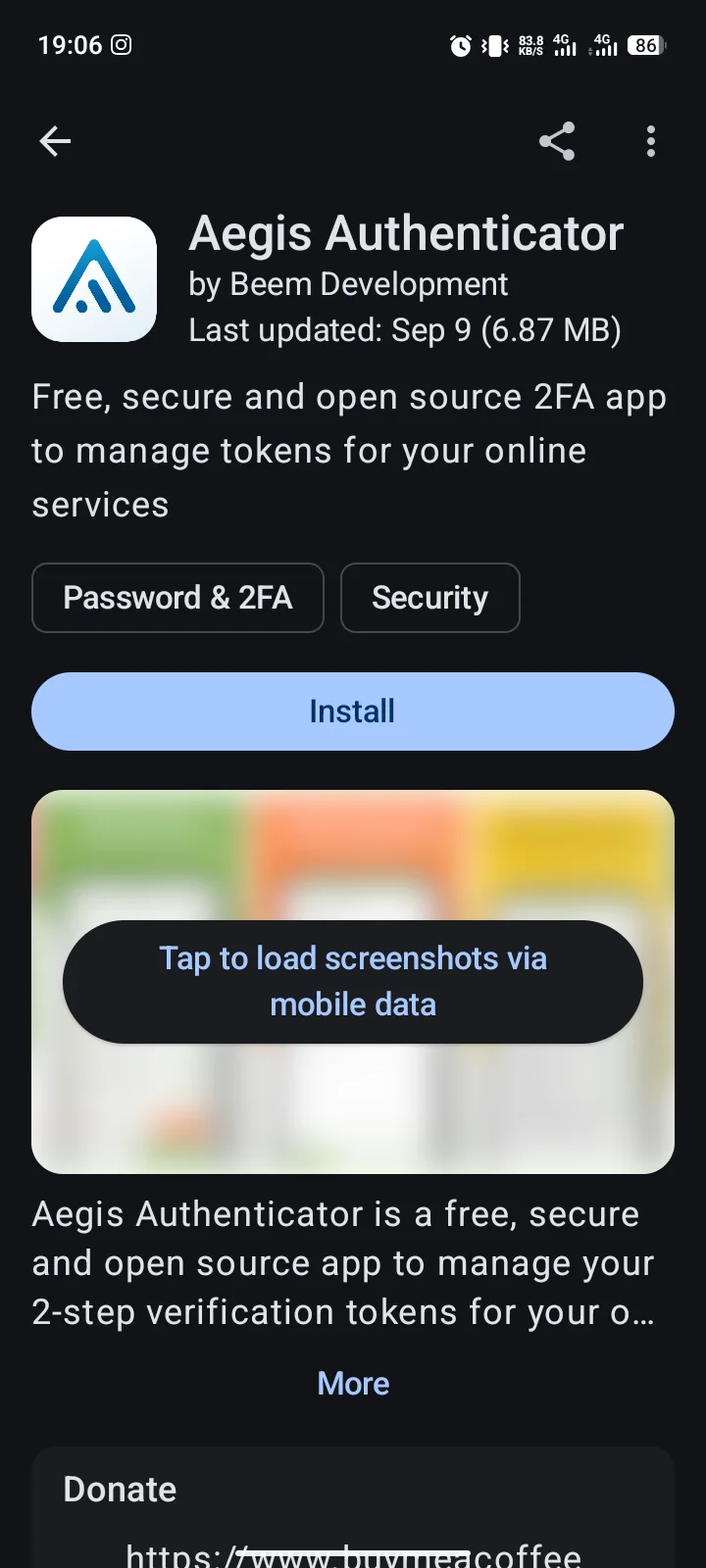
4. Aegis Authenticator
Who it is for: you, if two-factor codes must survive a phone swap.
Why: GPLv3, an encrypted vault, and imports from Google Authenticator, Authy, andOTP, 2FAS and more. Automatic backups to a location you choose are built in.
getaegis.app shows 675K+ installs. Its site carries a five-year-old report of Google Authenticator refusing a phone swap. Aegis opened the QR code Google would not move.
Gotcha: importing from apps with no export option needs root. Otherwise re-enrol 2FA from the service's own settings. Also on F-Droid.
5. NewPipe
Who it is for: you, if you watch video without the Play version of the app.
Why: built and signed by the original developer, Android 6.0+, and a permission list with no location, contacts or microphone.
Gotcha: no Play build, checked today. F-Droid verifies it against the source tarball, but the binary is signed by the original developer, not F-Droid.
6. Briar
Who it is for: you, if messaging must work through an outage or a block.
Why: peer-to-peer over Bluetooth, Wi-Fi or Tor, end-to-end, with messages stored on your device only. Version 1.5.24 landed on 30 October 2026.
Gotcha: Briar says it is in maintenance mode, and delivery needs a nearby contact or Tor. Also on F-Droid.
7. Conversations
Who it is for: you, if family, work or your community already runs XMPP.
Why: a Jabber/XMPP client built for Android 6.0+, with sync across your devices and no dependence on Google push messaging.
Gotcha: you need an XMPP account and server first. Disable read markers if you never want to be observed reading. Also on F-Droid.
8. Element X
Who it is for: you, if your rooms live on Matrix.
Why: the Matrix client, open source under AGPL-3.0, element-hq/element-android on GitHub.
Gotcha: the stores also still list the older Element Classic. Element X is the current build, so pick by the name on the button.
9. Termux
Who it is for: you, if you want a real terminal on the phone.
Why: a full Linux-style terminal with its own package ecosystem, compiled from source on F-Droid.
Gotcha: it asks for storage permission before it can see your files. It is a tool you operate, not a snack you graze. It is also on Play today, from the original developer.
10. Neo Store
Who it is for: you, if you like F-Droid's guarantee in a different client.
Why: a third-party open-source F-Droid client, over 80 commits in 1.3.0, added 22 September 2026.
Gotcha: Android 8.0+ only, and version 1.3.0 dropped the Exodus privacy-report service because the upstream API was revoked. It is not the official client, so the checks above run against F-Droid's pages, not its interface.
Installing it, and the three things that will worry you
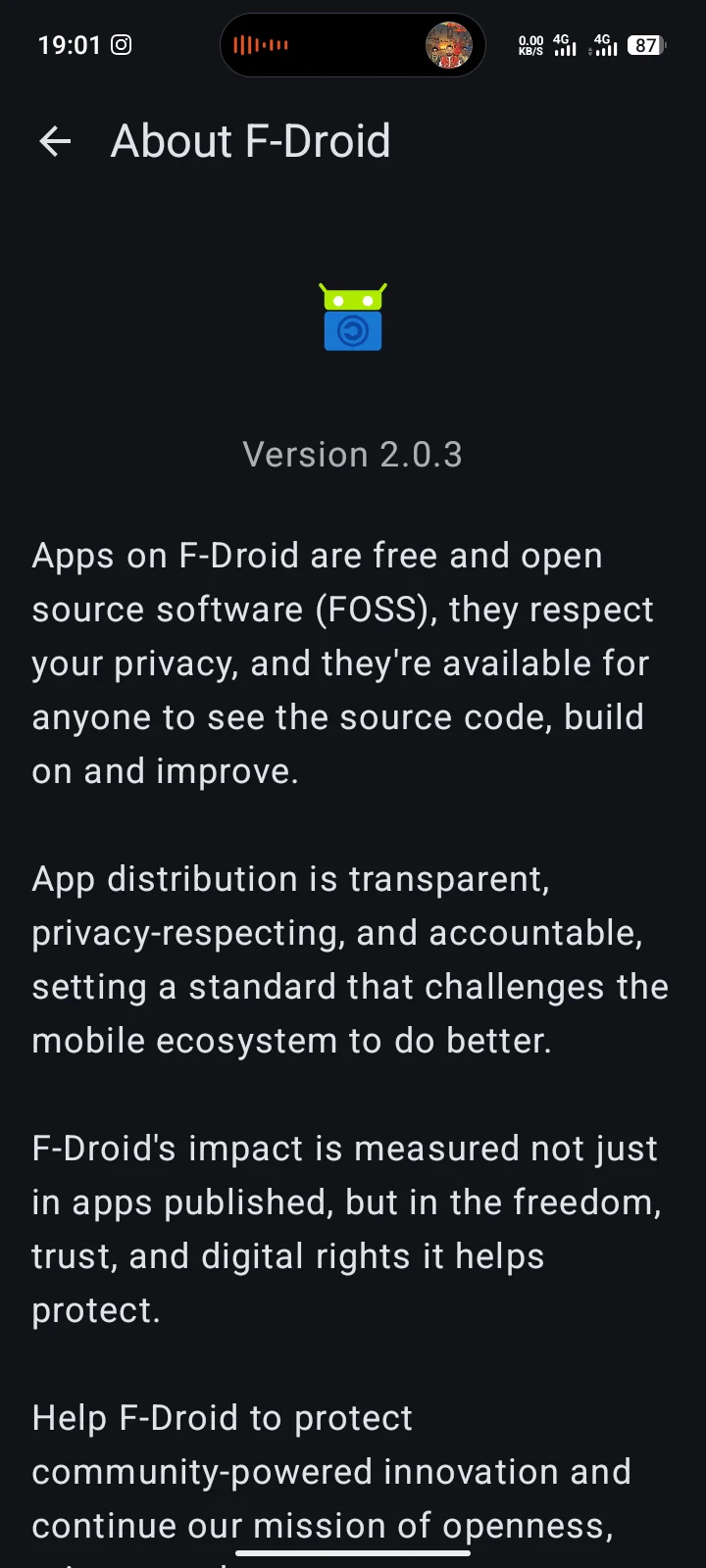
First: F-Droid is not on Play, so the install starts with unknown sources. Open Settings, tap Apps, then Special app access, then Install unknown apps. Pick your browser, allow from this source, download the client from f-droid.org, open the file, then turn the setting back off.
Second: the client's own permission list looks alarming. It includes viewing all installed packages, Bluetooth scanning, Wi-Fi multicast reception and network state changes. Each is the price of the update machinery. Query all packages lets it see when an update matters for what you run.
Third: never download an APK from a project's website to skip the client. You then receive no update notifications, and on Android that means an app frozen before its next security fix. The package pages for Aegis, NewPipe, Termux, Neo Store and the client all carry this warning.
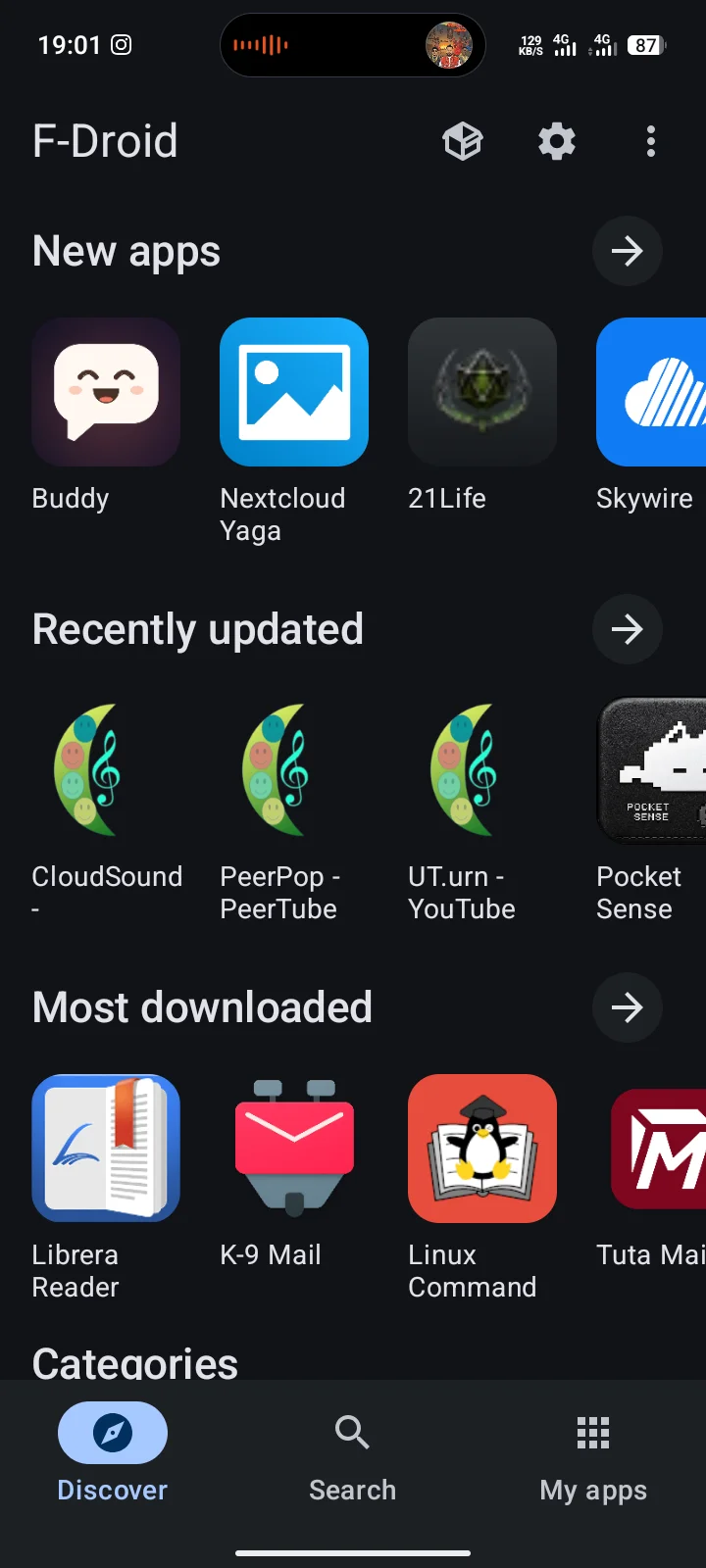
The client requires Android 7.0 or newer. This site's own test phones show the Reproducibility Status field, and the client version comes off its About screen.
Mirrors are fine, by the way. F-Droid's official mirrors live inside the signed metadata, and the client verifies the metadata signature before it trusts any mirror it picks.
Does it run on your phone?
Published floors: F-Droid needs Android 7.0+, NewPipe needs 6.0+, Neo Store needs 8.0+, Conversations needs 6.0+. Signal, Bitwarden, Aegis, Briar and Element X ride with current Play requirements.
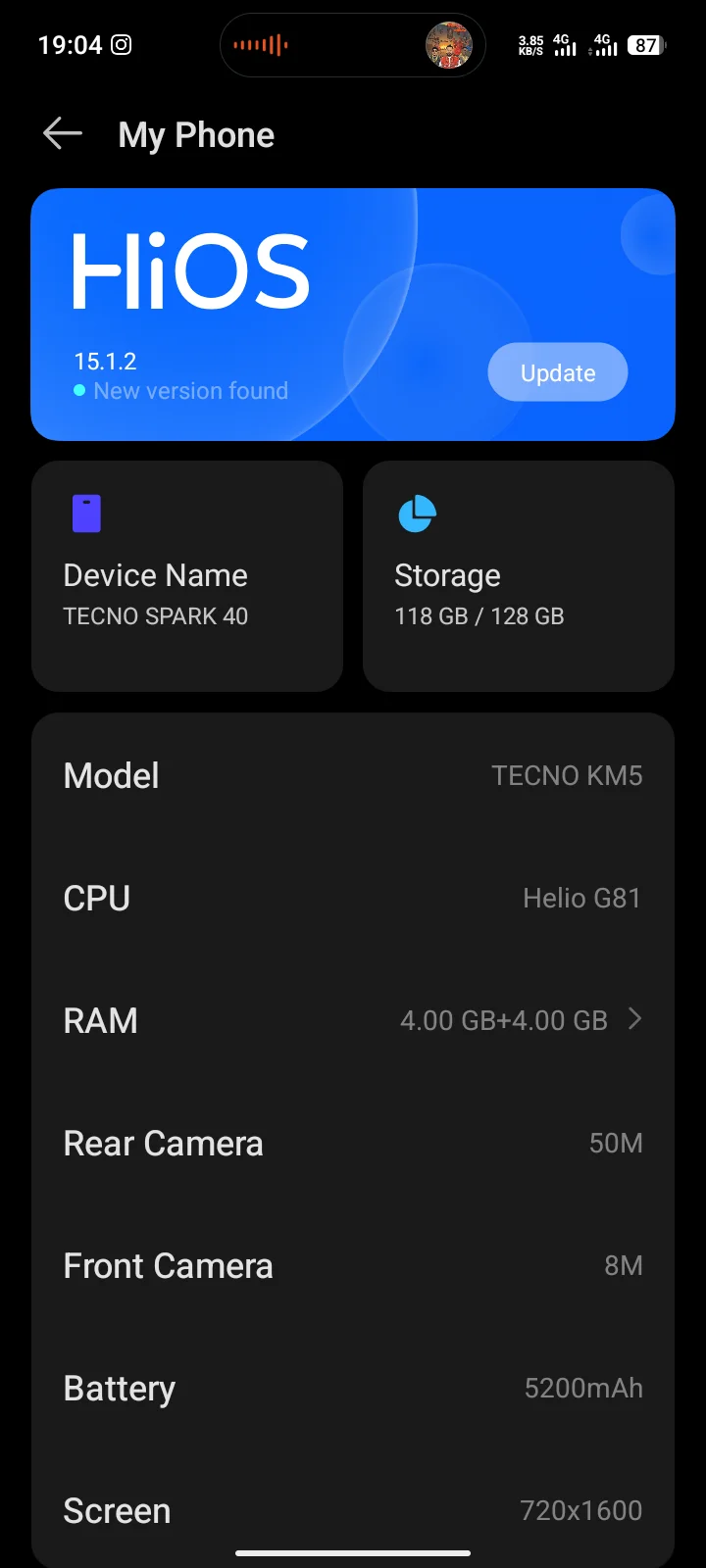
This site owns phones spanning Android 10 and Android 15. The screenshots on this page are taken on the site's Tecno Spark 40 reference unit, HiOS 15.1.2. What the screen prints is what the page records.
Questions readers ask
Is open source software more secure?
Both answers are refused here. F-Droid's list flags Tracking, Known Vulnerability and worse on fully open apps. What the checks disclose is what you get: a published source, a checkable build, and disclosures the reader weighs.
Why is Signal not on F-Droid?
Two stated causes. Signal chose not to distribute through F-Droid, and its client links Google Play Services, which F-Droid forbids in writing. Neither cause is a statement about Signal's safety.
Do I need F-Droid for every app here?
No. Signal, Bitwarden, Aegis, Briar, Conversations and Element X are on Play. NewPipe and Neo Store are F-Droid only. Termux, Aegis, Briar and Conversations ship in both stores.
Is F-Droid safe to install?
It is one conscious unknown-sources decision, once, then updates flow through the client with signature and hash checks. F-Droid published a second security audit by Radically Open Security, and it still lists what it has not done yet.
What to do next
Install F-Droid first: f-droid.org, one APK, one settings toggle, then back off the toggle. Check any app you already have with the four checks above. Keep Signal, Bitwarden and Aegis on Play, the rest on F-Droid, and let the Anti-Features list do the talking.
The full list of apps worth your home screen lives in the best Android apps guide. If something already went wrong on your phone, my malware removal guide is the procedure. It pairs with these four checks on where apps come from.
Comments
New posts held for reviewCouldn't load comments - the thread service didn't answer. Nothing is being hidden: no approved comments are saved with this page.
No approved comments yet - the first one is yours. New posts are held for review before they appear.