 By
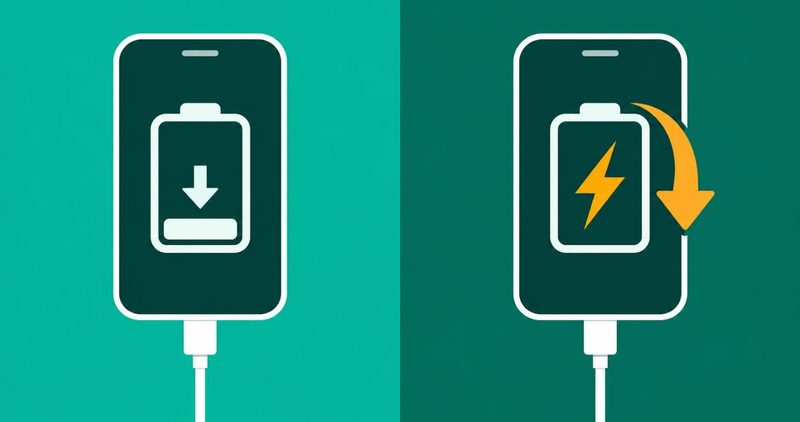
Your phone sits on the charger with the charging symbol showing. An hour later the percentage is lower, and the cable never left the port. Six parts sit behind that trick, and five of them are free to check. The sixth is the battery's own age, and it gets the last word.
Gulf News, read on 11 November 2026, calls charging a tug-of-war. The charger pushes power in while the screen, apps and processor pull it out. When the pull beats the push, the percentage falls even on the cable. The guide's own extreme case is a phone navigating on a car's USB port.
The order below is the makers' order, and it is cheap first. itel's support FAQ, read on 11 November 2026, puts the cable and charger ahead of everything else. I test on a Tecno Spark 40, and this is the order I run.
The ordered test, in order
- Cable and charger. Swap both, one part at a time.
- The socket. Move to another plug point.
- Heat and heavy use. Let the phone cool, and stop gaming on the cable.
- The port. Check for a plug that needs a push.
- Software. Restart, then the airplane mode test, then the app hunt.
- Battery age. A worn battery drains on the cable too.
The ordered test for a plugged-in phone
Run the checks in the order below, and stop at the first check that changes the result. A check that fixes nothing hands the fault to the next one. The table is the whole test, and the sections explain each row.
| Check | What you do | What it tells you |
|---|---|---|
| 1. The cable and charger | Swap in a second cable, then a second charger | The fall stops, so one of them was the fault |
| 2. The wall socket | Move the charger to a different plug point | The fall stops in the new socket, so the old one was weak |
| 3. Heat and heavy use | Let the phone cool, then charge it untouched | The percentage climbs when the phone is cool and idle |
| 4. The charging port | Check whether the plug needs a push | A plug that needs a push points at the port |
| 5. The software | Restart the phone, then run the airplane mode test | The fall stops in airplane mode, so a signal or app is eating charge |
| 6. The battery's age | Read the battery's health before any repair | A worn battery drains even on a working charger |
The fixes for every other symptom a budget phone throws sit in our Android problems hub. This post handles the phone that loses charge on the cable.
Start with the cable and the charger
itel's opening rule covers the cable: "Make sure you are using the original charger or data cable to charge your phone". A worn cable can carry the symbol and not the current. Swap in a cable that charges another phone with no fuss. Then borrow a charger the same way.
Carlcare's charging page, dated 17 August 2021, covers the same two parts. It describes a phone that is "detecting a cable plugged in but no power is being sent to the phone battery". Carlcare adds a second version, a battery that rejects the charge.
itel's own line for this exact symptom reads "If the LED light but the power is not increased, maybe the phone issue". The symbol burns, the battery disagrees, and itel puts the phone at step 2 of its eight-step checklist.
A power bank sits in the same check. itel asks whether its output matches the original charger, because a mismatch "may cause abnormal charging".
The charger brick earns its own borrow. A brick that fills another phone at full speed is innocent. Swap one part at a time, or the results mix.
Then the wall socket and the other power sources
A tech support thread from 2 October 2023 carries a bedroom outlet case. The owner wrote "If I'm using my charger in my bedroom outlets, my phone says it's charging but the battery level only decreases". The same phone charged normally from the bathroom outlet and from a car charger. A new charger changed nothing.
A commenter on that thread had moved into a new flat with the same fault. The fix read "All the powerlines had to be redone by an electrician since they were faulty". That is one flat, one electrician and one bad job. Carlcare calls a weak wall outlet "not a very common reason".
A computer's USB port fails the same test from the other side. Carlcare says "Computer USB ports usually do not produce enough charge to match the needs of the phone battery". Games and sync running on the cable make the shortfall worse, in Carlcare's words.
Gulf News says a wall charger delivers more power than the USB port on an older laptop, a hotel bedside table or a car. Charge from the wall when the phone is losing ground.
What the phone is doing while it charges
Heat is the next check, and itel explains it in one line. The FAQ says "Our phones have a heat protection mechanism where they stop charging when the temperature is too high". The same line warns against games, videos and surfing on the cable.
Carlcare carries the consequence: "An overheated device cannot accept much battery charge". Its fix is to turn the phone off and let it cool before charging. This page prints no temperature, because no maker page names one. A hot back, a dimmed screen and a charge that crawls are the signs.
A Moto G Stylus owner posted the case on Reddit on 8 July 2025. The battery was "at 43% when the last time I had looked it was at 56%", and "it still had the little charging symbol".
An answer on that thread explains the arithmetic in words. A hot battery charges slowly, and a bright screen on video draws hard. Heat can throttle the charger below what the phone is burning, so the level falls with the symbol on. The screen itself is a draw, and a bright one at full brightness is a big one.
The same arithmetic explains the car case from the opening. A phone navigating on a car's USB port pulls more than the port gives, and the level falls as you drive. A proper car charger is the fix there.
Gaming on the cable is a habit, and our charging mistakes guide lists what it costs. Habit and fault sit apart: the habit wears the battery slowly, and the fault eats it now.
Then the charging port
The port is the fourth check, the third hardware part after cable, charger and socket, and one repairer's answer draws its shape. An iFixit repair thread, read on 11 November 2026, carries the line. A repairer wrote: "the charge port reads that the cord is present, but will not pull the current into the phone".
The same thread holds the matching reader case, from November 2019. A Moto M owner wrote "i need to push the cable before it charges", logged "when i blugged it in, it had 47% of battery". He went on: "after 15 minutes it had only about 25 and i hadnt been using it at all".
A plug that needs a push is a port worth a look. Our phone charging at an angle guide owns the safe cleaning steps and the port repair question. Do not reach for a cleaning app instead.
One July 2019 comment on the same thread warns "Do not use cleaning apps. They can cause the problem".
Carlcare names the serious version of a port fault. Carlcare says "The most serious reason why your battery runs down while charging could be that the sub-board is bad". Overcharging, overheating and voltage swings are the wear it names. That fault is a workshop job, and the stop rule below says where it ends.
When the fault is software
Hardware checked and cleared, the software side comes next. Three checks cover it: a restart, an airplane mode test and an app hunt. The three need nothing but the phone in your hand.
Restart before anything else
The Moto G Stylus owner from the heat section ended the fall the cheap way. The thread is marked Solved, and the owner's own line reads "i ended up restarting my phone and that seemed to mostly work". A restart costs nothing and takes a minute.
The airplane mode test
One test separates a software eater from a hardware fault. The chosen solution on the iFixit thread starts with it: "Airplane mode if you are 20% or below".
Airplane mode silences the radios, so the phone stops hunting the network. A phone that stops falling in airplane mode was fighting its signal or an app. A phone that keeps falling has a fault no setting will touch.
One more overnight suspect costs nothing to clear: a second SIM the phone stopped using. Take it out for the night and compare the morning numbers. If the morning number holds after that, one suspect clears for free.
Find the app that eats the charge
The battery screen names the app doing the eating. It ranks apps by the charge they burned. An app at the top with a big share is the first suspect on the cable. Force stop it for an evening and watch the cable numbers again.
A heavier software case sits on a Samsung Community thread from 24 August 2020. A Galaxy S20 Ultra owner watched the battery hit 15% and then plunge on the cable. The report reads "the battery drops rapidly (1%/10sec) even while plugged in a Samsung charger!"
The thread's own fix line keeps two things together: "A factory reset and/or the one UI 2.5 update seems to have fixed the issue". A reset and an update happened together, and the thread never separates them.
Both are the heavy steps, and both come after every cheap check on this page.
When the battery itself is the problem
The last part is the battery itself. A worn battery holds less and drains faster, on the cable and off it. One repair shop's answer on that thread, from 2018, put the battery first, the port second and the board last. That is one shop's ordering, not a rule.
The tell is a phone that falls on every charger, in every socket, with the port clean. Our battery health guide shows how to read what is left. It carries the figures and the cycle numbers, and this page carries none of them.
A phone that loses charge with no cable attached is a different post. Our battery drain guide covers the unplugged case, app by app. The two posts share the battery words and nothing else.
Quick answers
Why the battery falls with the charging symbol showing
The symbol and the battery are two different reporters. The port can report a connection while the battery sees no current. Heat can throttle the charger below the phone's burn, and a hungry app can out-draw a weak source. The ordered test finds which one is yours.
Using the phone while it charges
Heat is the reason. itel warns against games, videos and surfing on the cable, because heavy use heats the phone and slows the charge. Charge the phone idle for an hour and compare.
Why one room charges and another does not
Sometimes the wall behind the socket is the difference. The bedroom outlet case in this post charges normally from the bathroom outlet. Swap rooms before you swap parts, and the electrician case stays the rare one.
The phone that stops at 80%
A phone that parks at 80% is not always sick. Some phones hold a high percentage on purpose, and the feature is a charging setting. Check the charging settings before you call it a fault. No one percentage is a rule, because the feature varies by maker.
When it is the battery and not the charger
A phone that passes every check on this page has one suspect left. New cable, clean port, cool phone, airplane mode holding, and the percentage still falls. That is a worn battery, and the health guide reads it properly.
The stop rule
Cool the phone, test in order, and stop swapping when a check changes nothing. A plug that needs a push, or a fall that survives airplane mode, points past the cable and the charger.
I run the same order on my Spark 40.
When the port or the board is named, the phone belongs at a service centre. Carlcare is the official after-sales service provider for Tecno, Infinix, Itel and Syinix phones. The price question stays with the shop that opens the phone.
Start at the cable, and let the table carry you down. The rest of the fixes for a budget Android phone sit in our Android problems hub. Five minutes of swaps tells you which part needs the money, and which part never did.
Walk in with the story: when it started, which checks you ran and what each one changed.
Comments
New posts held for reviewCouldn't load comments - the thread service didn't answer. Nothing is being hidden: no approved comments are saved with this page.
No approved comments yet - the first one is yours. New posts are held for review before they appear.