 By
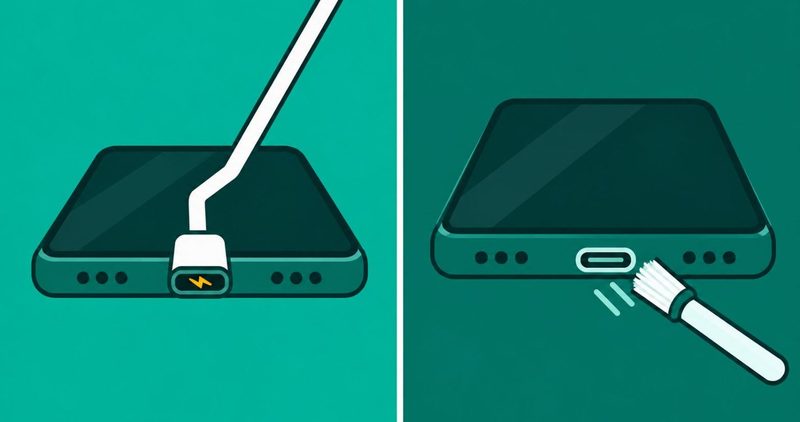
Your phone charges only when you hold the cable at one angle. Move the plug a little and the charge stops. An Android phone only charges at a certain angle, and the fault sits in the cable, the charger, the socket or the port. The rest of the phone works. It is the plug that will not sit right. 60 seconds of checks in the right order finds which one.
The order is not ours. The cable comes first on itel's support FAQ, read on 11 November 2026, and on Carlcare and Google pages too. The first swap costs nothing, and it is the change most likely to fix the phone.
The 60 second test, in order
- Swap the cable. It is the cheapest change, and every maker page names it first.
- Then the charger and the socket. Try a second plug point, then a different charger.
- Then the port. Power the phone off, look inside with a light, and clean it with a soft brush.
- Then the phone. Ask when the angle started, and compare that date with any fall.
- Stop when the port is dead. Repair the port when the phone is worth more than the repair.
Phone charges only when cable is held? Start with the cable
Four things can break the charge on a phone like this: the cable, the charger, the socket and the port. The test runs in that order. Before the first swap, stop charging the phone at the angle. Mycelltech's page, dated 4 September 2026, says "Do not keep charging with the cable wedged at an angle". The same page says every session of levering the plug wears the port further and can crack its connection to the board. The itel FAQ starts with the cable: "Make sure you are using the original charger or data cable to charge your phone".
| Step | What you do | What it tells you |
|---|---|---|
| 1. The cable | Try a second cable, then put your charger into another phone | Your phone charges straight away on the new cable, so the cable was the fault |
| 2. The charger and the socket | Try a second wall socket, then a different charger | The charge comes back steady, and that part was at fault |
| 3. The port | Power off, look inside with a light, clean with a soft brush | Dirt comes off the pins and the angle is no longer needed |
| 4. The phone | Ask when the angle started, and compare that date with any fall | The date matches a fall, so the port hardware is bent |
The cable comes first because it is the cheapest thing to change. Carlcare Kenya's page, dated 18 March 2024, calls charging cables "by far the biggest culprit for phone charging problems". A tired cable makes clean contact at one angle only, and the angle moves with the cable.
Carlcare Kenya says cables "go through rough twisting and endless tangling all their life and will likely malfunction with time".
So the first test is a borrow, not a purchase. A known good cable is one that charges another phone without any angle at all.
Carlcare Nigeria's page, dated 14 August 2022, gives the swap that settles it. "You can also try to use your charger with a different phone to see if your cable is faulty or not".
Put your charger into a second phone. If that phone charges at any angle, your cable is fine and the fault is in your phone. If your phone charges straight away on a different cable, the cable was the fault.
Samsung's UK page, updated 28 May 2026, warns that "Low quality or non-approved chargers and cables may cause slow charging or intermittent disconnection". The same page says "Long-used cables should be checked or replaced if necessary". That covers the cable you have carried in a bag since the phone was new.
The charger and the socket
The charger and the wall socket come second. The itel FAQ asks you to "Check that there is a good connection for your data cable, charger, charging port, and power socket". Then it says to replace any of them that are damaged.
The charger gets the same treatment as the cable. If a different phone charges from it, the charger is doing its job and the fault sits on your phone.
Then the plug point. Carlcare Kenya warns that "Faulty wall sockets may not pump out the right power volume". Carlcare Nigeria gives the plain test: "If you are charging from the wall, try a different socket or try charging from your computer". Swap the socket before you swap the charger, because the socket is the part of this test that costs nothing at all.
A power bank needs its own check. The itel FAQ asks whether the output current is the same as the original charger, because a different current "may cause abnormal charging". Charge a second phone from that power bank before you blame the port.
None of these steps costs money, and none of them takes the phone apart. That is why they come before the port.
How to clean the charging port on Android
The port comes third. The itel FAQ asks you to check the charging port for dirt and other foreign objects. Samsung says "Remove debris using a soft brush" when dust or debris is stuck in the port.
Carlcare Nigeria gives the same instruction: "If there is dirt, clean it with a soft brush then fix your cable to charge". Carlcare Nigeria also says you can blow gently at the port when there is moisture in it.
The maker pages do not agree on the last step, so the strictest one wins. Google's Pixel support, read on 11 November 2026, says "Check for moisture or debris inside the USB-C port and cable. Do not put anything into them".
Google clears loose grit by tapping rather than picking: "with the USB-C port faced downward, gently tap it against your hand".
Carlcare Kenya is the one page that allows a pick. It says you "may also use a toothpick for solid particles, but avoid inserting metallic objects into the port". The toothpick is the exception, and no metal is allowed with it.
A SIM card key, a needle or a paperclip is metal, and metal is exactly what the maker pages warn against. Carlcare Kenya bans metal objects in one line.
Turn the phone off and unplug it, then look inside the port with a light. Brush out the dust with a soft brush, and tap the port downward against your hand for loose grit. Do the work with the phone unplugged, because that is the rule the writer who broke his own phone learned the hard way. Nothing goes into the port.
The reason for that rule is not theory. A Pocket-lint writer, in a story published 21 October 2026, cleared lint from his Galaxy S20. He used a needle and a liquid, and the phone was still running.
He wrote "In my haste to remove pocket lint, I never bothered to turn off my phone ahead of time". The phone never came back. He wrote that too: "I never managed to resuscitate my S20".
His safe list says to turn the phone off before a cleanup, and to keep metal objects out of the port. It also says to steer clear of needles and toothpicks, and to use a plastic dental pick instead.
Google's instruction for a bad cable: "Stop using it and get a replacement cable from the Google Store". If the cable is visibly damaged, stop using it.
The dropped phone and a loose charging port
The fourth fault is the phone itself, and a fall is the reason to ask about it. Carlcare Kenya says "physical damages like bent pins in the port" needs a professional, not a reader.
So ask one question: when did the angle start? A phone that needed the angle before it fell is a different phone from one that needed it after. If the angle began the day you dropped the phone, stop swapping cables and take it in. If it began months earlier, the fall is a coincidence.
A port that was already loose was worn before the fall, and the fall did not create the fault. That is why the date matters more than the fall itself.
Either way the port is now a repair job, and the price of that job is the next thing to ask about.
Tell the repairer both facts. When the angle started, and whether the phone has been dropped since. Those two answers decide the job and they decide the price.
When to stop, and what a port repair costs
Stop swapping when nothing changes the result. If a known good cable and a known good charger still need the angle, the port is the fault.
The port then needs a repairer, and one question is left: is the repair worth the phone? The rule is plain. A dead port goes to a repairer when the phone is worth more than the repair.
360GadgetsAfrica's repair price list, dated 10 November 2025 and read on 11 November 2026, lists "Charging Port Repairs" for Samsung phones. The price runs from 7,000 to 25,000 naira, depending on complexity.
That range is one platform's published price for Samsung phones in Nigeria. None of the pages named here prints an official Tecno, Infinix or itel price, so expect your own brand to be quoted by the job.
Ask for two numbers when you walk in: the part, and the labour. A shop that gives you one total cannot show you where the money went, and a cheap total is not a bargain. Ask for the price before you leave the phone, and ask which part is being replaced.
Before you pay for a repair, check the battery too. An old phone with a worn battery is not worth a new port. Our battery health guide shows how to read what is left.
The bottom line
Swap the cable, then the charger and socket, then look in the port, then think about the drop. If a known good cable still needs the angle, the port is the fault, and it needs cleaning or a repairer.
One thing to keep apart: a habit that slowly wears the battery is not this fault. Our charging mistakes guide lists the habits that cost you battery.
The rest of the fixes for a budget Android phone sit in our Android problems hub. 60 seconds of checks costs nothing, and it tells you which part needs the money.
Comments
New posts held for reviewCouldn't load comments - the thread service didn't answer. Nothing is being hidden: no approved comments are saved with this page.
No approved comments yet - the first one is yours. New posts are held for review before they appear.