 By
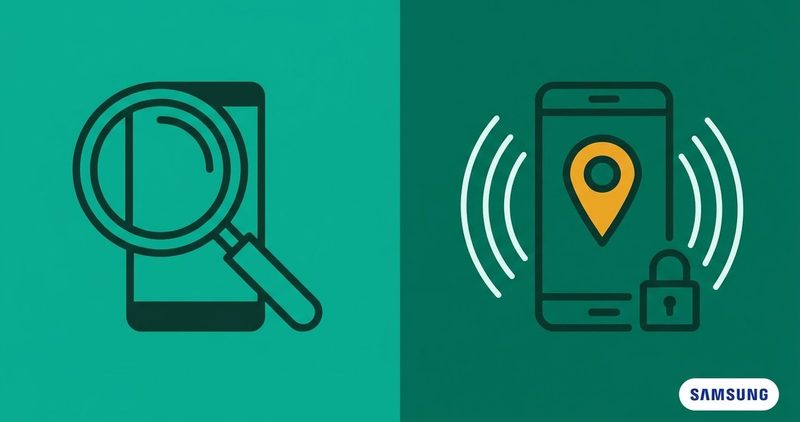
When a Samsung phone goes missing, the first call goes to the carrier and the hope is that they can trace it. No carrier publishes a step that will. What can help sits inside the phone, under a name most readers have never searched for.
I test on a Tecno Spark 40, so I cannot show you a Galaxy screen or a Galaxy menu. Every path and every number below comes from Samsung, Google, the Nigerian regulator or the four Nigerian carriers. I read them all on 5 November 2026. No link on this site pays us today, and every link here is a plain link.
Find My Mobile on a Samsung phone: the quick summary
- It is a switch inside Settings, not an app. Find My Mobile is now part of SmartThings Find, and the app on the store is called Samsung Find: Location Sharing.
- Two paths, one set of switches. Look under Settings > Security and privacy > Lost device protection, or under your Samsung account and then Find My Mobile.
- A switched-off phone gives only its last known location. The offline promise sounds wider than it really is.
- The regulator blocks a phone. It does not find one. The Device Checker closes a reported handset off every Nigerian network, and says it does not track location.
- No carrier publishes a step that finds the handset. MTN, Airtel and Glo publish SIM and line steps, and T2mobile publishes contact channels only.
- On the day it goes missing, do this. Police report, SIM block, bank, then track the phone and wipe it if the track fails.
The switch lives inside the phone, not on the store
Most readers search for an app called Find My Mobile and find nothing, because there is no such app. It is a switch inside the Settings app. Samsung's guide to Find My Mobile says "Find My Mobile is now part of SmartThings Find". It gives the path as Device settings > Samsung account > Find My Mobile. I read that guide on 5 November 2026.
If your phone does not already carry the app, Samsung Find: Location Sharing is where you get it. That is the name on the Play Store. I read the listing on 5 November 2026. It needs a Galaxy device on One UI 3 or later, and it was updated on 5 October 2026.
Two menu paths lead to the same three switches
Samsung publishes both routes, and your phone may show either one. Route one is Settings > Security and privacy > Lost device protection. Route two is Settings, then your Samsung account at the top of the menu, then Find My Mobile. Both routes end at the same three switches: Allow this phone (or tablet) to be found, Send last location, and Offline finding.
Which route you see depends on your phone's software version. If neither looks right, open the Settings app and search for Find My Mobile.
Five things to set before the phone goes missing
Samsung's support page lists four conditions before the service will work. The phone must be turned on, and if the device is powered off only the last known location will be available. It must be connected to a stable network. A Samsung account must be added to the device. Remote controls must be enabled. I read that page on 5 November 2026.
Add a fifth item of your own. Write down the IMEI before the phone goes missing, and keep it with your police report.
What the offline promise really covers
Samsung's account page promises to locate your devices "even when they're offline". I read that page on 5 November 2026. The small print under it says "Support services may vary by country/region/carrier".
Two more lines sit under that promise. The device must be turned on and logged in to your account. Offline finding needs a Galaxy phone or tablet on at least Android 8. The promise covers a phone that is on and out of mobile data, not a phone with no power.
How offline finding works
When your Galaxy has no mobile data, other Galaxy phones near it act as helpers. Samsung's Africa page calls them Find Nodes, and it says they are "sending signals into the server that share your lost phone's location". The same page sets the limit: "Find Node devices do not indicate the exact location of the lost device". I read it on 5 November 2026.
So you get a rough area, not a doorway.
Locate, ring, lock and erase from the web
Open the SmartThings Find website in a browser and sign in with your account. Your devices sit in a list on the left. Pick the phone and the map opens, and you can track it, ring it, lock it or erase it. Samsung's support page shows what each control does. I read that page on 5 November 2026.
Samsung's support page gives the numbers. Track location "will send updates every 15 minutes with the device's latest location". A ringtone "will start sounding for one minute, even if the phone or tablet is set to Mute or Vibrate". Lock asks for a PIN you enter twice, and the device stays locked until you type it in. Extend battery life turns on maximum power saving mode, and the battery "can last for literally days". I read that page on 5 November 2026.
There is an emergency mode as well. It sends you an email when the phone is finally located.
Ring when it is nearby, lock when it is gone, erase last
Ring it first when you think it is in the house or the car. It plays a full minute of sound, so you hear it in a pocket or under a cushion. Swipe Dismiss on the phone or press Stop on the website.
Lock it when it is out of reach. The lock needs a PIN you choose, and you can leave a message on the lock screen for whoever finds it.
Erase it last. The photos, the chats, the banking apps and the saved passwords are gone from the phone. Samsung's support page says a remote factory reset erases the device's data, and that "no one will be able to access your personal information". I read that page on 5 November 2026. The accounts are what you protect next. The regulator's consumer guide puts the password change straight after the remote wipe, and names banking, email and social media. If you cannot erase the device remotely, Samsung's page tells you to change the passwords on any account still logged into it. Back up what you can before you press the button. Wiping early gives up the chance of getting the phone back.
Ring it from your wrist, or see the family's phones
A Galaxy watch can find the phone for you. On the watch, press Home, swipe to Samsung Find, then tap the phone icon to make it ring. The watch has to be connected to the phone over Bluetooth, or over Wi-Fi or LTE. Samsung's support page shows those watch steps. I read that page on 5 November 2026.
Open Samsung Find on another phone, and the family devices shared with you appear on the map. Samsung's family devices page says that feature is not available on the website at this time. I read that page on 5 November 2026.
The other find service runs on a different account
Your phone carries a second find service as well. It comes from Google, it works through Google Play Services, and it runs on your Google account. Google calls its own service Find Hub, as its Find Hub page shows. It is a separate system with a separate sign in, and it does not read the account above. I read that page on 5 November 2026.
The Galaxy switch has to be on for the Samsung side to work at all. And the Google service only works on phones and tablets, so a watch or a pair of buds only appears on the first one. Samsung's support page prints the same line: "Google's Find Hub only works on phones and tablets". I read that page on 5 November 2026.
What the four Nigerian carriers publish
This is where readers expect a carrier to help, and the honest answer is that no carrier publishes a step that finds the handset. MTN, Airtel and Glo publish SIM and line steps, and T2mobile publishes contact channels only.
MTN publishes the line code on its lost or stolen SIM page. Dial *123*7*4# or *123*7# and choose option 4 to block a stolen line. It also warns that criminals can still read messages after the line is blocked. That page points at Google's Find My Device app and says it helps to locate your device. I read it on 5 November 2026.
| Carrier | What to ask for | What it costs | Can it find the phone |
|---|---|---|---|
| MTN | Dial *123*7*4# or *123*7# and pick option 4 to block a stolen line | It publishes no price figure, only "a token fee" | No carrier step that finds the handset |
| Airtel | The regulator's Device Checker answers, republished | It publishes no price | No carrier step that finds the handset |
| Glo | SIM replacement at a Gloworld Shop, with ID and a police report | N100.00, printed under the business SIM list, so a prepaid reader is not misled | No carrier step that finds the handset |
| T2mobile | Contact channels only, with no lost or stolen SIM steps | It publishes no price | No carrier step that finds the handset |
The block stops the phone, it does not find it
The Nigerian regulator runs a service that blocks a reported handset across every network in the country. You can reach it by dialling *315#, by opening the device checker on the regulator's site, or by calling 315 free.
The regulator's Device Checker page answers the stolen phone question plainly. Once you report the phone and ownership is verified, "the device can be blocked across every Nigerian mobile network". Then it asks whether the service shows or tracks your location. The answer is plain: it "does not track, monitor, or record your location or movements". It also says the IMEI is a unique 15-digit number, and that dialling *#06# shows it. I read that page on 5 November 2026.
The block is available and the find is not. In that order, so nobody sits waiting for someone to track the phone.
The day your phone is gone, in the order that works
The regulator's consumer guide publishes the order, and it is the right order. It names two services, and the Samsung one is missing. It tells you to locate the phone with Find My Device on Android, and to wipe it with Find My Device if the track fails. It points to Find My iPhone for Apple phones. The setting that ships on a Samsung phone is never named. A provider or the police station might be able to track the phone on their network, depending on who is using it. I read that page on 5 November 2026.
Act fast. File a police report at the nearest police station and ask the Police Officer in Charge for a copy. Then call your network and ask them to block your SIM. A blocked line stops the thief using your number for calls and data.
Tell your bank the same day. Then track the phone from a laptop, and wipe it if the track fails. Never meet the thief in person to get the phone back. Put your safety before the handset.
Questions readers ask
What do I do first when the phone is gone?
File a police report and ask for a copy. Ask your network to block the SIM, and tell your bank the same day.
Can my network find it for me?
No carrier publishes a step that finds the handset. MTN, Airtel and Glo publish SIM and line steps, and T2mobile publishes contact channels only. The regulator blocks a reported phone across every Nigerian network but does not track location.
Will it show a location if it is switched off?
A phone with no power gives only its last known position. The offline promise covers a phone that is on and out of mobile data.
Should I wipe it straight away?
Ring it when it is nearby. Lock it when it is out of reach, and erase it last. Wiping early gives up the chance of getting the phone back.
How do I get the IMEI the police ask for?
Dial *#06# to read the IMEI. Write it down before the phone goes missing and keep it with your police report.
What will not work, stated plainly
A Nigerian carrier will not locate the handset for you. None of the four publishes that step, and the regulator only hedges on it. The Device Checker will not find it either. It closes the phone off the networks and that is all it does.
And the app on the store does not make the phone findable while it is off.
What works is the boring order. Set the switch, keep the account signed in, block the SIM, tell the bank, and file the report. If the phone comes back, ring it until you find it, then unlock it with your PIN. If it does not come back, wipe it and move on. My Android problems hub has the rest of the fixes for your phone in one list.
Comments
New posts held for reviewCouldn't load comments - the thread service didn't answer. Nothing is being hidden: no approved comments are saved with this page.
No approved comments yet - the first one is yours. New posts are held for review before they appear.