 By
By 
Nobody can hear you on calls, but your voice notes record clearly. That split is information, not mystery. Your phone uses more than one microphone, and different apps reach different inputs. If the microphone works anywhere, something took it elsewhere.
I ran every software step below on my Tecno Spark 40. Samsung and Google paths are documented rather than device-tested. Nothing here asks you to open the phone, and nothing prescribes a factory reset.
Android microphone not working: the quick summary
- Dead in one app means permission. Dead everywhere including Recorder means toggle or hardware.
- Run the three-app test first. The pattern names the layer.
- A green dot names the hog. Tap it, open the timeline, then revoke or close the culprit.
- Bluetooth and wired headsets steal the input. Disconnect them first.
- Lint and a shifted case block real microphones. The case comes off first.
Which silent: one app, everywhere, or calls only
Find your row, then go to the section it names.
| What you hear | Which layer it implicates | Start at |
|---|---|---|
| Dead on calls, alive on speakerphone or video | The primary bottom mic is blocked or dead | The physical third, then the hardware verdict |
| Dead everywhere, including Voice Recorder | The system-wide toggle, or hardware across all inputs | Permissions plus the privacy toggle |
| Dead in one app only | That app lost permission, or another app holds it | Permissions, then the hog hunt |
| Dead right after a system update | The update reset the toggle or a permission state | Permissions plus the privacy toggle |
Samsung’s support names the primary microphone at the bottom of the device, and Hollyland’s fixes guide adds the software half: calls and recordings use different profiles, routed to different inputs. Samsung’s troubleshooting page confirms the hardware half.
Two corrections save a week. A weak network degrades the call, but it never stops capture: a clean Recorder clip on airplane mode clears the network. Volume controls what you hear, never what the other side hears. For the wider field, start with our Android problems fix guide.
The 60-second three-app test
Three tests rule each layer in or out. Hollyland opens the same way, and I add how to read each result.
| Test | What it proves | How you read it |
|---|---|---|
| Call on speakerphone, speak normally | Whether the secondary input and call path work | Pass means the phone captures audio; the fault is the primary input or one app |
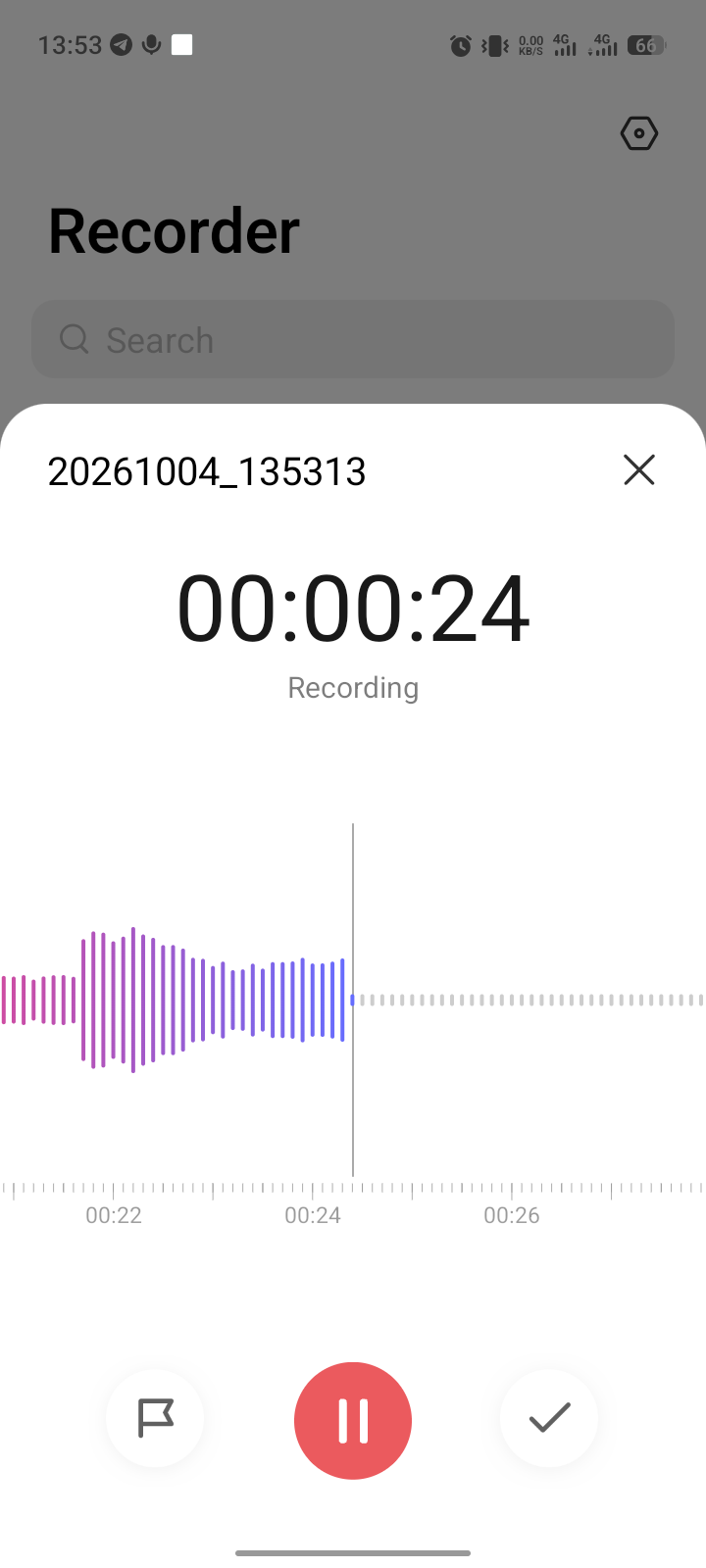
| Record a clip in Voice Recorder, watch the meter | Whether any input captures at system level | A moving meter means software diverted the mic; a flat meter means toggle or hardware |
| Send yourself a WhatsApp voice note | Whether a third party app holds permission and a route | Pass with Recorder failing means that app’s permission differs |
Any pass sends you to the software sections. Even with total failure, check the privacy toggle first. The built-in Recorder beats every browser test page. Our how to test Android guide covers the same isolate first habit.
Permissions plus the privacy toggle
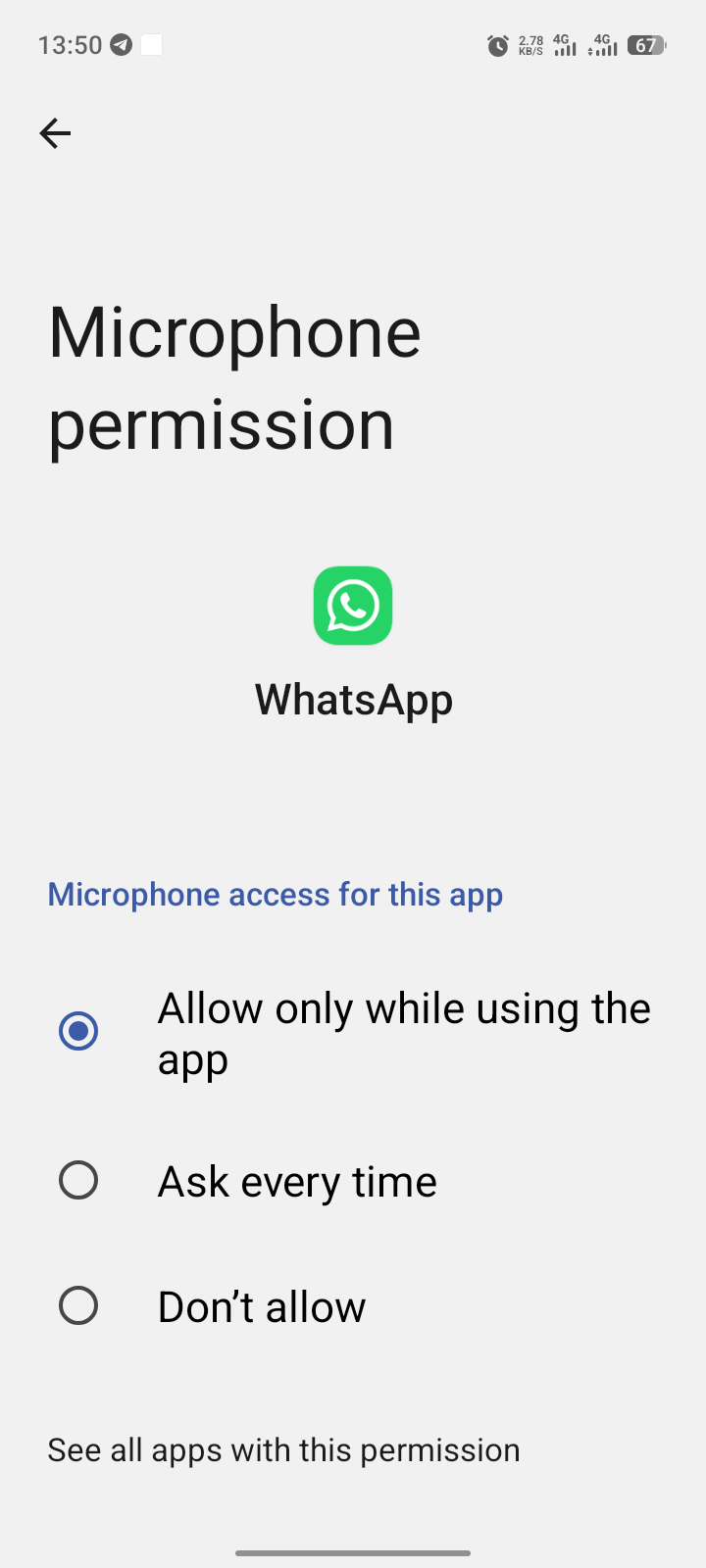
A missing permission is the most common software cause. Open Settings > Apps > WhatsApp > Permissions and grant the microphone, the path WhatsApp’s own help page documents. The ladder serves every app: Settings > Apps, choose the app, tap Permissions, then Microphone. Android Authority’s guide adds the precision: choose Allow only while using the app.
A grant that changes nothing needs a reset. Revoke the permission, force stop the app, relaunch, and grant again. Hollyland documents this revoke cycle for states that survive updates. You retest in Recorder after each change.
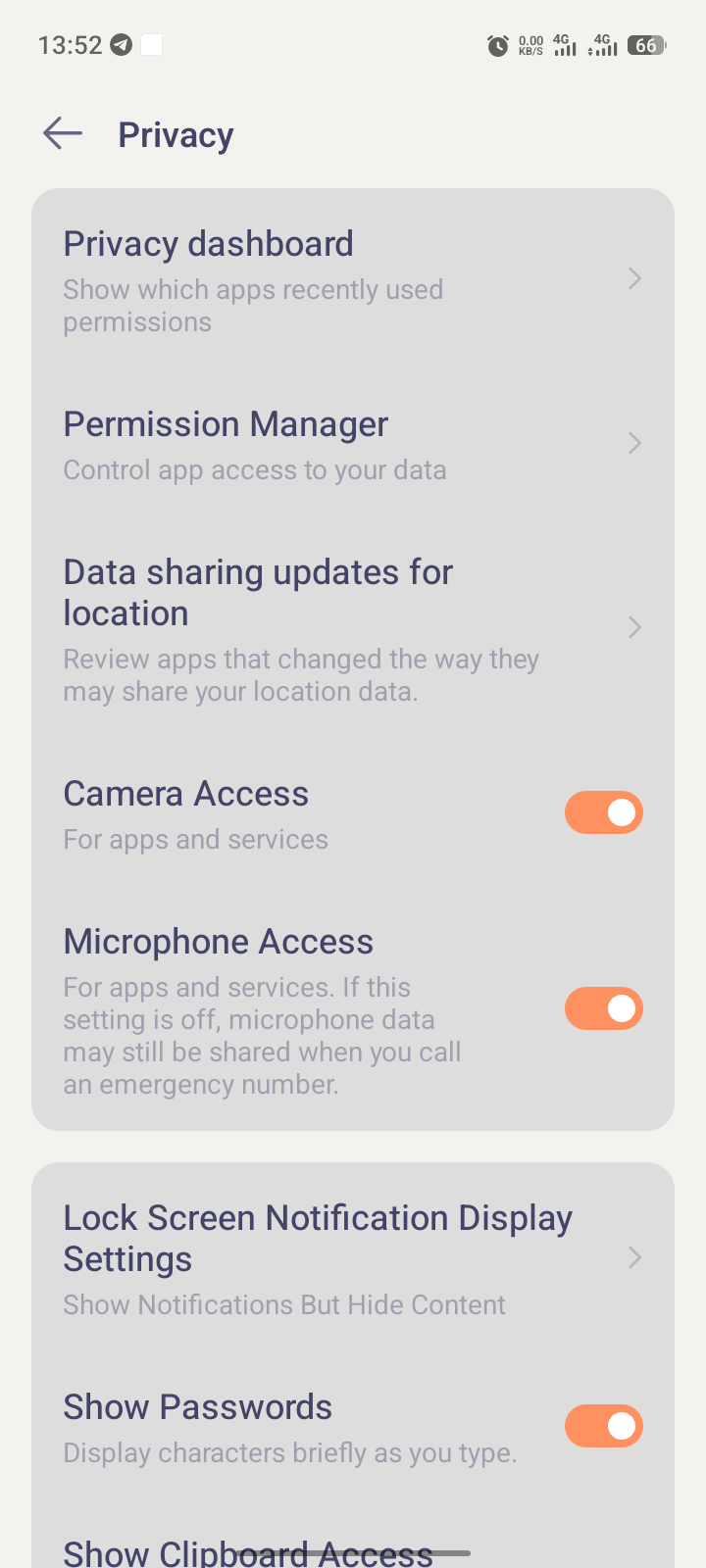
Then check the switch that mutes the microphone everywhere. Android 12 and later carry one system-wide control, and Google’s own help page shows two doors: Settings > Privacy > Microphone access, or the Mic access tile in Quick Settings. Swipe down twice for the full panel. Updates reset this toggle silently.
The hog hunt: green dot to dashboard to evict
Android shows a green indicator at the top right whenever an app actively uses the microphone. Google documents the tap through: swipe down, tap once to name the app, tap again for its permission controls.
The dot only helps if you catch it live. Android Police’s explainer fills the gap with the Privacy Dashboard timeline: Settings > Security and privacy > Privacy dashboard, choose Microphone, and read which apps accessed it and when. You revoke the hog or close it. Call recorders, screen recorders, and background assistants are Hollyland’s repeat culprits, so recent installs in those classes go first.
Routes that steal the microphone: Bluetooth, headsets, Wi-Fi calling
A connected earbud moves the input off the phone. Open Settings > Bluetooth, tap Disconnect, then retest the built-in microphone. A half-inserted wired plug does the same to a faulty headset mic. You pull every wired accessory first.
A stuck headset icon steals the route in software. If the symbol persists after unplugging, Android still routes to a headset that is gone. Carlcare’s guide keeps one useful trick: reseat the plug firmly, then remove it to clear the state. Samsung’s Africa support page adds Wi-Fi Calling off and the Mute all sounds switch under Accessibility > Hearing enhancements. Both paths are Samsung documented rather than Spark 40 tested.
Lint, case, water: the physical third
The bottom hole sits beside the charging port, and lint compacts inside it. Remove the case, shine a light in, and retest Recorder before cleaning.
| Tool | Verdict | Authority |
|---|---|---|
| Dry soft brush or soft dry toothbrush | Use gently, then retest | Hollyland and Samsung agree on gentle dry cleaning |
| Wooden toothpick | Gentle only, never forced | Android Authority lists it with a puncture warning |
| Metal pin, paperclip, SIM ejector, broom stick | Never inside the hole | Metal risks the grille and membrane |
| Compressed air can | Never | Samsung and Android Authority forbid it |
My verdict: soft brush or wooden toothpick gently, never metal, never air. Test case off, then case on, and keep the state the meter confirms. For water, Samsung’s rule stands: pat dry with a soft cloth, then air dry. If the phone also runs hot, our overheating guide covers that fault.
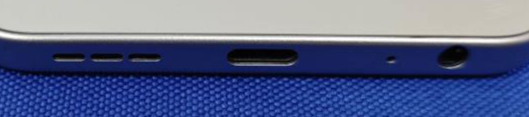
Safe Mode plus the hardware verdict
Safe Mode loads only the shipped software. Samsung documents the entry: hold Power off until the Safe Mode prompt appears, tap it, then test Recorder inside. A working mic there convicts a downloaded app, and you uninstall recent apps one by one with a retest after each. Uninstall call recorders and screen recorders first.
A mic dead in Safe Mode with the toggle on and the case off is a hardware verdict. Resetting app preferences under Settings > System > Reset options is Hollyland’s last software rung, and it keeps your files. This guide stops there. A confirmed dead mic needs a repair quote or a USB microphone workaround, both in future guides.
What I tested on a Tecno Spark 40, and what I could not reproduce
I walked the permission ladder, the privacy toggle, the green dot tap through, the dashboard timeline, and the Bluetooth disconnect on my Tecno Spark 40. The three-app test ran end to end: speakerphone connected, Recorder’s meter moved, and a WhatsApp note played back. HiOS labels vary by build, so you search Settings when a label differs.
I could not reproduce a truly dead microphone without breaking the device. The hardware verdict therefore rests on Samsung’s documented ladder, not a dead unit on my desk. Our Android problems fix guide carries the short version of this fault.
Questions readers ask
Works on speakerphone but not on calls: software or hardware?
That pattern points at the primary bottom microphone. Clean the hole gently, retest case off, and read Safe Mode survival as the hardware answer.
Which app is using my microphone right now?
Swipe down, tap the green dot once to name the app, and tap again for its controls. The dashboard timeline covers moments you missed.
Why did the microphone die right after the update?
Updates reset the system toggle and app permissions silently. Check Settings > Privacy > Microphone access first, then re-grant apps one by one.
Does the case really matter?
Yes. Test case off and replace any cover that shifts the meter.
Should I poke the hole with a pin?
No. Metal risks the grille and membrane, and Samsung forbids compressed air by name. A dry soft brush or wooden toothpick, used gently, is the limit.
Assistant cannot hear me, but calls work: same fault?
No. The assistant keeps its own permission and voice settings apart from the phone app. Check both before rerunning any section above.
Bottom line
A microphone that works anywhere is not broken. Test three apps, read the pattern, then evict the taker: permission, hog, toggle, route, lint, or case. Silence through Safe Mode with the toggle on means pricing a repair, not repeating steps. For the next fault, our Android problems fix guide holds the full ladder.
Comments
New posts held for reviewCouldn't load comments - the thread service didn't answer. Nothing is being hidden: no approved comments are saved with this page.
No approved comments yet - the first one is yours. New posts are held for review before they appear.