 By
By 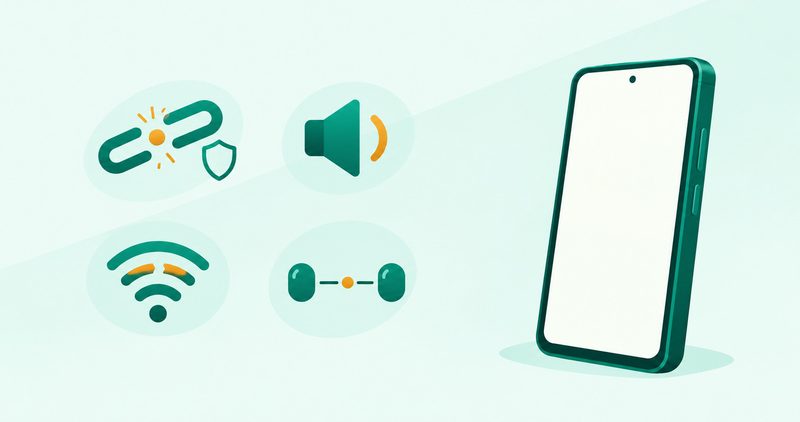
A Bluetooth failure that will not pair, a silent connection, a stuttering stream, and a hijacked speaker are four different faults. The fix for one never fixes another. Find your symptom in the table, then fix that layer only.
I ran the phone-side checks on my Tecno Spark 40 running HiOS on Android 15. Paths I confirmed there are marked as tested. The rest use the Settings search form.
Android Bluetooth not connecting: the quick summary
- Match the symptom to the layer before changing anything.
- Won't pair needs a fresh record and a permission check.
- No sound needs the Media audio and Phone audio toggles.
- Stutter needs the SBC baseline test and unrestricted Bluetooth battery.
- Two accessories fighting is usually multipoint confusion, and Layer 4 sorts it.
The 30-second test: which fault is it?
Read the symptom column for your exact behaviour. The layer column names the only section you need. If Bluetooth is one fault among several, our Android problems fix guide sorts all sixteen before you dive in.
| The symptom | The layer | Go to |
|---|---|---|
| The accessory never appears, or pairing fails | Pairing record or permission | Layer 1 |
| It pairs, but music is silent or calls fail | Audio profile | Layer 2 |
| Sound starts, then stutters, chops, or lags | Codec negotiation | Layer 3a |
| It holds, then drops, often with the screen off | Power management or interference | Layer 3b |
| Sound jumps to the wrong device, or two accessories fight | Multipoint confusion | Layer 4 |
Layer 1: pairing: forget, permission, discoverability
Start with a fresh pairing record, because Android reuses the saved profile. Open Settings and search for Bluetooth, tap the accessory, tap Forget, then pair again, as Google's fix page directs. On Samsung the ladder adds a Scan step within 30 feet, per its reconnect page, with labels I could not confirm.
Check the permission most fix lists miss. Since Android 12, apps that find accessories work through a runtime permission model, so a companion app can sit silently denied while pairing looks fine. Open Settings and search for Permission manager, open Nearby devices, and confirm the companion app is allowed. A solved forum thread on this exact fix ranks prominently for the head query, which shows how many owners miss it.
Check discoverability last, because an accessory only accepts pairing while it advertises itself. Put the accessory into pairing mode per its manual and keep the phone very close. Google asks for the phone within 0.5 metres of a Fast Pair accessory during setup. Rule out the other phone in the room, since Honor's guide notes an accessory linked elsewhere will not pair with yours.
Layer 2: silence: the profile toggles
Pairing succeeds while sound stays missing when the audio profile toggle is off. Google documents the stock path as Settings, Connected devices, the accessory gear icon, then Media audio for music or Phone audio for calls. Confirm both toggles on the accessory page.
If volume shows dead zones or sudden jumps, suspect Absolute volume. Android routes one volume scale to both devices through this feature, and mismatched scales produce the dead zones. Engadget's volume guide walks the escape: tap Build number seven times for Developer Options, open Disable absolute volume under Networking, flip it, then reconnect the accessory.
Layer 3a: stutter: the codec baseline
SBC is the mandatory codec for every A2DP device, which makes it the perfect baseline. Force SBC under Bluetooth Audio Codec in Developer Options, then replay the failing track. I could not confirm this menu on the Spark 40, so treat it as stock Android. If SBC plays clean, the fault is codec negotiation, not the speaker.
Above SBC, LDAC ships in 330, 660, and 990 kbps modes, with aptX spanning Classic, HD, Adaptive, and Lossless. Android Authority's codec guide warns against chasing the biggest number: a 990 kbps stream that drops sounds worse than a stable lower rate.
| Codec | Use it when | Caveat |
|---|---|---|
| SBC | Baseline test for every stutter | Plain sound, but it works everywhere |
| AAC | Cross-brand buds | Encoder quality varies by phone |
| aptX family | Phone and buds both list aptX | Menu presence proves nothing about the buds |
| LDAC or LHDC | High resolution listening on a strong link | Needs both sides, top rate drops first |
If the buds themselves are the ceiling, our coming earbuds guide will rank codec support per model.
Layer 3b: drops: power and interference
Bluetooth that dies when the screen sleeps is usually power management, not range. The phone starts battery optimisation while idle, and Bluetooth is one process it puts to sleep. How-To Geek credits one change with ending most sleep-linked drops: open Settings, Apps, show system apps, open Bluetooth, open Battery, and set it to Unrestricted. I could not confirm this exact Apps path on the Spark 40, so search Settings for Bluetooth on your build.
Rule out the radio environment with a one-session test. Move the listening test to a 5 GHz network or mobile data for one session. If the chop clears there, the busy 2.4 GHz neighbourhood was the cause. If the phone also drains fast on its own, work our battery draining guide first. If audio chops only on home Wi-Fi, our Wi-Fi disconnecting guide maps the router side of that clash.
Layer 4: the wrong device plays: multipoint, untangled
This layer confuses everyone, because three different features share one name. True multipoint means headphones holding two sources at once. Google documents multipoint for headphones on Android 8 and up: pair both sources first, then open Settings, Connected devices, the accessory gear, Multipoint, and Use Multipoint. Stop audio on the first device before starting it on the second.
Samsung Dual Audio reverses it: one phone to two accessories, capped at two, where a third disconnects one. Stock Android cannot play music on two speakers from one phone, while Samsung phones can. When two accessories fight, forget the rival, because an unsaved device cannot steal playback.
| Setup | Behaviour | Limit |
|---|---|---|
| Headphone multipoint | One headset, two sources, calls interrupt music | Needs multipoint buds, both sources paired |
| Samsung Dual Audio | One phone, two accessories playing together | Samsung only, two-device cap |
| One-to-one pairing | Phone and accessory stay exclusive | Forget rivals to stop hijacks |
The accessory side: reset it, update it, suspect it
When every phone-side layer checks out, suspect the accessory. Factory-reset the accessory using its own manual first, because button holds differ per brand. Check the maker companion app for firmware updates before replacing anything. Cross-test with a second phone next. A fault that follows the accessory across phones lives in the accessory. Honor's guide closes with accessory hardware checks, so visible damage means a shop visit, not another reset.
Pixel diagnostics and Samsung checks: use the free tool
Pixel 6 and newer include a Bluetooth diagnostics screen that logs connection faults. It exists only on Pixels, so skip this paragraph on any other brand. Samsung owners find device checks inside the Samsung Members app instead. Model menus vary on both brands, so follow the on-screen labels rather than a memorised path.
Car Bluetooth: the both-sides rule
Car pairings fail from both ends at once, so clear both records. On the phone, forget the car under Connected devices and Saved devices. In the car, delete the phone per the car manual. Pair from one side only, as the car manual directs, and confirm the PINs match on both screens. Grant contacts access when asked, or calls will connect without names. Note the honest limit: some cars cannot play music or take calls over Bluetooth at all, and the car manual is the final word.
What I tested on a Tecno Spark 40, and what I could not reproduce
I checked the phone-side paths on my Tecno Spark 40 running HiOS on Android 15, using Settings search throughout. What I confirmed: the Bluetooth device list and Forget entry, the Permission manager entries for Nearby devices, the Developer Options unlock through Build number taps, and the Reset options screen. What I could not reproduce: an actual pairing failure, the SBC baseline test on this HiOS build, multipoint switching, car pairing, and every Samsung and Pixel path. No second accessory was available, so cross-testing never happened. For the other fifteen faults on the same phone, the Android problems fix guide holds the full map.
Questions readers ask
My earbuds pair but produce no sound. Are they broken?
Probably not. Confirm Media audio is on through Settings search for Bluetooth.
Why do my earbuds show up as two devices?
Some pairs expose left and right separately before bonding finishes. Follow the manual bonding step first.
Can I play music on two Bluetooth speakers at once?
Stock Android cannot, while Samsung phones can through Dual Audio with its two-device cap.
Why does Bluetooth stutter only when Wi-Fi is on?
Test on mobile data or a 5 GHz network. If the chop clears, the 2.4 GHz neighbourhood was the cause. If it started after an update, read our slow-after-update guide first.
Do Bluetooth versions have to match?
No. Makers build Bluetooth versions to stay compatible, so newer phones still pair with older accessories.
Will resetting network settings delete my photos?
No. The reset deletes saved Wi-Fi passwords and unpairs Bluetooth, while photos and apps stay untouched.
Bottom line
A pairing failure, a silent connection, a stuttering stream, and a hijacked speaker never shared one fix. Match the symptom to its layer, work that layer alone, and stop when sound holds. For the full field of common faults, start with our Android problems fix guide, and the rest of the troubleshooting shelf is one tap away.
Comments
New posts held for reviewCouldn't load comments - the thread service didn't answer. Nothing is being hidden: no approved comments are saved with this page.
No approved comments yet - the first one is yours. New posts are held for review before they appear.