 By
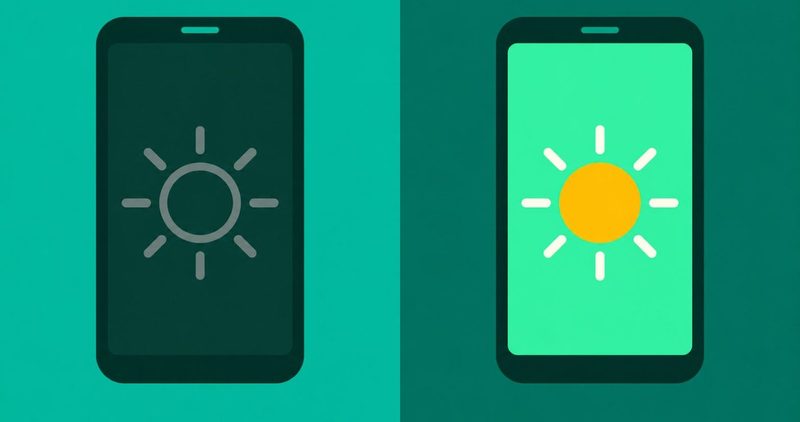
Your screen refuses to hold a level. Either the slider will not move at all, or the screen dims on its own. Both faults share one fix order, and this guide walks it on a Tecno Spark 40.
If the charging symbol shows and the percentage falls, that is the battery draining while charging post. If the phone runs hot and the screen dims, that is the overheating post. This guide owns the slider that will not move, and the screen that dims by itself.
Every other fault we have written sits in our Android problems hub.
The order that holds the screen still
- Adaptive brightness off. The 'A' button (Carlcare's print) or Settings > Display, then set the level by hand.
- Extra dim check. Settings > Accessibility, if the screen sits below minimum.
- Battery saver check. On a Galaxy and a Motorola, saver can dim the screen.
- The light sensor. Clean it, then check the case and your pocket.
- Update, restart, then reset. Only if Device Health Services exists.
Why the screen will not hold a level
Five suspects sit behind this symptom: adaptive brightness (the governor that reads the light), Extra dim, battery saver, the proximity sensor, and heat. Heat is the overheating post's fault.
The governor is the suspect in both predicates. It overrides the slider, or it dims the screen on its own. One suspect, one fix order.
Tecno, Infinix and itel print nothing on this fault. Carlcare, Transsion's service arm, is the only service-side print for these phones. itel's own FAQ is the closest itel publishes.
The ordered fix
Run the checks in order and stop at the first one that holds the level. The table is the map.
The order below is the makers' own order, cheap first.
| Check | What you do | What it tells you |
|---|---|---|
| 1. Adaptive brightness | Switch it off, then set the level by hand | The governor was fighting you |
| 2. Extra dim (Pixels and stock Android) | Settings > Accessibility, switch it off | The screen comes back above minimum |
| 3. Battery saver (Galaxy and Motorola) | Check whether battery saver is on | The screen lifts with saver off |
| 4. The light sensor | Clean the sensor, check the case and pockets | Call and pocket dimming stops |
| 5. Update and restart | Download and install, then restart | Samsung prints this step first |
| 6. The reset | Clear Device Health Services storage, if it exists | The governor retrains from zero |
Each numbered step has its own section, and the sections walk the table in order.
Step 1: switch adaptive brightness off
Samsung's US page, read on 12 November 2026, prints the Quick panel route: touch and hold the brightness slider, then tap the switch. The Samsung dimming page, read on 12 November 2026, prints the Settings path: Settings > Display > Adaptive brightness, tap the switch off.
On a Pixel, adaptive brightness is on by default. Google's Pixel page, read on 12 November 2026, names the toggle and lets you change brightness while it is on.
On Tecno and Infinix, the only printed route belongs to Carlcare, Transsion's service arm. Carlcare's Nigeria page, dated 2022-09-17, read on 12 November 2026, prints the 'A' button by the brightness slider. It also prints Settings > Display > Adaptive Brightness. This is Carlcare's print, not a Tecno or Infinix page.
itel's FAQ, read on 12 November 2026, prints its own wording for the flickers entry: "You enabled“Automatic brightness”, please disable it."
Set the level by hand
Pick a level you can read by and hold it for days. On Pixel 4 and later, adaptive brightness can briefly push past the normal maximum in direct sun. That boost is printed behaviour, by design.
Teach the governor your level
Motorola's Android 14 page, read on 12 November 2026, prints why the governor recovers. "When you change the brightness slider, your phone learns your preferred levels for various lighting environments." Google prints the same learned behaviour for Pixels.
If the slider feels dead only at the top end, this step is not your fix.
Step 2: Extra dim and the too-dark screen
Google's accessibility help, read on 12 November 2026, prints Extra dim in one line. "You can dim your screen beyond your phone's minimum brightness so it's more comfortable to read."
Settings > Accessibility > Extra dim switches it off. Pixel 10 and later carry it inside the Quick Settings brightness slider; Pixel 9 and earlier use the Accessibility path. Google scopes those steps to Pixels.
Samsung prints Extra brightness instead, which boosts past the default maximum and cannot run with Adaptive brightness on. Tecno, Infinix, itel and Xiaomi publish nothing about Extra dim. Search Settings for "Extra dim" on those phones; if it is not there, it is not on your phone.
Step 3: Battery saver and the screen
This claim stays brand-split. Samsung prints the saver line on its dimming page, read on 12 November 2026. Its path is Settings > Battery and device care > Battery > Power saving. "Some power saving modes will make your phone's screen dim in order to save battery life."
Motorola's Android 14 page prints the same, read on 12 November 2026: "If Battery saver is on, the screen dims when the battery gets low."
Google publishes no screen-dim line. Its Android battery page prints Dark theme and background limits, read on 12 November 2026. Tecno, Infinix and itel publish nothing on the point either.
If saver drops the screen on those phones, no maker page read today confirms the cause. Our battery drain guide owns the cell side; this guide owns the screen side.
Step 4: Dark during calls and in pockets
The Samsung dimming page, read on 12 November 2026, prints the proximity sensor first. A case or screen cover can block it. Samsung says to clean it with a dry microfiber cloth.
itel prints the same fault from its side. The sensor works only on the call screen with no headsets connected. Dirt blocks it, and removing the screen protector is the next step.
Carlcare Kenya, page dated 2024-02-17, read on 12 November 2026, names the phone in a pocket. Its steps: restart, a soft cloth on the sensor, a case and guard check, then an update.
Step 5: update, then restart
Samsung prints the update step first, read on 12 November 2026: Settings > Software update > Download and install. Then restart: two-finger swipe down, tap the power icon, tap Restart.
Other makers print no universal path for this fault. Search Settings for "software update" and take what it offers.
Step 6: reset the governor, if it exists
Motorola's page prints the reset: Settings > Apps > All apps, tap Show system apps, search for "Device Health Services". Tap Storage & cache, Clear storage, then Reset adaptive brightness.
Nothing confirms this reset exists on HiOS, XOS or itelOS. Search Settings for "Device Health Services" first; I have not run that search on my Spark 40, so treat this step as untested there.
When the slider will not move at all
Samsung prints three steps for a dead slider, read on 12 November 2026. Software update, then restart, then Reset all settings under Settings > General Management > Reset.
Reset all settings skips "Security settings, Language settings, Accounts, Personal data, and Settings for downloaded apps". Samsung prints that list with the reset.
The same page prints why a top-end slider feels dead, and names the cause as the limits of human visual perception. Samsung scopes the note to its own phones. "When you adjust the brightness slider to a high level, you may not observe any noticeable changes in brightness."
If no step moves the slider, the Motorola reset is the next step, only if your phone has Device Health Services.
If it still will not hold a level
Software update, restart, and on a Galaxy the Reset all settings step are the printed endings. itel prints its own pattern, read on 12 November 2026: "After setting auto-brightness, screen shakes when in dark places, but it's normal in bright places."
Its resolution is a software update at the local customer service centre. That is itel's print, not a general fact.
If none of them moves the screen, a repair bench is the honest next step. Carlcare is the after-sales arm for Tecno, Infinix and itel phones. Walk in with the story: when it started, which checks you ran, and what each changed. No price prints here, because none was read today.
Quick answers
Why does my screen keep dimming with adaptive brightness off?
Two causes print. Battery saver dims a Galaxy or Motorola screen. The other is a stuck adaptive-brightness model. The Motorola reset clears it, if your phone has Device Health Services. On HiOS and itelOS it is unconfirmed.
How do I turn adaptive brightness off on a Tecno or Infinix?
Carlcare, Transsion's service arm, prints it: the 'A' button next to the brightness slider, or Settings > Display > Adaptive Brightness. Tecno and Infinix publish nothing themselves.
What is Extra dim, and why is my screen below minimum?
It is Google's reading-comfort feature, beyond minimum brightness. Pixel 10 and later keep it inside the Quick Settings slider; Pixel 9 and earlier sit under Settings > Accessibility. If search finds nothing, it is not on your phone.
Why does my screen go dark in calls or in my pocket?
The proximity sensor. Samsung prints the case or cover blocking it, fixed with a dry microfiber cloth. itel prints the call-screen-only rule and dirt. Carlcare Kenya names the phone in a pocket.
Does battery saver dim my screen?
On a Galaxy and a Motorola, yes, per their pages. On a Pixel, Google prints no screen dim. Tecno, Infinix and itel publish nothing on the point.
The slider moves but the screen does not change. What now?
Samsung prints three steps: update, restart, then Reset all settings. Its human-perception note covers the dead-feeling top end. Other phones get the search string, or the Motorola reset if Device Health Services exists.
Screen shakes in dark rooms but not bright ones?
Nothing else publishes a fix. itel prints it verbatim, read on 12 November 2026: "After setting auto-brightness, screen shakes when in dark places, but it's normal in bright places."
Its resolution is the service centre.
The stop rule
Cool the phone, run the order, stop at the first check that holds the level. A slider that will not move after update, restart and, on a Galaxy, Reset all settings, is past free checks. Carlcare is the honest next stop for Tecno, Infinix and itel phones.
The fixes for every other symptom live in our Android problems hub.
Comments
New posts held for reviewCouldn't load comments - the thread service didn't answer. Nothing is being hidden: no approved comments are saved with this page.
No approved comments yet - the first one is yours. New posts are held for review before they appear.