 By
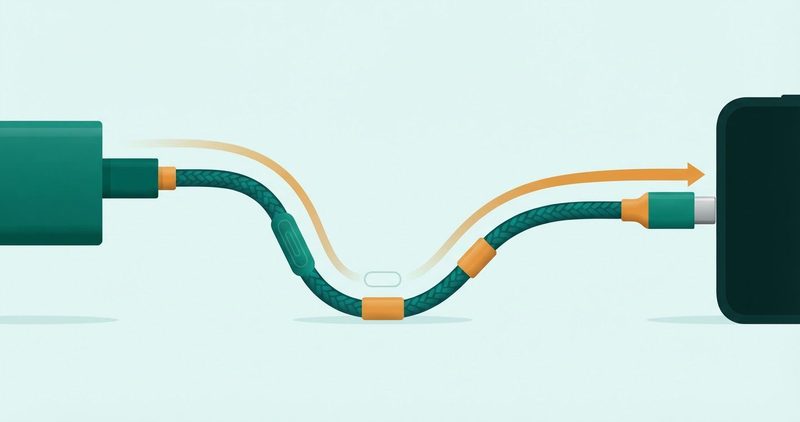
Which USB-C cable should I buy for fast charging? The quick summary
- Buy a 5-amp, E-marked cable for any phone that charges at 45W or more. Samsung's US page says a 3A cable won't work well here.
- A 3A cable is the USB-C floor, not a defect. It caps a 45W phone silently, because the phone negotiates down and never complains.
- The chip in a fast cable is an E-marker. Anything above 3A, or above USB 2.0 data, must carry one.
- Clean the port before you buy anything. A wooden toothpick beats a cable swap for the wiggle-and-stop fault.
- Three US buys today: Anker's 100W nylon cable at $9.99, Baseus's 3.3ft at $9.99, and UGREEN's retractable at $13.99.
- Shorter beats tougher. Buy the shortest cable that reaches the socket.
No link on this site pays us today. Every link here is a plain link, and the affiliate disclosure is one tap away.
1. The one thing that decides your cable is your phone's wattage
Your phone is at nine percent and the socket is across the room. The brick gets the blame. The cable in the drawer never does.
Here is the whole subject in one line of arithmetic. 45W at 9 volts is 5 amps exactly. Anything moving 45 watts down a wire has to move 5 amps.
Wikipedia's USB-C page, read on 19 November 2026, says it plainly. "Every USB-C cable must support at least three amps of current and up to 20 volts, for up to 60 watts of power."
Cables were allowed to reach 5 amps. At 20 volts, 5 amps is 100 watts.
| Class | 3A | 5A |
|---|---|---|
| Standing | The standard's floor | Above the floor |
| At 9V | 27W | 45W |
| At 20V | 60W | 100W |
| Chip required | None | An E-marker |
| On a 45W phone | Caps it, silently | Delivers the ceiling |
A 45W phone on a 3A cable gets what the wire carries. Nothing pops up. No icon dims. The elapsed time is the only symptom, and it never blames the wire.
Take Samsung's 45W tier. It wants 5 amps, and the page prints why. The cable either carries that or it does not. There is no middle setting and there is no warning.
Braided alone tells you nothing about amps.
The pillar on this site makes the same argument in one line. This page is the long version, with the prices.
2. What an E-marker is, and why Samsung prints it in the small print
An E-marker is a small chip inside the cable that announces what the cable can carry. The charger asks it on every connection, and then believes the answer.
The USB-C article says every cable except the most basic must contain electronics called an eMarker.
Samsung's UK charger page, read on 19 November 2026. The 25W row carries the combination.
"With 45W TA, it’s only possible with a combination of 45W TA and a 5A cable."
The 45W row prints the consequence.
"Requires a compatible USB-C cable. Any devices lacking this will charge slower."
The Samsung US troubleshooter, read on 19 November 2026, is blunt for American readers.
"Super Fast Charging 2.0 (45W - 60W): Use a 45W or 60W USB-C adapter and a 5A-rated USB-C cable. A 3A cable won't work well here."
The 25W row earns a shrug from Samsung itself. "A 3A-rated cable might work but could limit the speed."
So the small print in Samsung's wall of text is the whole product. Buy the brick you want, and the wire decides what the phone hears first.
One honest note for the skeptic in the room. The 45 divided by 9 line is arithmetic on the standard's 9-volt profile, not a Samsung quote. The 5A requirement is Samsung's own, printed in plain words. That is stronger than a division.
3. The cables to buy today
Three picks, all read off the makers' US pages. None of them has been tested here. Listings move, so check yours before the cart.
1. Anker New Nylon USB-C to USB-C 100W Cable (10 ft)
Who it is for: the reader whose socket is across the room from the desk, and wants slack to spare.
What the page prints: 100W, two-shade braided nylon, and an e-Marker chip at each end to talk to the charger. The chip is printed on the product page, not hinted at.
What it costs: $9.99 on anker.com today. Ten feet is more reach than most desks need.
2. Baseus USB-C to USB-C Cable 100W, 3.3ft
Who it is for: the desk setup, and the reader who wants the short answer before the long one.
What the page prints: a certified E-Marker chip, 100W at 20V/5A, PD 3.0 and QC 4.0. The jacket is braided nylon, tested to 20,000+ bends, with a zinc alloy connector.
What it costs: $9.99 today, marked down from $14.99. This is the same cable the pillar links, and the pillar prints the same price.
3. UGREEN Nexode Retractable USB-C Cable 100W
Who it is for: the bag, and the reader who wants the cable to disappear when it is not working.
What the page prints: 5A max current, 20V/5A max over PD and PPS, a Smart E-Marker chip, and USB 2.0 data at 480Mbps. The data speed is a footnote here; the power is the point.
What it costs: $15.99 list, with 12 percent off in today's Black Friday banner. The collection grid prints $13.99. Read it before you buy; Black Friday prices evaporate.
4. What to skip
- Charge-only legacy cords with the data wires shorted flat. Some gear refuses them outright.
- Braided USB 2.0 cables sold for games, with no current rating printed on the box.
- Any 3A-only cable sold for 45W charging. Samsung prints the warning on both rows.
- No-name 240W cables with no chip named on the packaging or the listing.
4. The two checks before you buy
First the free one, because it fixes the fault people blame on cables. An iPhone 6 Lightning thread from 29 August 2017 shows the failure mode: port packed with lint, chosen fix a wooden toothpick. Score 27, SOLVED, 17 answers.
The phone only charged when wiggled. It is a Lightning case, not USB-C evidence, and that is the honest scope of it.
You have probably thrown the old cables away already. Try the toothpick before the checkout.
Now the two in-store checks, in order.
- Read the PD block on the package. It should print USB-C PD, a wattage, and 5A. No wattage printed means 3A, because 3A is the floor.
- Check the returns window. Anker prints a 30-day money-back guarantee. UGREEN prints a 2-year warranty and a 30-day trial.
- Baseus prints a worry-free purchase. Buy from the page that lets you send it back.
5. The truth about the one foot shorter rule
The rule travels like this. Buy a cable a foot shorter than you think you need, keep a 5A run under one meter, or the volts fall on the road. It sounds like physics. Most of it is folklore.
The only mechanism anyone prints is resistive loss. Wikipedia's Quick Charge article, carried from a 2 October 2026 read, records why higher voltage exists at all. The line there: less resistive loss, and it becomes significant for longer cables.
Nothing prints a one-meter wall. Anker sells a 10-foot 100W cable today. Baseus sells its 100W cable at 3.3, 6.6 and 10 feet. The 5A class is a current rating, not a ruler.
The honest rule is simpler. Buy the shortest cable that reaches the socket. Every extra foot pays the resistance tax in heat, and you never see the refund.
And the other half of the folklore: any charger works on any cable. That was true in the 5-volt era, when every USB port meant 5V and the only argument was amps. USB Power Delivery negotiates, and the cable is part of the negotiation now.
The old rule is legacy logic from a world with no chips in its cords. The fast charger guide covers the brick side of that negotiation; this page covers the wire.
6. What to do next
One phone lives on this desk, my phone. It has not been timed across cables for this page, and no minutes table appears here. What follows is arithmetic, maker pages, and one toothpick.
Do these in order, and stop at the first one that works.
- Clean the port with a wooden toothpick, gently, then try again.
- Look at the cable's box or jacket for a wattage and a 5A. 3A means the wire is the ceiling.
- Buy one of the three above, sized to the run you need.
- Plug into your 45W brick and watch the lock screen. Whatever the phone negotiates is the number you have.
If a used phone is changing hands soon, the used phone battery watch and the 12-checks test both include a charge cycle. Bring a cable rated for the job.
If charging is still slow after all four, the brick, the port or the phone is the problem. The fixes hub covers the software side of slow. The charger guide covers the brick.
The brick can only offer. The cable decides what the phone hears. Buy the five-amp one and reclaim the ceiling you already paid for.
Comments
New posts held for reviewCouldn't load comments - the thread service didn't answer. Nothing is being hidden: no approved comments are saved with this page.
No approved comments yet - the first one is yours. New posts are held for review before they appear.