 By
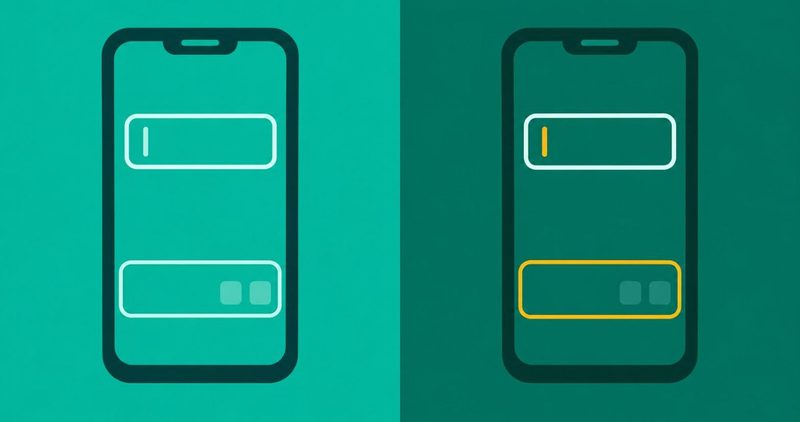
You tap the text box, the cursor blinks, and nothing comes up from the bottom of the screen. Your chats wait. Your passwords wait. The phone itself is fine. Everything else on it works. Only the strip where the keyboard should be is missing.
Carlcare, Transsion's own service arm, publishes the fix for Tecno, Infinix and itel phones. Its own test tells the two apart. Type in another app first. If the keyboard works there, the app you were in is the fault. Fix that app, and the keyboard comes back.
If it fails there too, the keyboard app itself needs the work. Or the phone does. This post works through both, from the two minute test to the lock screen case that can keep you out of your own phone.
Every other fault we have written sits in our Android problems hub. This post takes the keyboard that will not show up. It stops where a service centre takes over.
The order that finds the fault
- Type in another app first. It splits the fault in two.
- If it types there, the app you were in is the fault. Force stop that app.
- If it types nowhere, check the keyboard is on and set as the default.
- Force stop the keyboard app. Clear its cache if that changes nothing.
- Restart once. It is a step, not the fix.
- Stop at the service centre when nothing holds.
The first test: is it the keyboard or the app you were in?
Carlcare's page for Infinix owners, dated 18 November 2022 and read on 12 November 2026, opens on the reader's own moment:
- "Were you about to send an important text, perhaps you're in for a group chat, and you clicked on the text box just to see your keyboard not showing up?"
Its fourth step carries the test that splits the fault in two:
- "But before nailing the problem on your keyboard app, try to type using the keyboard in other apps like WhatsApp or Google."
- "If it works fine, try to force stop the affected app following the above steps."
What each answer means
Both answers send you somewhere different. The table lays the two out in one look.
| What you saw | What it means | What to do |
|---|---|---|
| It types in WhatsApp or Google, not in the app you were in | The app you were in is the fault | Force stop that app, then open it again |
| It types nowhere | The keyboard app itself is the fault | Work the steps in this post in order |
Carlcare's global page, dated 27 October 2020 and read on 12 November 2026, puts it in wider words:
- "When the keyboard malfunctions, this doesn't necessarily mean the problem lies with the keyboard app itself."
- "the cause of phone keyboard not showing up is in the app using the keyboard."
If the keyboard fails only inside one messaging app, reboot that app instead.
The keyboard app is switched off, or it is not the default
Check the keyboard is turned on
Open Settings and find the keyboard's own switch. Carlcare's global page gives the route as "Settings -> System -> Language & input." If your phone does not offer that path, open Settings and search for keyboard. The search bar matches every keyboard label on the phone.
Carlcare's itel page, dated 29 December 2020 and read on 12 November 2026, gives the same route for itel phones:
- "Open your phone Settings"
- "Select Apps & Notifications"
- "Click on the option to view all apps."
- "Click the 3-dot menu icon at the top-right corner, then select Show System."
- Now look for your keypad app, then open it.
The Infinix page gives the matching steps:
- "Open the Settings app … Tap to view all apps"
- "Scroll down to find the keyboard you're using."
- "You may need to tap the 3-dot menu icon and tap Show system if you can't find your keyboard."
No page on this symptom was found on Tecno's or itel's own site. Their FAQ pages, read on 12 November 2026, carry no mention of the word keyboard. So this post prints no Tecno path and no HiOS path. Every path above comes from Carlcare, and every label is a generic Android label. If a label is missing on your screen, search Settings for the words inside it.
Put the default back
A keyboard that vanished for no reason is often a different keyboard set as the default. Gboard's own help page, read on 12 November 2026, says it plainly:
- "If Gboard switches to another keyboard, you can switch it back."
Open your keyboard's settings and switch it back.
Samsung owners get the exact ladder. Samsung's general keyboard page, read on 12 November 2026, says:
- "We recommend using the Samsung Keyboard that comes preinstalled on your device."
- "Third-party keyboard apps may cause problems."
- "Navigate to and open Settings, then tap General management, and then tap Keyboard list and default."
- "Tap Default keyboard, and then choose Samsung Keyboard."
It is the page to follow on a Galaxy. If you swapped keyboards in the last week, switch the default back to the one that was working. Test the lock screen too, once you are back in.
The keyboard app is stuck
Force stop it
Force stop is the same path on both Carlcare pages. On Infinix: view all apps, find your keyboard, tap Force Stop. On itel: Apps and notifications, the 3-dot menu, Show System, open your keypad app, then Force Stop.
If the app you were in is the one that broke, the same two taps fix that app. Our apps crashing post documents the same mechanics, including the warning about bank apps and mobile money when clearing an app's data.
An S22 owner on the GalaxyS21 thread wrote:
- "I have to go to my settings, go to apps and force stop to get it to work again."
Clear its cache, and know what that costs you
If the force stop changes nothing, the cache is the next step. On itel: Apps and notifications, Manage apps to view all installed apps, scroll to your keypad, tap Storage & Cache, then Clear Cache.
Read the warning first. Carlcare's Infinix page says:
- "But beware that this will restore the keyboard app to default settings and you may lose your stored personal words and themes."
Samsung prints the same warning for its own keyboard:
- "This will erase all your keyboard settings, including saved words."
Clear the cache only if losing those words is a price you accept.
Roll back a bad update
If the fault started the day Gboard updated, Gboard's own help names the revert:
- "…If issues started immediately after a Gboard update, uninstalling updates can revert the app to a more stable version."
Google also warns:
- "Important: If Gboard is your only keyboard app, install a secondary one."
If you uninstall or wipe the only keyboard on the phone, nothing types until you fix it. Keep a second keyboard ready first.
The phone is stuck, not the keyboard
Restart, and what a restart does not fix
Step one is the restart, and step one is not the fix. Gboard's help page opens with exactly that:
- "Restart your device: Many apps and processes run in the background, and sometimes they can interfere with Gboard."
- "Rebooting your phone restarts all these processes and can resolve minor malfunctions."
A thread that started in March 2022, still active today, carries the owner's own words:
- "I'll tap the text box and the cursor flashes but there is no keyboard."
- "Every time I google the issue the only response is to restart your phone, which does solve the issue temporarily but it happens again eventually."
Restart once, then keep working the order.
Safe Mode, for the app that broke it
Safe Mode loads the phone without your downloaded apps. If the keyboard works in Safe Mode, a downloaded app broke it. Uninstall the newest suspects one at a time. Our safe mode guide shows the exit path. If the fault started right after a system update, check for the next patch before wiping anything.
The case that locks you out: no keyboard on the lock screen
What Samsung publishes
Samsung publishes the one case with teeth. Its lock screen page, read on 12 November 2026, opens:
- "If a third-party keyboard is set as the default input method, the keyboard may not appear on the lock screen, making it impossible to unlock your device."
Samsung's fix is a Safe Mode restart:
- "The default keyboard will remain set to the Samsung keyboard."
Samsung publishes this for a Galaxy phone, and no Tecno, Infinix or itel page states it. The check is worth running on any phone. If you swapped the default keyboard and the lock screen went blank, switch the default back. That is the whole test, and it costs two minutes.
The cable, and one reader's two minute test
A reader in a thread from November 2024 reported something the maker pages leave out. His phone was on a USB-C cable into a display, and the display into a laptop. His words:
- "sometimes the phone gets the idea that the thing at the other end of the cable involves a keyboard, and you're going to type on that instead, so it doesn't put up the on-screen one."
His fix is one line:
- "Unplug the phone from whatever you have the USB-C or whatever plugged into to charge"
That is one reader's finding, not a rule. No maker page confirms it, and no source ties a charger to this fault. It is a two minute test. Unplug the cable, tap the text box, and see.
When it is the hardware
Carlcare's Infinix page names the physical causes first. A hardware key pressed by mistake can swallow the typing. Water inside the phone can kill the touch layer or the board. Either way, the steps above will not find it, because the fault is not software at all.
Carlcare's global page names the reader's service arm in one line:
- "Visit a Carlcare service center and explain the problem to our rep for swift and quality phone repair service if you use Infinix, TECNO or itel phone."
That is where this post stops. No repair price is printed here, because no Nigerian price for this fault was sourced. Carlcare is the reader's own after-sales arm for Tecno, Infinix and itel. A service centre can tell you what yours needs. That visit is the next step. Every other fault we have written sits in our Android problems hub.
Questions readers ask
Why does my keyboard not show up?
Usually the app you were in, not the keyboard. Type in another app. If it works there, force stop the app you were in. If it fails there too, work through this post in order.
How do I switch my keyboard back on?
Open Settings and search for keyboard. Tap your keyboard app, or search for Language and input and find the switch there. If nothing matches, search for Show system too, because a shut keyboard hides in that list.
Does clearing the cache erase my words?
Yes, it can. Carlcare warns it restores the keyboard app to default settings and you may lose your stored personal words and themes. Samsung prints the same warning. Clear it only when losing them is acceptable.
Will a restart fix my keyboard?
Sometimes, and briefly. One owner wrote that a restart "does solve the issue temporarily but it happens again eventually." Restart once, then keep working the order.
Can a charger keep my keyboard hidden?
One reader says yes, in a thread from November 2024. His phone read the cable as a keyboard and refused to show the on-screen one. Unplug and test. No source confirms it beyond him.
What I could not test on my Tecno Spark 40, and why
The house phone for this post is a Tecno Spark 40 running HiOS on Android 15. On 12 November 2026 I could not open the phone for real. No label on this page was confirmed on the device itself.
What that means for you is simple. No Tecno or itel path is printed here, because neither brand's own site carries a page on it. Every path above comes from Carlcare, Samsung or Google, or is written as a Settings search string you can run yourself.
What no source supports, so this post prints none of it. There is no rate for how often this fault is the app. There is no price for the repair. There is no HiOS keyboard path. Nothing here claims the lock screen case is a Tecno fault. The lock screen case is Samsung's, for a Galaxy. The check costs two minutes on any phone.
Bottom line
Type in another app first. That one test tells you whether the fault is the app or the keyboard. Fix the app, or work the keyboard order, then stop. If the keyboard still will not show up, a Carlcare service centre is the next step.
Comments
New posts held for reviewCouldn't load comments - the thread service didn't answer. Nothing is being hidden: no approved comments are saved with this page.
No approved comments yet - the first one is yours. New posts are held for review before they appear.