 By
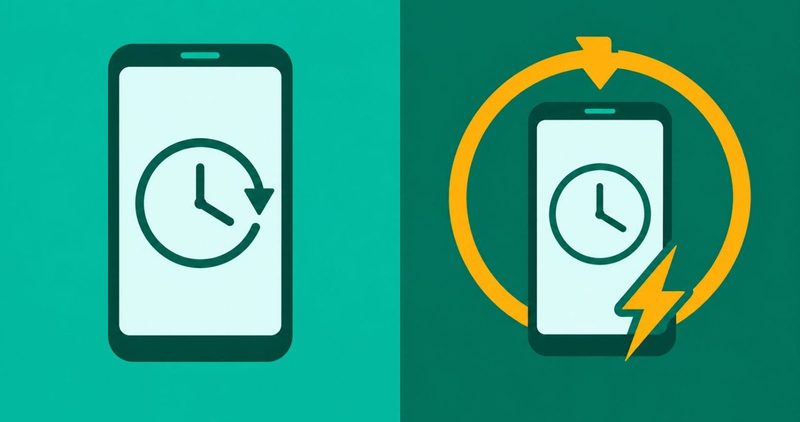
Your phone lies on the table all evening with the screen off. You wake up and it is on the lock screen, and something in the night switched it off and back on. Nobody touched it. This post is about that phone: it starts normally, runs for hours, then restarts on its own.
It is not a boot loop. A boot loop means the phone never reaches the home screen. Here the phone works all day and then restarts by itself in the night while nobody is holding it.
The first check costs nothing, and it is the one that is easiest to skip. The phone may have shipped with a restart schedule switched on. You did not turn it on, and the phone reboots at a fixed hour. The setting that does it hides under a different name.
The order below starts with the check the maker pages start with, and every step in it is free. The schedule comes first, because a phone set to restart on a clock will do that whatever else is wrong with it.
The other fixes for a budget Android phone sit in our Android problems hub. This post takes the phone that restarts on its own, and it stops where a service centre takes over.
The order that finds the fault
- Check for a restart schedule. The phone may have shipped with one switched on.
- Look for a clock. A schedule keeps the same hour. A fault has a trigger.
- If there is no clock, check heat. A hot phone restarts to protect itself.
- Then the case and the charger. Take the accessories off for one night.
- Then storage, the update and one app. Each has its own rule, and each is free to test.
- Stop at the service centre. Some faults are not yours to fix.
The first check: is the phone on a restart schedule?
This setting has two published names, and they belong to two different makers. Samsung calls it Auto restart, inside Device care. Transsion's own service arm calls it Scheduled power on/off and restart, on a page written for Infinix. A reader who searches for one name on a phone that uses the other finds nothing. So the reader blames the phone, and the setting stays switched on.
The name on a Samsung phone
Samsung's support page, last updated 7 August 2025 and read on 12 November 2026, names the setting Auto restart. It gives the path in four steps. It warns that "Device screenshots and menus may vary depending on the device model and software version".
- "Step 1. Select Settings, then select Device care."
- "Step 2. Select Auto optimization."
- "Step 3. Tap Auto restart."
- "Step 4. Turn off both Restart when needed and Restart on schedule."
The same page lists four conditions for the restart to run at all:
- "the screen is off"
- "the device is not in use"
- "the battery level is above 30%"
- "the SIM card lock is turned off"
A restart in the dark, with nobody touching the phone, fits all four. If your phone does not show Device care, search the Settings screen for Auto restart instead. Then turn off both switches, Restart when needed and Restart on schedule, and leave the phone alone overnight.
The name on an Infinix phone
Carlcare Kenya's page, dated 17 February 2024 and read on 12 November 2026, names this setting for an Infinix phone. It puts the schedule check as step one, before the storage, the update and the app hunt. Carlcare calls itself "the official after-sales service provider for TECNO, Infinix, and itel smartphone users in Kenya and across the globe".
- "Launch the Settings"
- "Scroll down and tap Scheduled power on/off and restart."
- "You'll find options for scheduled power on, power off, or restarting the phone. Check the toggles on the right side to confirm any active schedules, and tap the toggle to disable them."
The toggle turns grey when the schedule is off. Carlcare's own reason for putting the check first is that "remember that the issue might persist if you have an active power on/off schedule. So you may have to start from there".
The name on a Tecno or itel phone
Carlcare's global restart page, dated 21 July 2020 and read on 12 November 2026, answers the same question for Tecno, Infinix and itel owners. It never names the schedule. Its five causes are a software glitch, hardware damage, overheating, liquid and a loose battery.
So what do you do with a Tecno or an itel? You search. Open Settings and use the search bar. Search for restart first, then for schedule. Those two words cover the two published names.
If the search finds a restart schedule, switch the schedule off. Switch off the restart when needed option too, if the phone offers one. Then leave the phone alone overnight and see what the morning says.
How to tell a schedule from a fault
A schedule keeps a clock, and a fault has a trigger. A week of notes settles it faster than any guess.
A Galaxy S20 thread, posted 1 June 2022 and read on 12 November 2026, carries the reader's own words. "Is anyone else's GS20 automatically restarting at night between 11 pm and 5 am"? The owner added "Auto restart is not a feature I have turned on".
A reply on that thread found the cause years later. The setting was waiting in "Device Care" and "Auto Optimization", set to a daily 3am restart schedule. Another reply said the phone had reported its last auto restart. That is the number to compare with the hour your own phone goes down.
An AndroidQuestions thread, posted 23 November 2025 and read on 12 November 2026, carries a second case. The owner of a Samsung A34 wrote "Also the auto-restart is disabled". The reply that settled it came from a Galaxy S23 owner. He wrote "But I had a setting that makes my phone auto restart that I never knew I selected". After switching it off, he wrote that his phone "seems to have stopped stuttering".
A Samsung community thread, created 6 May 2022 and read on 12 November 2026, carries the cost. The owner wrote "My S22 is restarting every night, around 3am. When I wake up I need to fully unlock my phone. This is stopping alarms and sleep tracking from working correctly". The same post adds "I have automatic restart turned off so I cannot work out why it is doing it".
A reply on that thread found the setting behind the three-dot menu at the top right of Device care. The next reply said it "was set to restart everyday at 3am". So a phone that reboots needs your PIN before it is back in your hand, and the alarm can die in the gap. One minute in Settings beats a missed alarm. Every other Android fault we have written sits in our Android problems hub.
When the phone is not on a schedule
With the schedule ruled out, you work the triggers in order. Google's own page for a phone that restarts or crashes, read on 12 November 2026, names the ones that come up most.
It only happens when the phone is hot
A phone that is working hard gets hot, and a hot phone restarts to protect itself. Our overheating guide owns that fault. It carries the heat bands, the cooling steps and the warning signs, and this post prints none of them.
It only happens with the case or the charger on
Google's accessory rule is short. Take the case, the external battery pack or any other accessory off while you troubleshoot. Keep accessories from covering a sensor or a button. Do it for one night and see.
It only happens when storage is nearly full
Storage is next, and Google's rule is one line: "Your phone can start having issues when less than 10% of storage is free". Our storage guide has the clearing routine, including the part that works after you have already deleted files.
It only happens after an update
Samsung says a critical security patch can make the system reboot even when auto updates are turned off. Our slow after update guide owns that case and the fixes in it. Do not wipe the phone on the first night after the update.
It only happens when one app is running
Google warns that if a downloaded app caused the fault, reinstalling that app could bring it back. Find the app first, then decide what to put back.
Safe mode is how you find the app. Start in safe mode, and if the phone behaves, the app is the suspect. Our safe mode guide shows how to get back out of it.
The order to work in, and where to stop
Work the order and stop at the first check that changes something. The order is the schedule, then heat, then the case and the charger, then storage, then the update, then one app. A check that changes nothing hands the fault to the next one.
Every step above is free, and every step takes one evening. When the phone restarts and never reaches the home screen, that is a different fault, and our boot loop guide owns it.
A service centre owns it from this point. The phone restarts with no schedule, no heat, no tight case and no low storage, and it keeps doing it. That is a board, a battery or a connector, and no switch on the phone will fix it. Take it in and tell them when it started and what you have already tried.
One evening of free checks tells you whether the phone needs a shop or a settings change.
When the battery is the reason
Nothing in Settings changes a battery that is failing. Our battery damage guide owns that fault and its warning signs, and it tells you what to do when you see them.
A phone that also loses charge fast when it is unplugged is the same battery. Our battery drain guide covers that case app by app.
Questions readers ask
Is a phone that restarts at 3am broken?
No. A phone on a restart schedule does that on purpose. The restart waits for the screen to be off and the phone to be unused. Switch the schedule off and the night restarts stop. If the hour moves around, keep working the order above.
My phone restarts by itself at night. What do I check first?
The restart schedule. Open Settings and search it for restart, then for schedule. If you find one, switch it off, leave the phone alone overnight and compare the morning.
The phone restarts after an update. Should I wait or wipe?
Wait. Our slow after update guide owns that window and the fixes in it. Wiping a phone on the first night costs you your apps for a fault that can settle on its own.
Does clearing the cache stop a phone restarting by itself?
Not on its own. Clearing space matters when storage is nearly full, which is a different fault. The schedule switch costs a minute and needs no app.
Will a restart delete my data?
No. A normal restart closes your apps and starts the phone again. Your photos, chats and accounts stay. A factory reset is the one that wipes, so back up before that one.
My phone reboots when it gets hot. Is that the same fault?
No, and it needs a different fix. A hot phone restarts to protect itself. Our overheating guide owns that one, and this post prints no temperature.
What I checked on my Spark 40, and what I could not confirm
I test on a Tecno Spark 40 running HiOS on Android 15. On 12 November 2026 I looked for a restart schedule in HiOS and found no path to one. I will not write a menu path I did not open.
No first-party Nigerian page names the setting for Tecno, Infinix or itel either. So this post prints no Tecno, itel or HiOS path. You get the published Samsung path, the published Infinix path, and the words to search for on your own phone.
Two paths are on the record, and both were read on their makers' pages on 12 November 2026. Each one gives you the steps to switch the schedule off. If your search comes up empty, the schedule may not be on your phone at all. Then the rest of the order is your next step.
Comments
New posts held for reviewCouldn't load comments - the thread service didn't answer. Nothing is being hidden: no approved comments are saved with this page.
No approved comments yet - the first one is yours. New posts are held for review before they appear.