 By
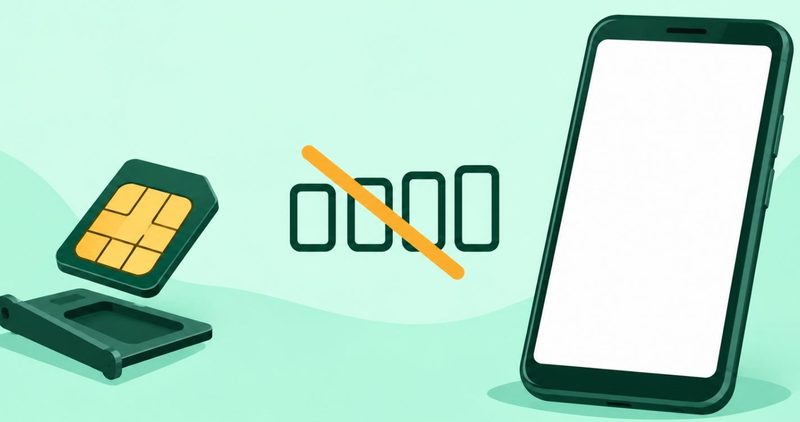
SIM not detected on Android: the quick summary
- Power off, remove the card, clean the gold contacts and the tray, then seat it squarely.
- Switch the SIM back on in Settings and, on two SIMs, make the right one active.
- Check the network mode and turn a stuck manual selection back to automatic.
- Toggle airplane mode, then reset network settings if the fault survives a restart.
- Ask the carrier whether the line is active, registered and free of an outage.
- If the card is damaged, test it in another phone and ask the carrier for a replacement.
Start with the card and the tray
Your phone says no SIM, no service, or emergency calls only. That is one symptom with six possible causes. The physical check comes first because it costs nothing and clears the most cases. Work down this page only when the card and tray check out.
Power the phone off. Take out the tray and the card. Look for dust, bent metal, or a card that sits proud of the tray.
Samsung's own SIM detection guide says to clean the card and tray with a clean, dry cloth. Carlcare's advice on a missing network says to clean the gold contacts gently with a soft, dry cloth. Two first parties agree on this step, which is why it leads the page.
Seat the card squarely. Both makers warn against bending or forcing the tray. A card that is tilted, or only half in, will read as no SIM.
The tray is easy to damage and easy to replace. Take care not to break or deform it. A bent tray can hold a good card at an angle, so the phone sees a fault that is not the card's.
The phone sees the card but says no service
Emergency calls only means the phone has not joined a network. The card itself may be fine. The trouble sits with the line, the account, or the network.
Samsung's SIM detection troubleshooter says that message appears when no active SIM is inserted, or when the card is damaged. It also names temporary software errors and carrier settings as causes.
A carrier can be the whole problem. Airtel's own troubleshooting post calls this a provider issue, such as a temporary outage. It tells you to ask the provider to reset the connection at its end.
In Nigeria, Carlcare's after-sales site lists a slot that often shows no service or struggles to find a network. Your own carrier prints the same shape of advice under its name.
So ask one clear question of the carrier. Is the line active, registered, and free of an outage in your area today? A line that fails that question will defeat every setting on the phone.
Registration is worth its own mention. A new card, or a line that has been moved between accounts, may not be registered on the network yet. The carrier can see that in seconds. You cannot see it from Settings.
Make sure the SIM is switched on
Sometimes the card is present and simply off in software. Google's mobile connectivity help page tells you to make sure Use SIM is on. It says a carrier name in grey, with No SIM beneath it, means the card is missing or inactive.
Find the SIM page in Settings and switch the line back on. On my phone, a Tecno Spark 40 running HiOS on Android 15, the Settings search box finds it when a menu name changes. Type SIM, open the result, and check the toggle.
Two SIMs add one more check. Carlcare's note on two-SIM data and calls suggests setting one card for data and the secondary card for calls. If the wrong slot is handling what you need, change the default.
That is the whole of the dual-SIM overlap here. The full table of menu names across phone skins is a separate subject, so it is not repeated on this page.
Network mode and a stuck selection
Network mode is the next fault. The preferred network type has choices such as 5G, LTE, 3G and 2G available. Pick the mode your carrier supports, not the highest number on the list.
Carlcare's network advice says incorrect network settings cause connection problems, especially when you travel. A phone locked to one network is the common version of this fault.
If selection is set to manual, change it back to automatic. The phone will then search for the strongest signal it can reach. It stops asking one network that never answers.
Give the phone a moment after the change. A search can take a minute in a weak area. A bar that returns slowly is still a return.
A manual selection is useful in one narrow case. If one carrier is weak where you live and another is strong, you may have picked it on purpose. Note whether you did. If you did not, automatic is the right setting.
Reset the phone's network settings
Software is the fifth fault. An update can leave a phone unable to see a card that is fine. The fix is a short ladder, and the cheapest rung comes first.
Toggle airplane mode on for ten seconds, then off. Samsung's troubleshooter says a restart clears the temporary system errors that stop a card being recognised.
If the fault survives the restart, reset the mobile network settings. A network reset may be needed after changing phone settings or menu options. The path is Settings, System, Reset options, then Reset Wi-Fi, mobile and Bluetooth.
Name the cost before you tap. The reset clears saved Wi-Fi passwords and Bluetooth pairings, and the phone may need network setup again. It does not delete photos, contacts or apps.
When the card itself is the problem
The sixth fault is the card. Cards wear out, and an old card can stop being recognised. One test settles it, and it needs a second phone.
Put the card in another handset. If the card is not detected in the other phone, it is most likely damaged. Contact your network provider for a replacement card.
Age is a real cause here. A card that has been in and out of trays for years wears at the contacts. Cleaning helps while metal remains. Once the contacts are worn through, no cloth brings them back, and a replacement is the only fix.
Carlcare's Infinix SIM guide goes further. It describes a repair shop changing the tray, changing the slot reader, and issuing a new SIM. Those are three separate parts, and only one is the card you hold.
Ask the carrier for the replacement. The card carries your number and your account, and only the carrier can bind a new one to both.
When to stop and let someone else take it
Some faults are not settings. A tray that will not sit flat, or a slot reader that never sees any card, is a repair.
Carlcare is the phone maker's after-sales arm and also books repairs, so read its guidance as a repair path. That guidance names a new tray, a new slot reader and a new SIM.
A bent tray is cheap to replace and often quick. A slot reader sits inside the phone. Neither one is fixed by an app or a reset.
Stop tapping settings when two phones refuse the same card and the tray is visibly damaged. That is the point to book the repair.
What I could not test here
I work from one phone, one SIM and no carrier account. I could not put a damaged card in a second handset or watch a carrier reset a line. Every step on this page is quoted from a maker or carrier help page. I ran none of them as a test.
That matters for the paths. Menu names move between phone skins and Android versions. On your phone, use the search box in Settings when a label here does not match.
I also cannot tell you which fault you have from a single screenshot. A grey carrier name points one way. A working card in a second phone points another. The order on this page is designed so each check removes one possibility before you spend money.
I read the maker and carrier pages behind these steps on 21 November 2026. No price, signal reading or coverage figure appears here, because none of those pages printed one I could verify.
Questions readers ask
Can airplane mode bring the SIM back?
Sometimes. It forces the phone to search for the network again. It cannot fix a dirty card, a SIM that is off, or a line the carrier has not activated.
Will a network reset delete my photos?
No. It clears saved Wi-Fi passwords and Bluetooth pairings, and it may remove saved network settings. Photos, contacts and apps stay put.
Can a SIM card expire?
Yes. A card that has sat unused can stop being recognised. Ask the carrier to check the line, and replace the card if it has failed in another phone.
Is emergency calls only a hardware fault?
Usually not. It most often means the phone has not joined a network. Work through the card, the SIM toggle, the network mode and the carrier before you book a repair.
Do I need to install an app to fix this?
No. Every step here uses the Settings app or your carrier. None of them needs an install, and no app can see a damaged card.
Where to go next
If the SIM problem clears, other phone faults live in our Android fixes hub. For what we mean by a tested step, how we test a phone sets it out.
Start at the top of this page. Reseat the card, then work down. Six faults have six fixes, and the physical check clears most of them.
Comments
New posts held for reviewCouldn't load comments - the thread service didn't answer. Nothing is being hidden: no approved comments are saved with this page.
No approved comments yet - the first one is yours. New posts are held for review before they appear.