 By
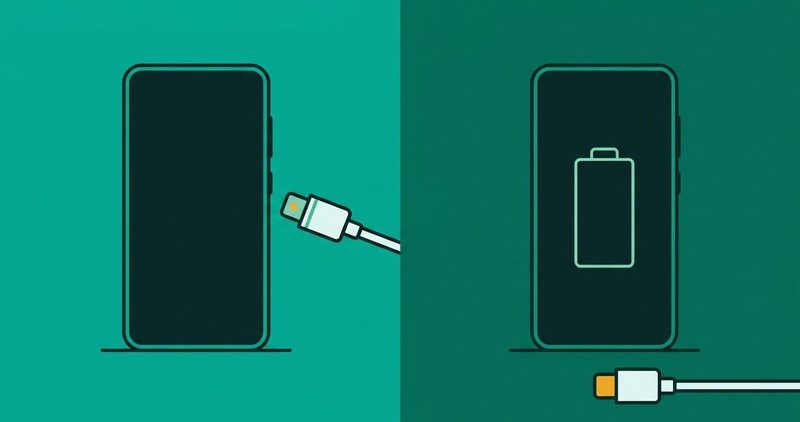
The phone is on the cable. The screen shows nothing. No battery icon burns, no red light blinks, and thirty minutes on the cable moves nothing.
The hope riding on that cable is the cheap one: the cable is dead, buy a new one. Maybe. But the order below costs nothing and finds the dead part first. I write on a Tecno Spark 40. No fault was induced on it for this guide, so no step prints as tested on the house phone.
The fixes for every other budget Android fault sit in our Android problems hub. This post handles the one failure where the phone shows nothing at all.
The ordered test, in order
- The cable. Borrow one that charges a second phone.
- The charger and brick. Borrow one the same way.
- The socket. Move to another plug point.
- The port. Look inside with your eyes. No metal, ever.
- Software. Restart, then check for updates.
- The battery. The last suspect, reached only after the rest clear.
The fork: which guide is yours
Three readers land here with three different phones.
If your charging symbol shows but the percentage falls, that is our battery draining while charging guide. If the symbol shows only at one angle, that is our phone charging at an angle guide. This guide is for the phone that shows nothing at all, or one whose screen stays black.
The fork decides before you spend a naira. Yours takes nothing, so start with the cable.
What the symbol means
Google's help page for this fault, read on 12 November 2026, names three outcomes. A battery icon means the phone is powered off and charging. A red light means the battery is fully discharged. A flashing red light means there is not enough power to turn on. Google says to charge for at least 30 minutes before restarting.
See none of the three? Google says the issue could be with the screen. That is Google's branch, and it ends at a repairer, not a cable.
itel's support FAQ, read on 12 November 2026, carries the same first-power case. A phone with an empty battery gets 5 minutes on the original charger, then a check to see whether it charges normally. Five minutes is itel's instruction, not a rate.
The fault list, in the order the makers give
Start with the cable and the charger
Every maker page starts here. Carlcare Nigeria's TECNO page, dated 17 November 2022, walks power source, cable, adapter, software, then the service centre. Google's order is the power button hold, then the same parts, then the port.
The swap that settles it costs nothing. Borrow a cable that charges a second phone without drama, then borrow a charger the same way. Google asks you to try another device on your adapter and cable.
Carlcare Nigeria's Infinix page, dated 14 August 2022, gives the test. Use your charger with a different phone to see if your cable is faulty or not, it says.
That page also carries the warning in the other direction: using an alternative cable from the original one will damage your phone's charging port. Both sentences sit on one page. The swap is contested. Unplug first, and know that nothing here is certain until you buy the part.
Carlcare's Infinix page also blames fake parts: most charging issues come from faulty or fake chargers, it says. That is Carlcare's claim, not a measurement.
Then the socket
Carlcare Nigeria says: if you are charging from the wall, try a different socket or try charging from your computer. A phone that charges from the new plug point had a weak old one.
Then the port
Google says to check that there is nothing in the port of your phone, like dust or lint. Carlcare Nigeria's Infinix page says to clean a dirty port with a soft brush. Carlcare Kenya's page, dated 18 March 2024, allows a toothpick for solid particles but says to avoid inserting metallic objects into the port.
No metal goes into the port. Unplug the phone or switch it off first, then the soft brush.
Carlcare Kenya says physical damage like bent pins in the port has little you can do than having a professional fix it. Bent pins are a repairer's job, not a reader's.
Then software
Software is fourth. The short version is a restart, then updates, then a reset only with a backup. The full branch sits three sections down.
Last, the battery
The battery is the last suspect, and this page never names it certain. Carlcare's TECNO page ends its list at the service centre: the charging port or some other hardware part may be faulty as a whole.
The free test, step by step
Run the checks in this order. Stop at the first check that changes the result. Every step is free.
| Step | What you do | What it tells you |
|---|---|---|
| 1. Power button hold | Hold the power button for 5 to 7 seconds | The phone restarts, or the fault survives a restart |
| 2. Borrowed cable and brick | Charge a second phone with your set, then yours with a borrowed one | The second phone charges on yours, or yours charges on the loan |
| 3. Different socket | Move the charger to another plug point | The phone charges from the new plug point, so the old one was weak |
| 4. Look inside | Look inside, then brush it softly | Dirt comes out, and the charge resumes |
| 5. Computer USB | Plug into a computer, wait 10 to 15 minutes, disconnect and reconnect within 10 seconds | The phone charges from the computer, so the wall chain is the fault |
| 6. Volume-down plus power | Hold both for at least 20 seconds | The screen comes back, or it stays black |
The order runs straight from Google. The hold-button step comes from there, and so does the computer USB step with its 10 second disconnect. The borrowed cable and brick is the first test on Google, the Infinix page and itel's FAQ.
The deep-discharge case
A flashing red light is its own branch. Google says that light means there isn't enough power to turn on, and to charge for at least 30 minutes before restarting. itel's FAQ answers the same case with its five-minute instruction, printed above. Neither is a rate.
One thread lives in this symptom's result set, and it is one thread. A Samsung S22 Ultra owner on r/samsung, March 2022, stayed at 0 percent while charging. Two commenters in the thread report a wireless charger reviving it. Two commenters, one thread, printed here as exactly that. Never read it as advice for HiOS.
When software refuses the charge
Three refusals recur on the maker pages, and all three are software.
itel's FAQ says a non-original charger is identified as a non-standard charger. The software then restricts the charging current, and the phone cannot charge to full capacity. A borrowed or clone brick can leave the phone stuck short of full, in itel's words.
itel prints a charging temperature limit of 0 to 45 °C, its own figure read on 12 November 2026. Above that range, itel's FAQ says the software restricts the charging input, and the phone cannot charge fully. No threshold here is measured by this post.
Carlcare's TECNO page lists uninstalling buggy apps, a reboot, and updating the software, in that order. If an update exists, run it. Carlcare's warning prints with the reset: reset the phone will erase all the data, so back up your data first. itel's FAQ says the same: back up important data before restoring factory settings. No reset prints on this page without that warning attached.
Battery age, honestly
No Tecno, Infinix or itel phone prints a battery health percent. Settings on the Spark 40 shows usage by app and nothing about capacity. Google's capacity figure prints only on Pixel pages, only for Pixel 8a and later: the number does not exist on a budget Android.
Our sister guide on testing your phone battery health lists the ways to read what is left, including the Spark 40's reading.
A swollen back cover is different. Google's Pixel help pages, read on 4 October 2026, say do not press the back, do not open the phone and seek repair. See the Pixel help page. Carlcare Kenya, dated 18 March 2024, says a swollen cover means professional help. Both end at the same door.
Charger, battery, or repairer: the fork before you buy
The money question has three answers, and the free test points to the right one.
Every check passes and the phone still takes nothing? Then the answer is hardware, and a professional is the ending. Carlcare's TECNO page says as much: the charging port or some other hardware part may be faulty as a whole.
If the named part is a battery, one retailer's figures frame the question. Kara, a Nigerian accessory retailer, lists a fast charger (18W to 33W) at ₦12,000 to ₦35,000. Its replacement battery also runs ₦12,000 to ₦35,000, and a USB-C cable runs ₦3,500 to ₦12,000. Those ranges were read on 12 November 2026, the page shows no date, and they are one retailer's asking prices, not official prices.
The official figures could not be read. Carlcare's spare parts price page, read on 12 November 2026, returned 200 with zero naira signs on it: a script-loaded dropdown. No official Tecno, Infinix, itel or Carlcare price is printable today.
These are retail figures, not the maker's list, and the list could not be opened. Nothing on this page picks a charger brand for you, and no store gets your money before the test rules it out.
The stop rule
Stop swapping when nothing changes. A known good cable and brick still show nothing? The port or a board fault is the answer, and the next step is a repairer, not another charger.
No metal goes into the port, ever.
No reset prints safe on this page. Every reset on it carries a backup warning, attributed to itel or Carlcare.
A swollen battery ends here outright. Do not press the back, do not open the phone, and visit a repair centre. The swollen-battery guidance from earlier in this post applies here too. itel's FAQ ends its overcurrent case the same way.
Quick answers
Why does my phone show nothing when I plug it in?
Google's three-way test settles it. A battery icon means it is charging while off. A red light means a fully discharged battery. Flashing red means not enough power to turn on, so wait 30 minutes. Nothing at all can mean the screen.
Is the cable really the problem?
Carlcare prints both sides on one page: different cables may work, and a non-original cable may damage the port. Unplug first and borrow before you buy. Nothing in the swap is certain until a new part proves it.
How long should I charge before restarting?
Google says at least 30 minutes for a flashing red light. itel says five minutes on an empty battery. Neither is a rate, and neither guarantees the screen returns.
When should I take it to a repairer?
When a known good cable, brick, socket and cleaning change nothing. When the pins are bent. When the battery swells. Walk in with the story: when it started, which checks you ran, and what each changed.
Bottom line
The order never changes: cable, charger and brick, socket, port, software, battery. Buy nothing until the free test rules them out. When it rules in a battery or a port, Carlcare's service centre is the ending.
The rest of the fixes sit in our Android problems hub. Start with the cable.
Comments
New posts held for reviewCouldn't load comments - the thread service didn't answer. Nothing is being hidden: no approved comments are saved with this page.
No approved comments yet - the first one is yours. New posts are held for review before they appear.